Paid Search Adobe Analytics | Adobe Higher Education
Skip to main content
winstonl3651471
Level 3
April 17, 2020
解決済み

Paid Search Adobe Analytics

  • April 17, 2020
  • 1 の返信
  • 8808 ビュー

Hi,

Hope someone can provide some clarification on the below.

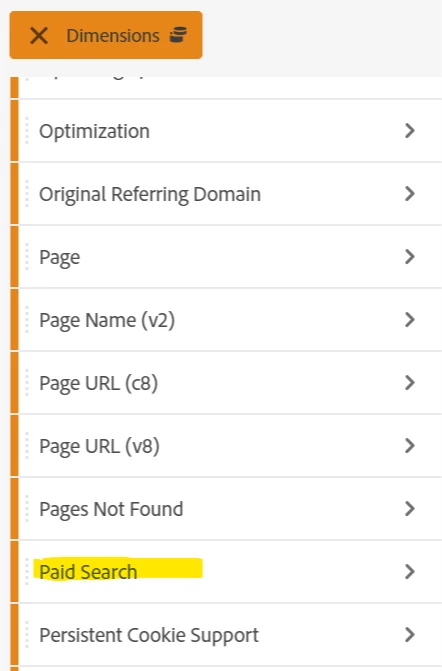
In Analysis Workspace, in dimensions, we see "Paid Search". I believe this is different to "Paid Search" set in Marketing Channel configurations.

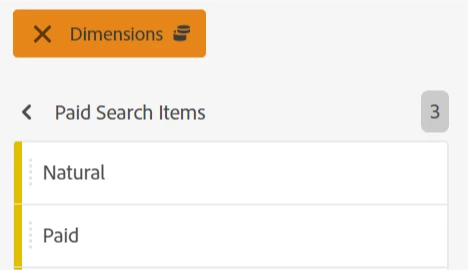
Question is, how is this report configured and what's the definition of the 2 items (paid, natural) displayed within this report? In what context the dimension should be used?

Thanks,

Winston


このトピックへの返信は締め切られました。
ベストアンサー Andrew_Wathen_

Adobe over the years have had a number of different ways of tracking channels and modelling attribution.  This one I believe pre-dates marketing channels. There is no right or wrong answer as to when to use it (assuming you've got it set up correctly), it's just going to tell you something slightly different.  However in our organisation we've hidden this variable from users and directed them to marketing channels for consistency.


In terms of the set up of this particular variable, Adobe automatically detects when someone navigates to your site from a search engine, it then determines 'Natural' vs 'Paid' via rules that you configure in the report suite manager: Edit Settings > General > Paid Search Detection.  (The logic basically come down to whether or not there is a campaign query string parameter indicating 'paid' present on the landing page.)


The "Search Keyword - Paid" and "Search Keyword - Natural" variables are also determined via the same logic.  However, these will be largely un-populated as most search engines block adobe from scraping the search term from the referring URL.

1 の返信

Andrew_Wathen_
Community Advisor
Community Advisor
April 17, 2020

Adobe over the years have had a number of different ways of tracking channels and modelling attribution.  This one I believe pre-dates marketing channels. There is no right or wrong answer as to when to use it (assuming you've got it set up correctly), it's just going to tell you something slightly different.  However in our organisation we've hidden this variable from users and directed them to marketing channels for consistency.


In terms of the set up of this particular variable, Adobe automatically detects when someone navigates to your site from a search engine, it then determines 'Natural' vs 'Paid' via rules that you configure in the report suite manager: Edit Settings > General > Paid Search Detection.  (The logic basically come down to whether or not there is a campaign query string parameter indicating 'paid' present on the landing page.)


The "Search Keyword - Paid" and "Search Keyword - Natural" variables are also determined via the same logic.  However, these will be largely un-populated as most search engines block adobe from scraping the search term from the referring URL.
winstonl3651471
Level 3
April 17, 2020
@andrew_wathen_, Thank you for the response. It makes sense. Would you be able to elaborate on how you managed to "hide" this from users in Adobe Analytics?