purnimajena
Level 3
March 3, 2025
Solved

Page View rule is not firing through out the website

  • March 3, 2025
  • 3 replies
  • 582 views

Page view rule is not firing on any page where as other rules are working as expected , any suggestions !

This post is no longer active and is closed to new replies. Need help? Start a new post to ask your question.
Best answer by bjoern-koth

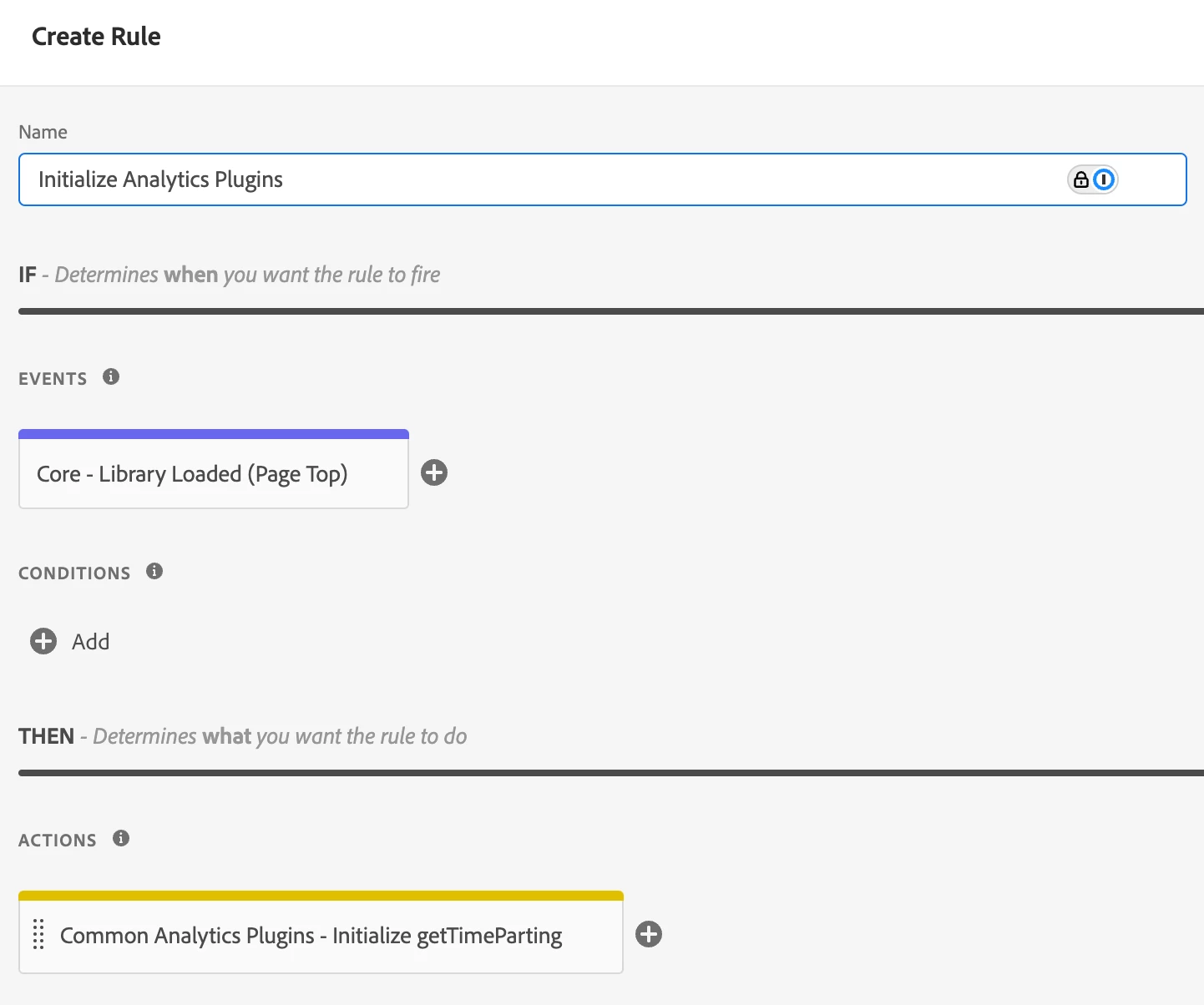
In that case you will need to install the Common Analytics Plugins extension first

and make sure you initialize the extension in a dedicated rule


Note though that getTimeParting is a function on the "s" instance.

So, you will have to call this instead


s.getTimeParting("America/New_York");


3 replies

bjoern-koth
Adobe Employee
Adobe Employee
March 3, 2025

Hi @purnimajena 

can you add a little more context about the rule?

  • Maybe even a screenshot?
  • How is it triggered? Through an out of the box event?
  • Are there any additional conditions?
  • Have you enabled console logging with _satellite.setDebug(true) ? This will print out information about your rules that fired or if conditions were not met
Cheers from Switzerland!
purnimajena
Level 3
March 3, 2025

Hi @bjoern__koth ,

Yes i have enabled _satellite.setDebug(true) and below error is coming .

For time parsing i am using a generic code, which is working in other property


bjoern-koth
Adobe Employee
bjoern-kothAdobe EmployeeAccepted solution
Adobe Employee
March 3, 2025

In that case you will need to install the Common Analytics Plugins extension first

and make sure you initialize the extension in a dedicated rule


Note though that getTimeParting is a function on the "s" instance.

So, you will have to call this instead


s.getTimeParting("America/New_York");


Cheers from Switzerland!