sarithas0207
Level 2
Oct 11, 2018 5:52 PM UTC
New

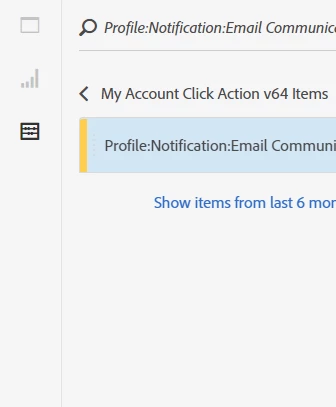
On right click of dimensions/metrics/segments items within left panel provide create segment option

Hi,

It would be a time if "create segment" or create calculated metric options is provided on right click of dimensions/metrics/segments and when a specific dimension item is opened.
Thanks

5 replies

Adobe Employee
Oct 16, 2018 3:37 PM UTC

Thanks for the suggestion!  Just so I'm understanding correctly, if you have a component (specifically a dimension item) selected in the left rail, you would like to have some right-click options available such as create segment and create calculated metric - is that correct?  Would the newly-created segment or calc metric show up in the left rail immediately under their respective section?

Translate
sarithas0207
Level 2
Oct 17, 2018 2:29 PM UTC

Brandon – Thanks for the response!

Thanks for the suggestion! Just so I'm understanding correctly, if you have a component (specifically a dimension item) selected in the left rail, you would like to have some right-click options available such as create segment and create calculated metric - is that correct? - Yes it helps especially when I have multiple freeform tables within a panel and want to add new segments by just selecting the items that I am interested under any dimensions/metrics/segments.

Would the newly-created segment or calc metric show up in the left rail immediately under their respective section? I suppose for this I have to make the segment public and refresh components to see it, which can be done in the flow.

Thanks

Saritha

Translate
Adobe Employee
Oct 17, 2018 2:40 PM UTC

Great thank you.  We will consider for a future release - I like it.

One other note - did you know that you can drag anything (ie, dimension item(s)) into the segment dropzone in a panel, and it will convert it to a segment automatically for you?  So in your use case above, instead of creating a segment from a dimension item and then dragging that segment into each panel dropzone, you could simply drag the dimension item into each segment dropzone and have the same effect (and the segments that are created are not public).

Translate
jantzen_b
Adobe Employee
Adobe Employee
Oct 27, 2020 10:13 PM UTC
No text available
Translate
Community Manager
Oct 5, 2022 7:04 PM UTC
No text available
Translate