October 4, 2022
Solved

NoValue percentage decreases drastically when table view is restricted to only few rows.

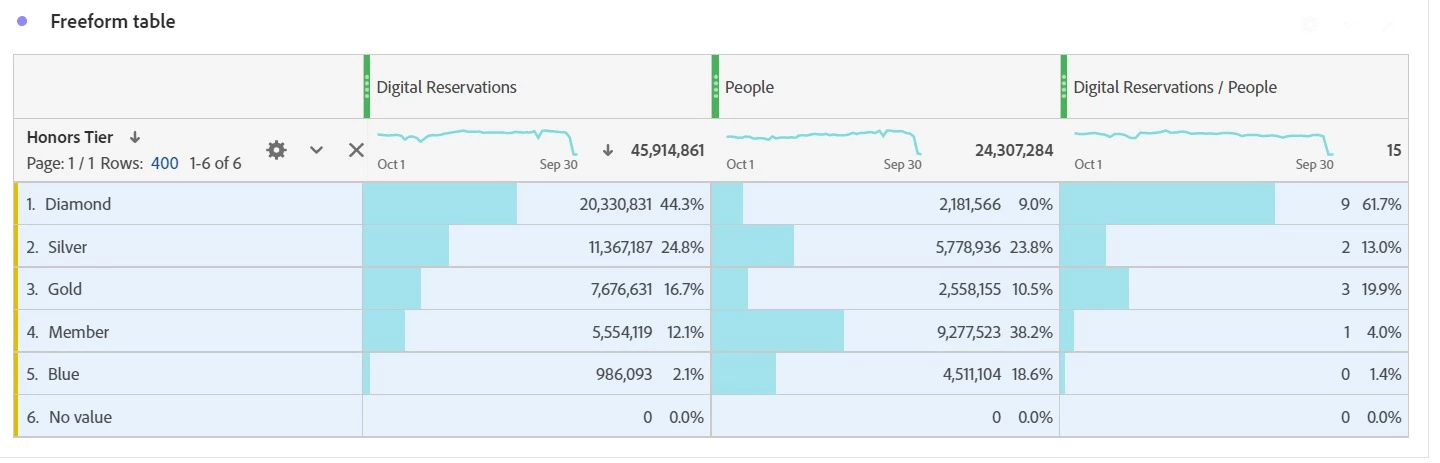
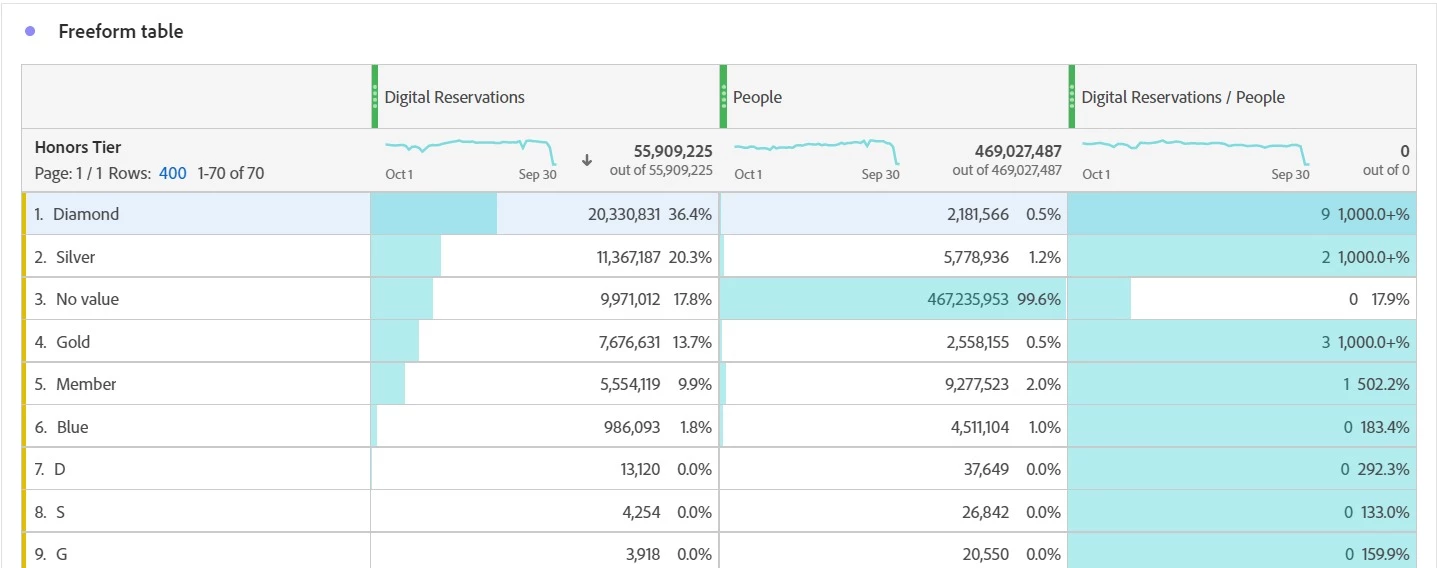
Please find after and before screenshot.


before there are 17.8% once we restricted the table view to only 6 rows.. it shows 0%.. Is it bug in tool?


This post is no longer active and is closed to new replies. Need help? Start a new post to ask your question.
Jennifer_Dungan
Jennifer_DunganAccepted solution
Adobe Champion and Community Advisor
October 5, 2022

I suspect this might be because "No Value" likely isn't an option in dimension, but rather reflects "lack of value".


I don't use CJA so I can't really try this out... but I wonder if this is a bug in CJA, since the same action in Analytics does in fact work.... (when you use "Unspecified" which is the equivalent to "No value").


Unless someone else has an idea, I would raise a ticket with Client Care....


Good luck.

1 reply

Jennifer_Dungan
Adobe Champion and Community Advisor
Jennifer_DunganAdobe Champion and Community AdvisorAccepted solution
Adobe Champion and Community Advisor
October 5, 2022

I suspect this might be because "No Value" likely isn't an option in dimension, but rather reflects "lack of value".


I don't use CJA so I can't really try this out... but I wonder if this is a bug in CJA, since the same action in Analytics does in fact work.... (when you use "Unspecified" which is the equivalent to "No value").


Unless someone else has an idea, I would raise a ticket with Client Care....


Good luck.

Translate
