Level 2
Apr 11, 2023 9:41 AM UTC
Solved

No reports have been enabled for your account yet
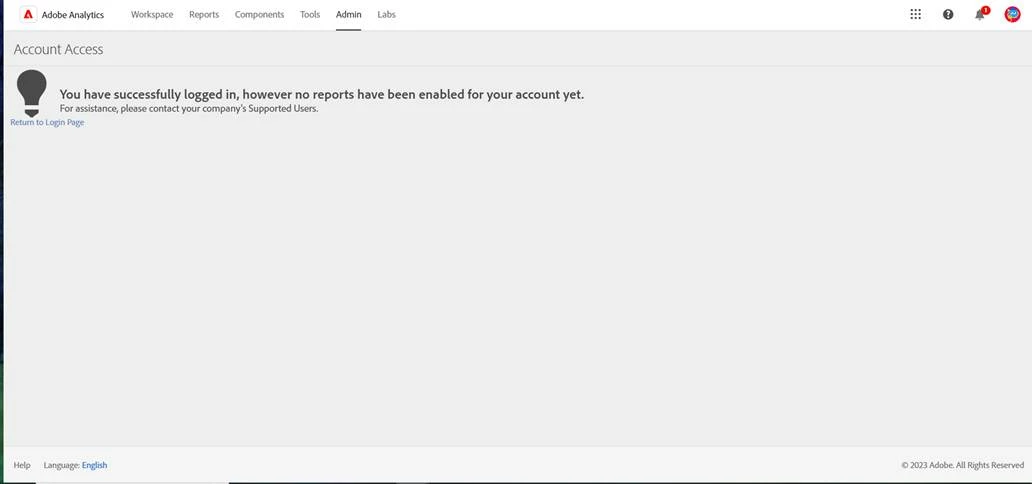
My teammate have access to adobe analytics. I can see his name in users list but can't access to reports


This post is no longer active and is closed to new replies. Need help? Start a new post to ask your question.
Krishna_Musku
Krishna_MuskuAccepted solution
Adobe Champion and Community Advisor
Apr 11, 2023 4:18 PM UTC

Make sure you give the required profile permissions. Which you can find them in Admins Console - Products section.

- Krishna Musku (Adobe Champion & Community Advisor)

3 replies

VaniBhemarasetty
Adobe Employee
Adobe Employee
Apr 11, 2023 10:03 AM UTC

@ankit_eg It depends on the permissions that are given to your ID. Just adding an id in the admin console to Adobe Analytics would not give you access to adobe analytics components.

Here is the link on how to add the additional permissions in product profile in admin console

https://experienceleague.adobe.com/docs/analytics/admin/admin-console/permissions/product-profile.html?lang=en


Translate
Krishna_Musku
Adobe Champion and Community Advisor
Krishna_MuskuAdobe Champion and Community AdvisorAccepted solution
Adobe Champion and Community Advisor
Apr 11, 2023 4:18 PM UTC

Make sure you give the required profile permissions. Which you can find them in Admins Console - Products section.

Translate
- Krishna Musku (Adobe Champion & Community Advisor)
Jennifer_Dungan
Adobe Champion and Community Advisor
Apr 11, 2023 5:48 PM UTC

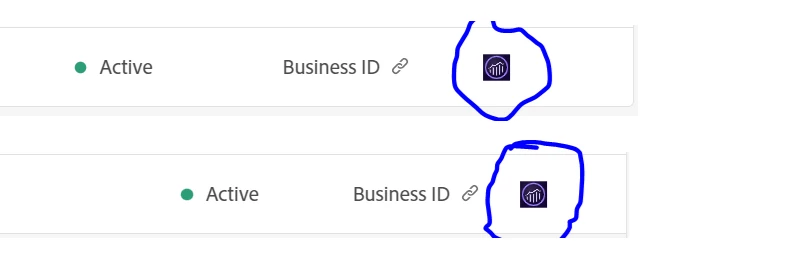
To add to the above, you would need to open the users in admin console and make sure that Reports Suite access has been granted... that icon may only indicate that Tools and Dimensions for Analytics has been enabled....


Also, make sure that the user chose their "company" version of the account, and not the personal account (in case they have both for the same email address).

Translate