new Report builder not able to see request | Community
Skip to main content
Level 2
February 5, 2026
Question

new Report builder not able to see request
  • February 5, 2026
  • 1 reply
  • 16 views

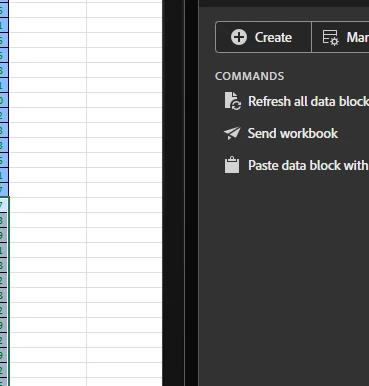
Till last week when I select a cell or multiple cell am able to see date range and segment used for the selected cells.
however since this week am not able to see this also refresh selected cell is not working.


anyi dea how to solve this ?

1 reply

Jennifer_Dungan
Community Advisor and Adobe Champion
February 5, 2026

Hi, I have been working to update my reports from Legacy RB to New Report Builder this week… I had one issue where my request somehow got deleted, but left the last set of data in place… it sounds like this might have happened to you too?


You will only see the “Edit data block” or “Refresh data Block” on a selected cell or range when there is a corresponding request, otherwise, cells without a corresponding request will show up like your screenshot.


If you click on the “Manage” tab, do you see requests? You can select these one by one and the cells that the request corresponds to will be selected. 


I suggest double checking that all your requests are still there… that you aren’t just left with orphan data in your cells.

RohitNa1Author
Level 2
February 5, 2026

hey, yes I have all the request in place. the catch is when I need to edit specific or multiple cell for common edit. I can find one by one at report builder request but its tedious, multiselect was big win.

Jennifer_Dungan
Community Advisor and Adobe Champion
February 5, 2026

The bulk update in the old report builder was still limited based on some shared property… 

It looks like you can multi-select and edit / run: