New Custom Event not saving?! | Community
Skip to main content
Level 3
July 6, 2017
Solved

New Custom Event not saving?!

  • July 6, 2017
  • 19 replies
  • 11422 views

Hi,

I defined a new tag in DTM named "registration" and associated it with event10, and went back into Analytics (Admin > Report Suites) and tried to create a custom event to match/sync this variable with DTM. However, it does not create a new custom event for me.

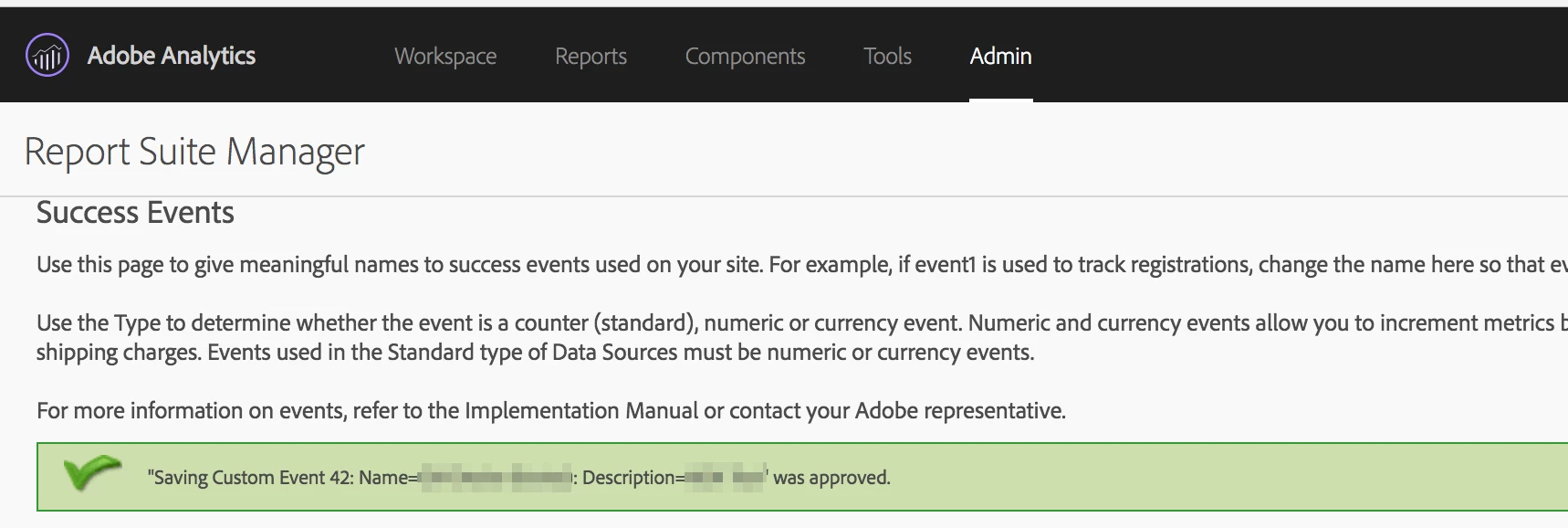
I see the following message (screenshot also included) but I never see the new custom variable in the list of variables below. What might be causing this erratic behavior?

"Saving Custom Event XX: Name=<myEventName>: Description=<myDescription>" was approved.

Thanks

ParitMittalJantzen.Belliston

This post is no longer active and is closed to new replies. Need help? Start a new post to ask your question.
Best answer by NiraEp

After switching to a new Report Suite, events are incrementing. Thanks to everyone who contributed to this ticket. Please close this now.

19 replies

NiraEpAuthor
Level 3
July 6, 2017

Just to clarify, in Analytics also I am trying to create event10 with the same name "registration"

Level 5
July 6, 2017

From the screenshot, looks like you missed to changes status of event from "disabled" to "enabled"...Once enabled, if not earlier, after next login you should be able see your custom event within "Reports"...

Regards,

Saurabh Kumar.

ParitMittal
Level 10
July 6, 2017

Hi Muzammil,

Can you please check the event status for the custom event and change it to "enable" if it is disabled ?

Regards

Parit

NiraEpAuthor
Level 3
July 6, 2017

Thanks guys, for some reason I set it as counter (enabled) but it didn't save it. Tried again and it works.

How long will it take for the data to start showing up? I see the DTM rule firing in the browser plugin.

Level 5
July 6, 2017

Typically within 30 mins, around 1 hr if using eVars and break-down report..

Regards,

Saurabh Kumar.

NiraEpAuthor
Level 3
July 6, 2017

Hmm.. it's been more than an hour and this is what I see.

Level 5
July 6, 2017

Does events = event10 show up in browser plugin? Did you choose the correct report suite? (alongside calendar "Jul 2017")

Saurabh.

NiraEpAuthor
Level 3
July 9, 2017

Yes, it shows the DTM rule fired (screenshot below), and yes I am using the correct report suite.

Could any of this be the reason?

1) I am currently embedding Staging library code on the site, and also have the report suite specified in DTM (screenshot below).

2) The rule was Active, but unapproved. I just approved it, waiting to see if that helps. Does it need to be approved in DTM in order to start showing up in Adobe Analytics?

Thanks!

NiraEpAuthor
Level 3
July 9, 2017

I must also mention that the Web Property has x.mydomain.com as target URL specified in DTM. I am trying track this event on y.mydomain.com. As long as the domain is the same, will it target any subdomain?

jantzen_b
Adobe Employee
Adobe Employee
July 10, 2017

Do you have a screenshot of the image request being sent?

With the screenshots you've provided, we can see that you only have a report suite specified for your staging environment. This means you'd need to load the staging library in order to send an actual analytics beacon. 

Once we verify an Analytics beacon is being sent from the page with the correct report suite ID and events variable, we should see the data start to show up in reporting within 30-60 minutes.