
Lock filter to be applied only on selected columns | Community
Skip to main content
MoriE2
Level 2
September 1, 2023
Solved

Lock filter to be applied only on selected columns

  • September 1, 2023
  • 1 reply
  • 783 views

Hi there,


I have a freeform table and I want to add a filter at the top but I need the filter to be applied only on certain columns of the table, is this feasible?


This post is no longer active and is closed to new replies. Need help? Start a new post to ask your question.
Best answer by Jennifer_Dungan

You can stack segments with metrics in your columns if that is what you are asking:

 

^ Sample Segment in this case will only modify that column (you can stack multiple compatible segments onto the same column)


Panel Level Segments, will apply to the whole panel (like this):
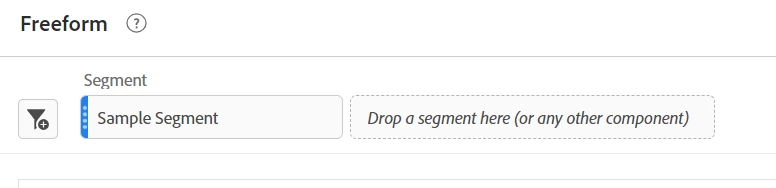


Here is also a trick, you don't need "permanent" segments (segments that appear in the components area of the left rail), you can create ad hoc segment at the panel level, drag them into your columns, then remove from the panel level.


Now, if you are asking about segments in a drop menu, sadly those cannot apply to just a column. Any segments that are applied to the column are static.

1 reply

Jennifer_Dungan
Community Advisor and Adobe Champion
Jennifer_DunganCommunity Advisor and Adobe ChampionAccepted solution
Community Advisor and Adobe Champion
September 1, 2023

You can stack segments with metrics in your columns if that is what you are asking:


^ Sample Segment in this case will only modify that column (you can stack multiple compatible segments onto the same column)


Panel Level Segments, will apply to the whole panel (like this):


Here is also a trick, you don't need "permanent" segments (segments that appear in the components area of the left rail), you can create ad hoc segment at the panel level, drag them into your columns, then remove from the panel level.


Now, if you are asking about segments in a drop menu, sadly those cannot apply to just a column. Any segments that are applied to the column are static.

MoriE2
MoriE2Author
Level 2
September 1, 2023

got it - thank you

Jennifer_Dungan
Community Advisor and Adobe Champion
September 1, 2023

You're welcome. Happy Reporting!