Linking Adobe Launch to Adobe Analytics Dev eVars Instead of Prod | Community
Skip to main content
Level 2
January 10, 2024
Solved

Linking Adobe Launch to Adobe Analytics Dev eVars Instead of Prod

  • January 10, 2024
  • 1 reply
  • 2116 views

I'm currently working on integrating Adobe Launch with Adobe Analytics and encountered a challenge I hope someone can assist with. My goal is to link up Adobe Launch with the development (dev) eVars in Adobe Analytics, but it keeps defaulting to the production (prod) eVars.


I have an eVar(103) defined in both my Dev and Prod environments as conversion variables in Analytics 

  • Dev eVar(103): Option
  • Prod eVar(103): ReferenceID


When I am trying to add the eVar to an action in Rules (dev environment), it behaves as follows (screenshot). This imples that dev environment in Launch is pointing to the prod environment conversion variables in Adobe Analytics. 
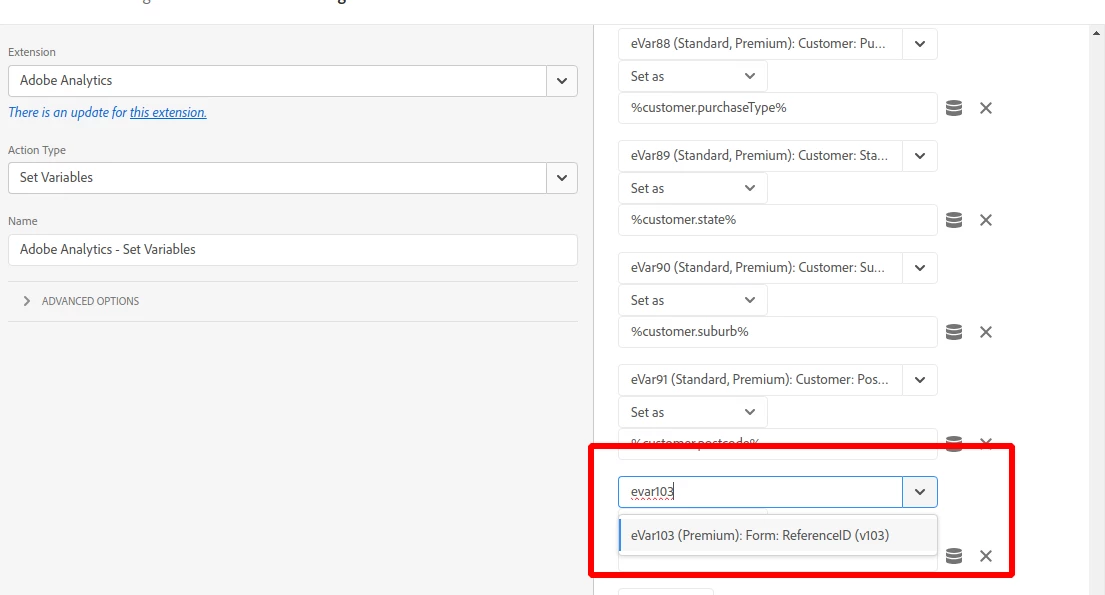
 

Here's what I've done so far:

  • Accessed Adobe Launch and selected the property for our dev environment.
  • Added the Adobe Analytics extension and configured it.
  • Attempted to map the eVars in Launch for our development environment, but they still reflect production eVars.


I'm not sure if I'm missing a step or if there's a specific configuration I need to adjust. Here are my questions:

  1. How can I ensure that the eVars from Adobe Analytics in Launch are specifically pointing to our dev environment, not production?
  2. Is there a specific setting within Adobe Launch or Analytics that I need to modify to make this distinction?
  3. Are there best practices or common pitfalls to avoid when configuring eVars for different environments (dev vs. prod) in Adobe Launch?


Any insights, suggestions, or guidance would be greatly appreciated. I'm particularly interested in hearing from anyone who has successfully navigated a similar setup.


Thank you in advance for your help!
 

This post is no longer active and is closed to new replies. Need help? Start a new post to ask your question.
Best answer by Jennifer_Dungan

@jennifer_dungan thank you very much for your insightful answer! I understand your point! 


In your answer, you mentioned that "When I add new eVars, I create in both Dev and Prod simultaneously (I select both suites and when the property is added, it goes into both with identical data and configuration) to save me time" 


I think this is where I am struggling. How do I create an eVar at both dev and prod at once without going back and forth twice? 


I can only access the conversion variables of one environment at a time. I would like to know how to create an eVar in dev and prod at once 

Thanks in advance! 


Hi, 


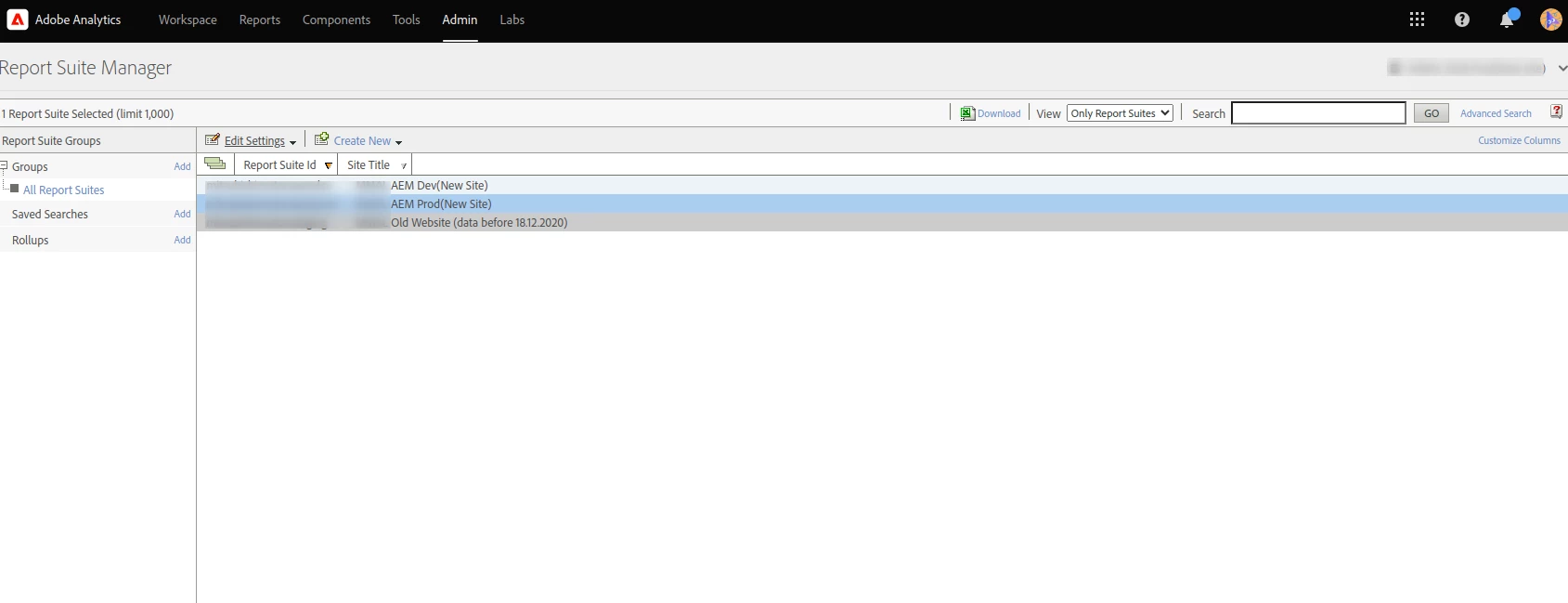
In your suite list, you can select multiple suites using ctrl or shift (probably cmd or shift on Mac?). They should both/all be blue when selected.


With multiple selected, you then do the same steps of:

Edit Settings > Conversion > Conversion Variables


It should say:

Selected Report Suites

X of Y selected   Expand

(I would post an image, but apparently I have reached my limit of 1000 images... oops)


On the items that have the same values, you will see that value, but if they are different, you will actually see this:


This will be per field that is different. In my case, only the status is different, but a long time ago, when I was syncing some old suites, I had a lot of fields as "multiple".


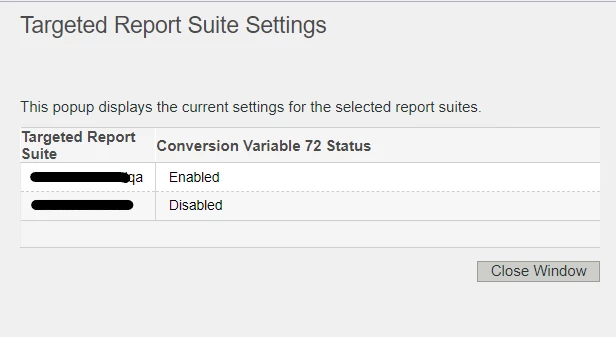
Now, if you check the checkbox to edit it, It will chose one of the values (there seems to be no preference that I can discern, possibly the first suite alphabetically? On status, it seems to default to nothing and you will have to choose enabled or disabled), but if you actually click on "multiple" it will open a popup that allows you to see the variations:


In this case, you can see that I was testing a variable in my QA suite, but after I set them up, I disabled it in prod (one of my long tests that I am not ready to deploy for some time)...


This way, when you are syncing up your suites, you can look at the variances, copy the one you actually want from here (if you don't have it in a separate document) and paste it back in the edit mode.


There are a few things you can only do in one suite at a time.. like Processing Rules... if you have multiple suites selected it will ask you to select one from a drop down menu.... 

1 reply

Jennifer_Dungan
Community Advisor and Adobe Champion
January 10, 2024

I am not sure why your eVars are called different things in Prod and Dev... normally people have identical setups in all environments...


The names you see in the extension are just a reference to make it easier for you to do setup, so the names are read from whatever is configured in your Prod environment... it really makes no difference.. Adobe doesn't "send" data based on those names... all dimensions are sent with simplistic numerical references... "c#" (c1, c2, c3... c75 for props), "v#" (v1, v2, v3.... v250 for eVars), "l#" (l1, l2, l3 for lists), etc... the environment code will build the JS files using the the configuration for your Dev suite, or Staging Suite or Prod Suite during the Publishing Flow...


During your configuration (set variables) there is no concept of environment at this point in the process; the tool can only load the names from one environment, and since Prod is the "main" suite, this is the one from which the names are pulled - again, only in an effort to make things easier... it could just use "eVar1" and "eVar2", but they pull in names so that you don't have to constantly look up what is what (if you don't have them memorized)


There is nothing you can do to change this behaviour (Launch loading the prod names), there is nothing wrong with Launch... you using different names for your eVars between Dev and Prod is just not standard process for most people, and that alone is what is causing confusion... 


You set up your Data Elements, Rules, etc... then you go to the Publishing Flow and deploy to Dev... your Dev/QA/whatever environments will be built to the Dev environment files (which will point to your dev suite) and you will test what you deployed (this will send data into your testing/dev suite)... if you have a Staging environment, you can deploy again and test that environment that is using the staging JS files (this could point to the same testing/dev suite or a separate staging suite, depending on your needs), then when you are ready, you will deploy the code to Prod and your production environment will point to the Prod JS file (and your prod suite) and your code will send to the proper production data suite.

SupunDAuthor
Level 2
January 10, 2024

Thanks for the answer! 


I do agree with the point that both the dev environment eVars and Prod eVars need to be consistent. I am under the impression that when we create a new eVar (conversion variable), we need to create that in the dev Report Suite and not the Prod Report Suite. This is where my confusion is... 


What I have done was create a conversion variable following the instructions on this page


When I create this eVar in the dev environment, it doesn't show up in the drop-down of rules variables in Adobe Launch. This is my main issue. This forces me to create eVars in the prod environment since it is the environment that is synced to the launch development environment. 

Jennifer_Dungan
Community Advisor and Adobe Champion
January 10, 2024

I don't know why anyone would say not to create in Prod... you will need it eventually... there's no problem setting that variable up and not have it populate until the new code is deployed.


When I add new eVars, I create in both Dev and Prod simultaneously (I select both suites, and when the property is added, it goes into both with identical data and configuration) to save me time (I only have to enter the name once, the description once, set up any of the configuration once)...  If I am setting up Classifications, I always do these with multiple suites selected (in fact, if I don't do this, then I have problems later setting up the rules - I've had to delete classifications and re-create them in the past because the Rule Builder wouldn't recognize them as the same between suites, despite having the same name)


Now, in rare situations I may want to test an idea, that I have no plans to immediately launch to the site (I will choose a very high eVar number, well out of the range of what I am currently using), and then I set that up only in Dev (and the intention of turning off again when I am done)....in Launch, I won't see the name.. I will literally just see "eVar#" in my set Variables area... it's not a problem since I know which eVar I am using for my test.


If you really want to create in Dev, then go back and create in Prod, you can still do this, just don't expect the name of the eVar to appear... you can still select ANY eVar in the drop down, it will still send the data... The eVars technically all exist without any configuration, but until they are set up the first time, they won't collect any data....


This is why in raw data exports there is a column for all 75 props and all 250 eVars, even if most of these aren't being used (assuming you are sending "all columns" and not a curated list.