Level 2
July 24, 2024
Solved

Last Touch Channel Dimension Item vs Segment Visit Contain with Last Touch Channel = SEO Why are the visit different?

Hello,

Could someone please explain why am I seeing 2 different number here? and explain why?

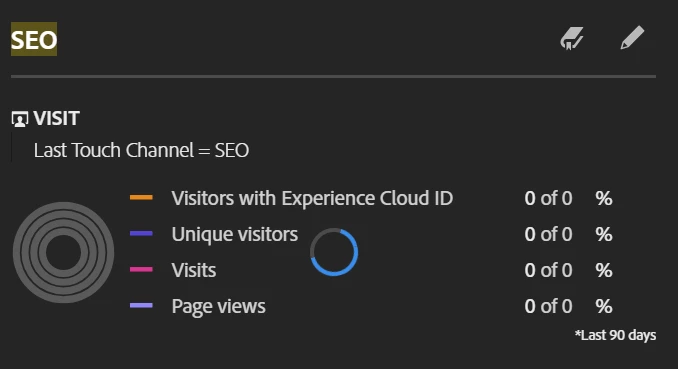
For example, if I create a visualization using this view (yellow) SEO is from Dimension Item "SEO" while the (blue) SEO is from segment screenshots above. We see 2 slightly different number for example

Yellow: 1,312,000

Blue: 1,320,000

the number difference is minimal, but I would like to understand what the reason for this could be.


Thank you!


This post is no longer active and is closed to new replies. Need help? Start a new post to ask your question.
Jennifer_Dungan
Jennifer_DunganAccepted solution
Adobe Champion and Community Advisor
July 25, 2024

The "Direct Dimension" (yellow) and the "Segment" are at different scopes... on top of a dimension that already has an attribution.


So assuming your Marketing Channels are using default attribution, then the dimension itself will maintain values for 30 days (or until overwritten).


Visit 1 (Search)

  • Page 1 - Marketing Channel set to "SEO"
  • Page 2 - Marketing Channel maintains value "SEO" (due to attribution)
  • Page 3 - Marketing Channel maintains value "SEO" (due to attribution)

Visit 2 (Direct - but within 30 days)

  • Page 4 - Marketing Channel maintains value "SEO" (due to attribution)
  • Page 5 - Marketing Channel maintains value "SEO" (due to attribution)
  • (User gets an email and clicks on the link while in an active session)
  • Page 6 - Marketing Channel set to "email"
  • Page 7 - Marketing Channel maintains value "email" (due to attribution)


Next, the "Direct Dimension" is essentially a quick segment at a "Hit" scope, whereas your segment is at Visit scope.


Now, in theory, with the above sample, both the "Hit" based option, and the "Visit" segment option should return 2 visits (since both visits above had "SEO" within the visit), but there may just be some oddities around how the Visit Segment on top of a 30 Day attributed dimension will respond.


Also note, that in the sample above, your Visit Segment will also return "email" as a Channel if you were to do a breakdown by channel, but the dimension will not... if you are trying to replicate the logic of the yellow, you need to change your segment to be "HIT" scoped.

2 replies

Jennifer_Dungan
Adobe Champion and Community Advisor
Jennifer_DunganAdobe Champion and Community AdvisorAccepted solution
Adobe Champion and Community Advisor
July 25, 2024

The "Direct Dimension" (yellow) and the "Segment" are at different scopes... on top of a dimension that already has an attribution.


So assuming your Marketing Channels are using default attribution, then the dimension itself will maintain values for 30 days (or until overwritten).


Visit 1 (Search)

  • Page 1 - Marketing Channel set to "SEO"
  • Page 2 - Marketing Channel maintains value "SEO" (due to attribution)
  • Page 3 - Marketing Channel maintains value "SEO" (due to attribution)

Visit 2 (Direct - but within 30 days)

  • Page 4 - Marketing Channel maintains value "SEO" (due to attribution)
  • Page 5 - Marketing Channel maintains value "SEO" (due to attribution)
  • (User gets an email and clicks on the link while in an active session)
  • Page 6 - Marketing Channel set to "email"
  • Page 7 - Marketing Channel maintains value "email" (due to attribution)


Next, the "Direct Dimension" is essentially a quick segment at a "Hit" scope, whereas your segment is at Visit scope.


Now, in theory, with the above sample, both the "Hit" based option, and the "Visit" segment option should return 2 visits (since both visits above had "SEO" within the visit), but there may just be some oddities around how the Visit Segment on top of a 30 Day attributed dimension will respond.


Also note, that in the sample above, your Visit Segment will also return "email" as a Channel if you were to do a breakdown by channel, but the dimension will not... if you are trying to replicate the logic of the yellow, you need to change your segment to be "HIT" scoped.

Translate
pradnya_balvir
Adobe Champion and Community Advisor
July 25, 2024

Hi @ericnguyen021 ,


You have created the segment on visit level.


Please create a segment on Hit level.

Thanks.

Pradnya 

Translate