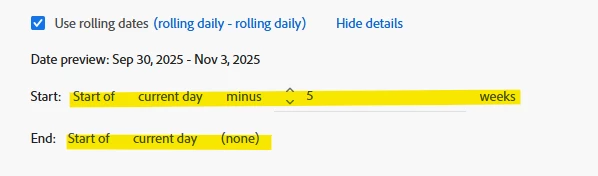
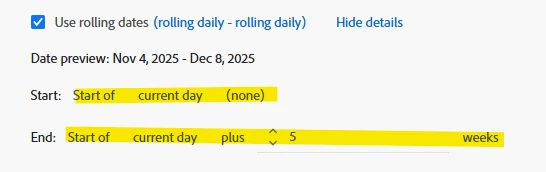
Is there anyway to put a date range on a line graph
I have a Workspace dashboard that uses three visualizations for page level performance.
A Summary Number showing last week’s value
A Key Metric Summary showing week over week change last week vs the prior week
A line graph showing a 5 week trend for the same metric
The issue is that the team wants this dashboard to be usable for any selected week, not just the current one.
For example, if a user sets the panel calendar to the week of Christmas, they expect:
The Summary Number to show the week before Christmas
The Key Metric Summary to compare the week before Christmas to the week before that
The line graph to show the 5 weeks leading up to the selected week
I know that for the Summary Number and Key Metric Summary, I can create relative date ranges and enable “Make date range component relative to panel calendar,” and those update correctly when the panel date changes.
However, the only way I’ve been able to get the line graph to show a 5 week trend is by selecting a 5 week date range directly in the panel calendar. When I do that, the Summary Number and Key Metric Summary then use the start of that 5 week range as their reference point, which breaks the intended logic. Instead of seeing last week, week over week, and a 5 week trend, I end up seeing a 5 week trend plus two weeks prior to that.
What I’m trying to figure out is whether there’s a way to apply a relative date range directly to the line graph itself, so it always shows the 5 weeks leading up to the panel calendar selection, without forcing the entire panel to be set to a 5 week range.
Is this possible in Workspace, or is this a current limitation of how panel level date ranges work?