Is there an alternative to s.t() and s.tl()? | Community
Skip to main content
November 9, 2020
Solved

Is there an alternative to s.t() and s.tl()?

  • November 9, 2020
  • 3 replies
  • 1691 views

Hi, 


I am trying to find the best way to send one single call to Adobe Analytics when a page load triggers a 'PageView' as well as 'Events'. I understand PageView's require a 's.t()' function which increments page views, and s.tl() is similar minus the increment feature.


Is it possible to use a function that can handle both? 
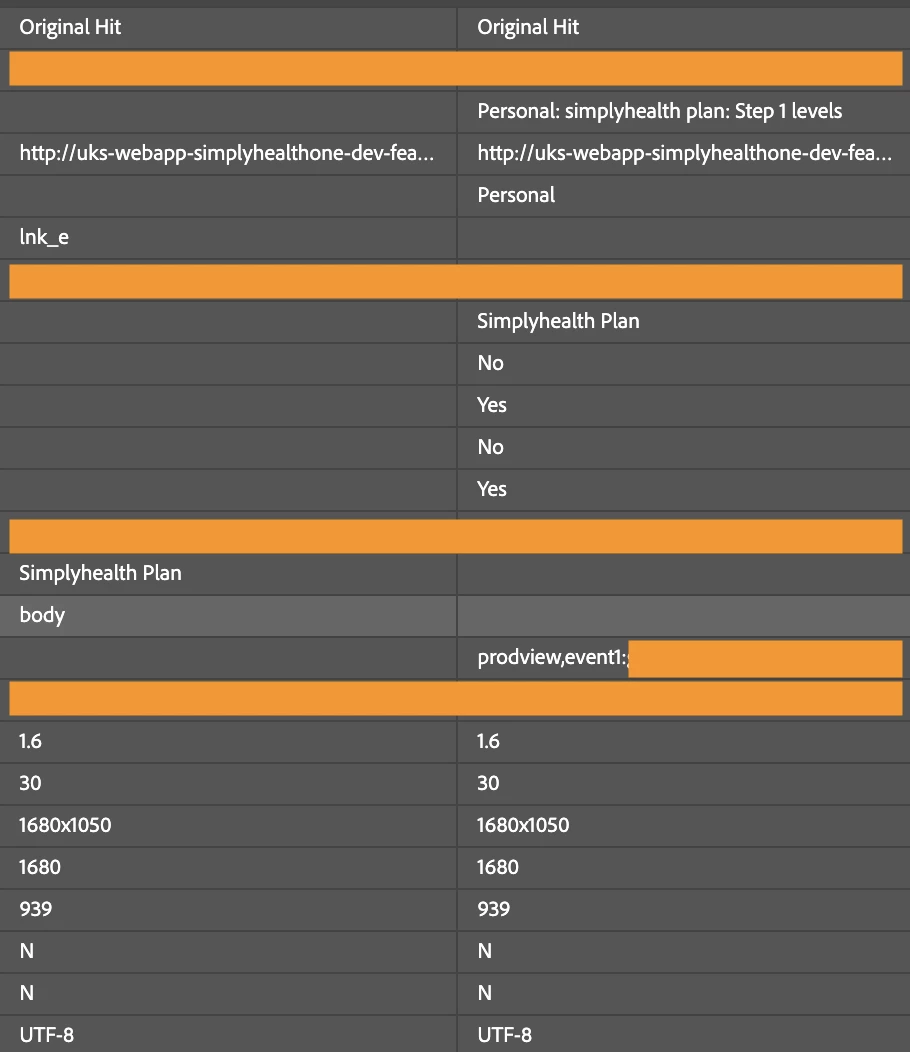
 

I would like this to be a single call to Adobe Analytics - but currently it is two due to being different types of call. 


Many thanks


Evie

This post is no longer active and is closed to new replies. Need help? Start a new post to ask your question.
Best answer by yuhuisg

As you've rightfully pointed out, s.t() is to track Pageviews. Whereas s.tl() is normally used to track Custom Links, but can also be used to track Exit and Download Links.

With both calls, you can include any props, eVars and events that you want (and that make sense to be tracked together).

But also like what @brian_johnson_ said, it looks like you actually have another problem, which is that your click on what should be an internal link is being tracked as an exit link because of incorrect Internal URL Filter setup.

3 replies

Brian_Johnson_
Level 8
November 9, 2020

@evie678 - You can pass events on your page call (s.t()) if you want. Just add them to s.events before triggering the call.

I also noticed that the call in your screenshot is an lnk_e call, which tells me the call is likely firing automatically when you click on a link and that the domain from the destination URL (href) has not been a added to the list of internal filters. (Look in the Adobe Analytics extension near the "link" tracking option.)

yuhuisg
Community Advisor
yuhuisgCommunity AdvisorAccepted solution
Community Advisor
November 10, 2020

As you've rightfully pointed out, s.t() is to track Pageviews. Whereas s.tl() is normally used to track Custom Links, but can also be used to track Exit and Download Links.

With both calls, you can include any props, eVars and events that you want (and that make sense to be tracked together).

But also like what @brian_johnson_ said, it looks like you actually have another problem, which is that your click on what should be an internal link is being tracked as an exit link because of incorrect Internal URL Filter setup.

Adobe Employee
November 10, 2020

Looks like you are looking forward to trigger a single call that will track both exit link as well as page load. It's not advisable, and I don't think it's possible. As the former doesn't account for a page view while the latter does.

Thanks!