
Introduce option to change Number Format in Axis | Community
Skip to main content
PratheepArunRaj
Community Advisor and Adobe Champion
November 29, 2017
New

Introduce option to change Number Format in Axis

  • November 29, 2017
  • 5 replies
  • 2513 views

Hello,

It will be great if we can introduce an option to change the Number Format in Axis as per our convenience. The default option stays with Decimal : Below the screen grab.
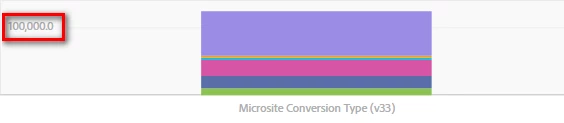
It was an question in the forum earlier to change the Decimal Format to Integer. Unfortunately I am afraid that we dont have the option right now in Work Space.

Can we take it up?

Thank You!

Arun

5 replies

Adobe Employee
November 29, 2017

Thanks for the suggestion - the extra ".0" in your screenshot is a bug, and will be fixed in an upcoming release very soon.  With the bug fix, it should make the best decision possible (ie, use decimal points if necessary, use percentages if applicable, etc).  Do you have use cases where you would need more granular control?

PratheepArunRaj
Community Advisor and Adobe Champion
November 29, 2017

Yes Brandon,

If we have an option to format the numbers by ourselves (Like in Excel), it will be awesome.

Example : Singapore will use Million Fomat 1,000,000 but India will use Lakh Format 10,00,000.

Thank You!

Arun

Thank You, Pratheep Arun Raj B (Arun) | Xerago | Terryn Winter Analytics
Adobe Employee
November 29, 2017

Thanks!

jantzen_b
Adobe Employee
Adobe Employee
October 27, 2020
No text available
Community Manager
October 5, 2022
No text available