Level 4
June 27, 2018
Solved

In workspace, how can I put hour of day on the x axis?

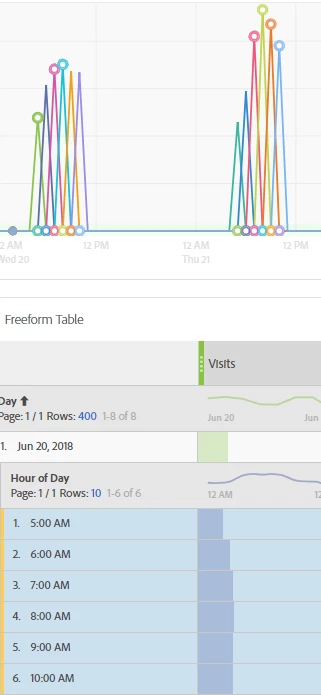
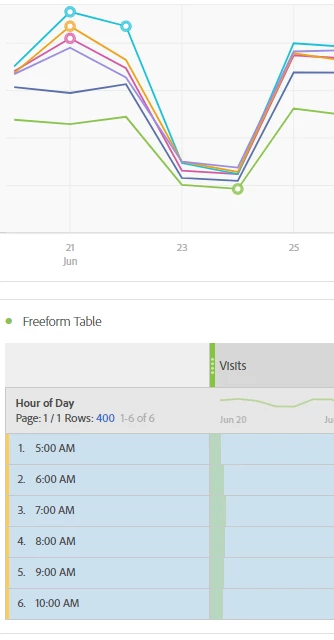
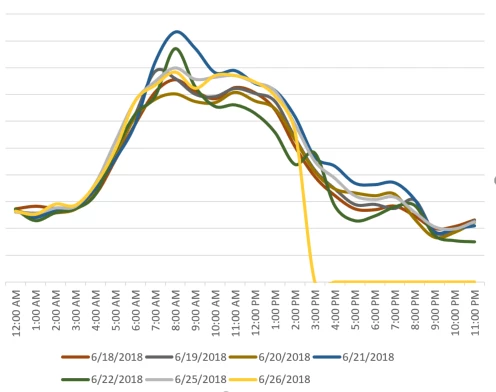
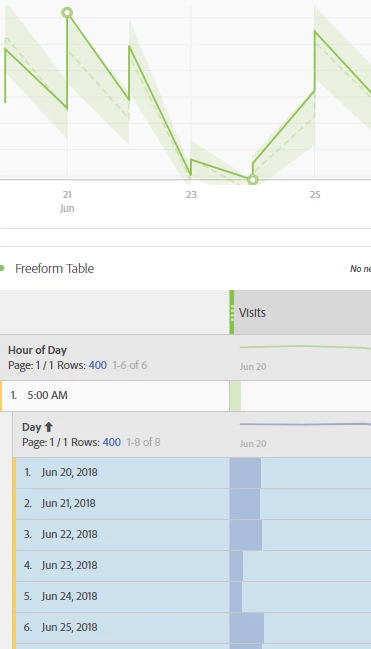
I'd like to make a line chart with the x axis consisting of hours of the day, and each line on the chart a different day. The Y axis would obviously be a variable metric. How can I accomplish this? See Excel chart for what I'd like, and a few screenshots of workspace projects that have failed - the x axis is always a date. I'd settle for a bar chart if that's what I can get, but line chart would be best. Thanks!
This post is no longer active and is closed to new replies. Need help? Start a new post to ask your question.
nikitaf2673776Accepted solution
Level 4
June 27, 2018

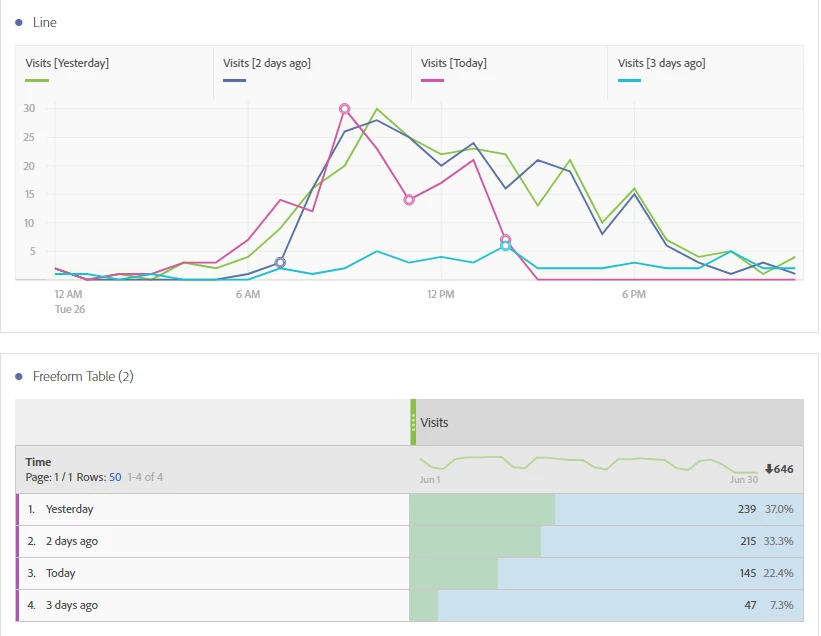
First create Date Ranges (the purple components) for each of the days you want to compare in your chart. Then create a table with the new Date Ranges and your metric. Then highlight the cells, right click and visualize.

2 replies

nikitaf2673776Accepted solution
Level 4
June 27, 2018

First create Date Ranges (the purple components) for each of the days you want to compare in your chart. Then create a table with the new Date Ranges and your metric. Then highlight the cells, right click and visualize.

Translate
evan9Author
Level 4
June 27, 2018

This is great, thank you!

For anyone else that finds this, you may need to choose to view your line chart by hour in its settings.

Translate