In Web SDK - Using Variable data element - Using both XDM object or Data object not seeing calls in debugger | Community
Skip to main content
Level 2
June 5, 2024
Solved

In Web SDK - Using Variable data element - Using both XDM object or Data object not seeing calls in debugger

  • June 5, 2024
  • 1 reply
  • 4096 views

Hi,

I am trying my hands on Web SDK, I tried using the XDM object data element, and its successful for me.

But when I try to use variable data element using both xdm object or data object, both ways tried, I do not see any calls in the debugger.

I will explain the one approach I am using, probably the same issue exists on the second one.

1. What I am doing is, setting the data element variable and then selecting the data object.

2. Then in the rule, I am setting the update variable action and mapping variable there.

3. Then I set the second action that sends the event, in that I am using event type "Web Webpagedetails Page Views" and setting data, I tried setting both xdm and data, only xdm and only data, but nothing is working.
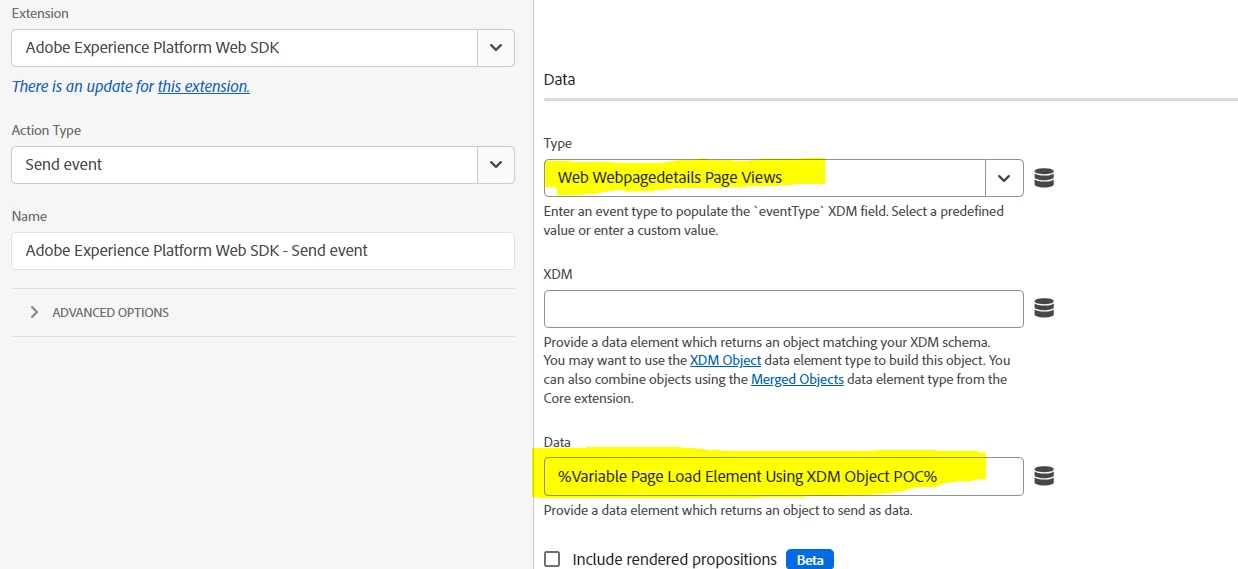
 

Please help me find what I am setting wrong.

Any help is appreciated.


This post is no longer active and is closed to new replies. Need help? Start a new post to ask your question.
Best answer by kaur_amneet

Thanks @ankit_chaudhary,

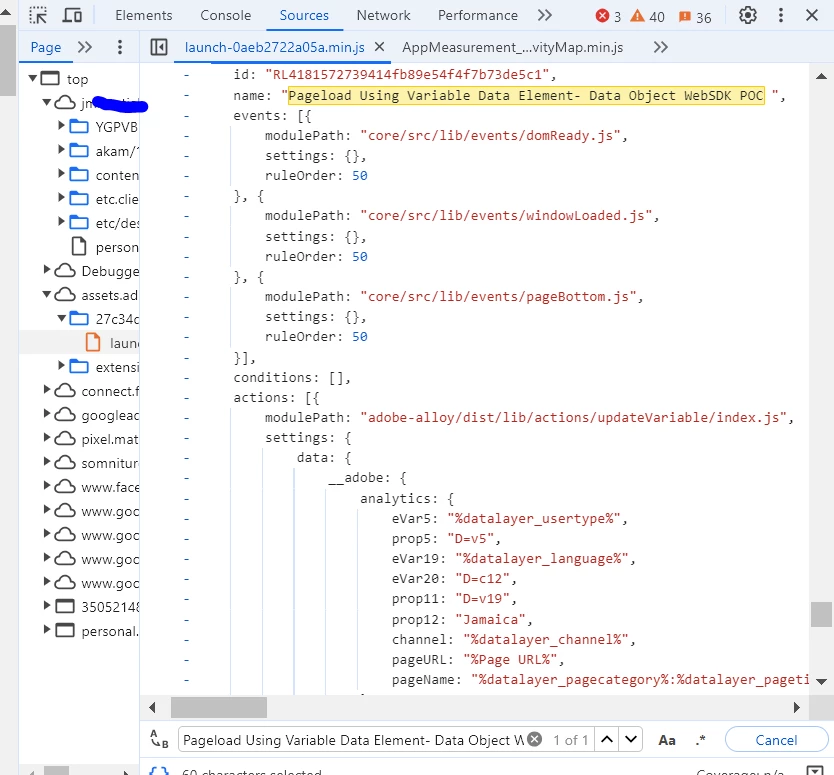
I checked and I am seeing launch file updated with the rule name.

Also checked on the console, and Build Property, and library are correct.


Also, Created a new build to publish my changes, still do not see the data _analytics object in the browser or in the AEP debugger.


My issue is resolved, the bug was in custom code, I was using const s = content.__adobe.analytics; and then s object to set some custom variables, which was causing the issue, then I replaced it with content.__adobe.analytics only not using s object and it started working.


Thanks, @ankit_chaudhary and @bjoern__koth for all your help.

1 reply

Ankit_Chaudhary
Community Advisor
Community Advisor
June 6, 2024

Hi @kaur_amneet 

To debug you implementation use the following steps.

  • Check if launch script is properly implemented on the page and it's loading properly.
  • Enable logs on console by using _satellite.setDebug(true)
  • Check if you have correctly configured services in your DataStream
  • Also while using data object to send data to AEP you need to use data prep to map your data to your XDM schema. Check this tutorial

Also from your screenshot it seems like you are trying to send XDM object using data field which may through some errors during the send event call.

You can send your complete non-XDM data layer using data field and use data prep to map that to your schema.

bjoern__koth
Community Advisor and Adobe Champion
June 6, 2024

@kaur_amneet  as @ankit_chaudhary mentioned, the XDM object and data object are fundamentally different parts of the request payload.

Assuming Adobe has built in some checks on their end, dropping invalid data structures to not mess with your data on the Edge network.


To clarify


The XDM variables are the schemas you define on your request and can be set in the upper field. 

It generates the actual "xdm" field in the payload.


The data data element is to be added in the lower field.

It generates the free-form data section in your payload which does not run through any validation checks on the Edge network. In here, you will see something like

data: { __adobe: { analytics: { eVar99: "hello world" }, target: { // some target contextual stuff }, } // your own free form data foo: "bar", bla: "blub" myArr: [1,2,3] }
Cheers from Switzerland!
Level 2
June 6, 2024

Thank you @ankit_chaudhary  and @bjoern__koth for your replies, 

I checked the tutorial as well.


I am doing the following steps in setting up, I am trying both objects under the Data element.


1. Setting 2 Data elements, first one using XDM Object


1. a) Second one using Data Object in Variable data element


2. Then I am setting up the 2 separate rules for both.


3. Update Variable Action for XDM Object rule


3. a) Update Variable Action for Data object rule


4. Setting Send Event for XDM Object rule


4. a) Setting Send Event for Data Object rule


I am setting custom variables here in the update variable action.

Following this tutorial: https://www.youtube.com/watch?v=J4fuB2fki8o