Iframe youtube videos milestone tracking | Community
Skip to main content
May 19, 2021
Solved

Iframe youtube videos milestone tracking

  • May 19, 2021
  • 1 reply
  • 1979 views

Hi All,


I am trying to capture milestone of YouTube videos placed in an iframe.


I have tried all the methods available online, but nothing is working.


Could someone help me how to achieve that in adobe launch ?


Thanks in advance. 

This post is no longer active and is closed to new replies. Need help? Start a new post to ask your question.
Best answer by yuhuisg

Since you're using Adobe Launch, you can try my YouTube Player extension. It makes it easy to track all YouTube playback events, including milestone tracking.

1. Install the extension.

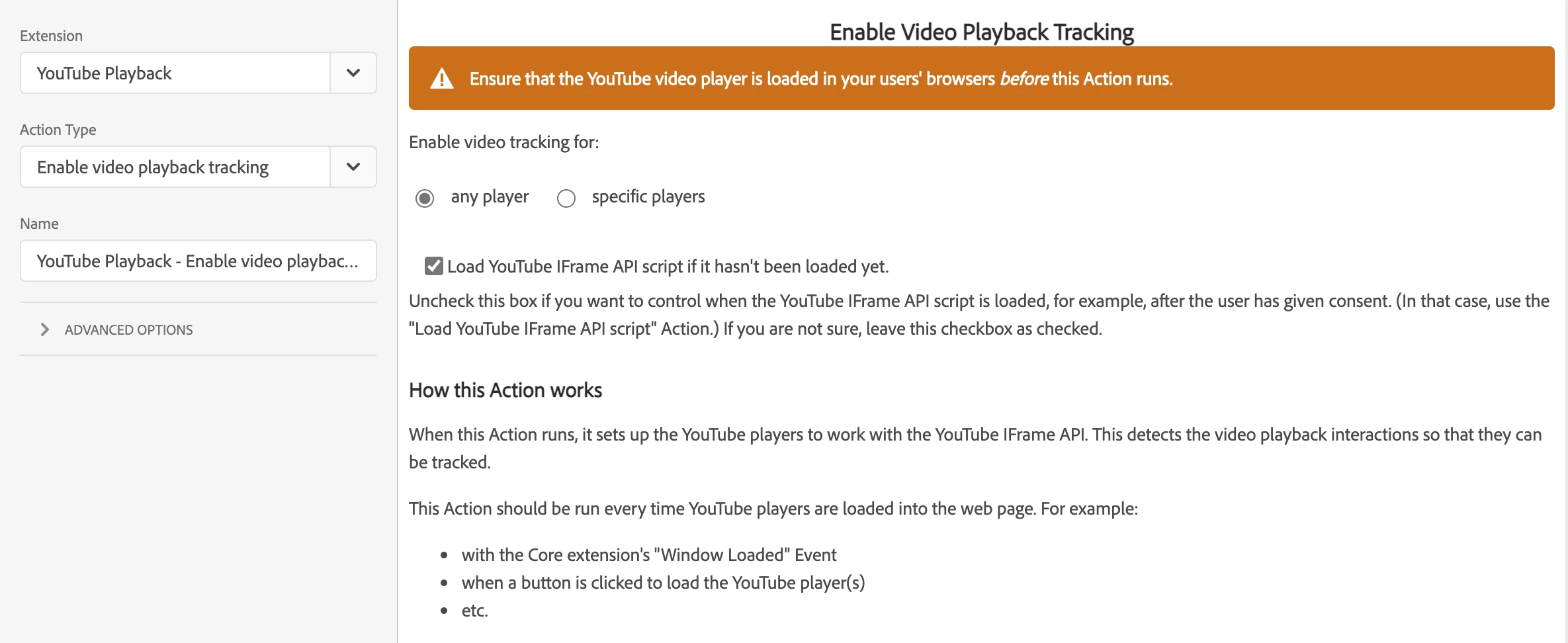
2. In a Rule that fires with the "DOM Ready" event, add the action "Enable video playback tracking".
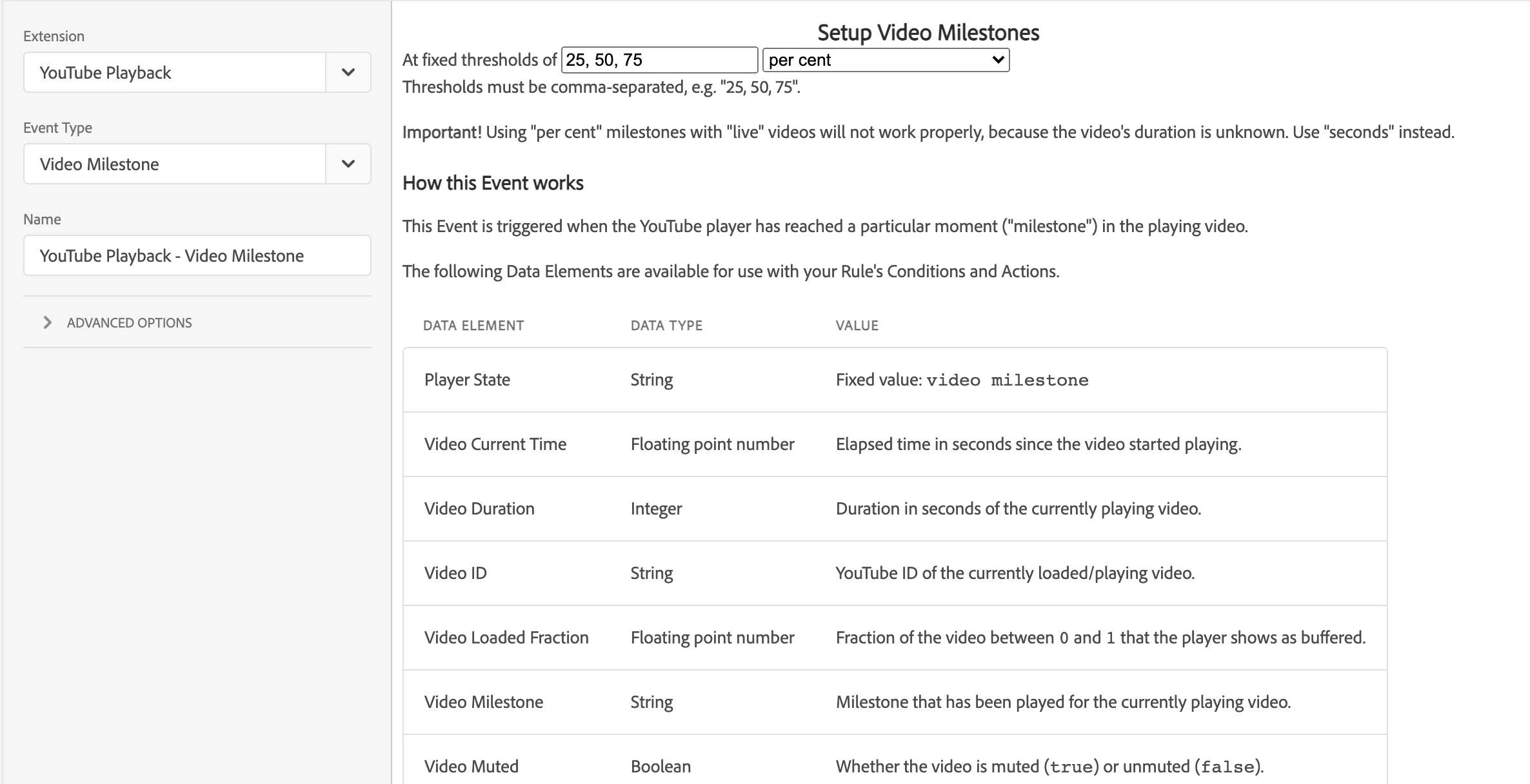
3. Now, create a new Rule. Add the "Video Milestone" event. Specify the milestones that you want to track.
4. In that same Rule, add an action to track what you want to track, e.g. Video Title, Video URL, Video Milestone, etc.

You can also track other YouTube playback events. Just follow steps 3 and 4 for those events.

With the above setup, you should be able to track the milestones for all YouTube videos that are loaded when your web page loads.

If your YouTube videos are loaded dynamically, e.g. the user needs to click a link, you can use the instructions at Example: enabling a dynamically loaded YouTube player · yuhui/launchext-youtube-playback Wiki · GitHub.

Let me know if you need more help with my extension.

1 reply

yuhuisg
Community Advisor
yuhuisgCommunity AdvisorAccepted solution
Community Advisor
May 21, 2021

Since you're using Adobe Launch, you can try my YouTube Player extension. It makes it easy to track all YouTube playback events, including milestone tracking.

1. Install the extension.

2. In a Rule that fires with the "DOM Ready" event, add the action "Enable video playback tracking".

3. Now, create a new Rule. Add the "Video Milestone" event. Specify the milestones that you want to track.

4. In that same Rule, add an action to track what you want to track, e.g. Video Title, Video URL, Video Milestone, etc.

You can also track other YouTube playback events. Just follow steps 3 and 4 for those events.

With the above setup, you should be able to track the milestones for all YouTube videos that are loaded when your web page loads.

If your YouTube videos are loaded dynamically, e.g. the user needs to click a link, you can use the instructions at Example: enabling a dynamically loaded YouTube player · yuhui/launchext-youtube-playback Wiki · GitHub.

Let me know if you need more help with my extension.