Here is a little known trick... Workspaces are all built using the API and if you can build the freeform table to return the data that you want, you can actually get the API call(s) used to return the data.
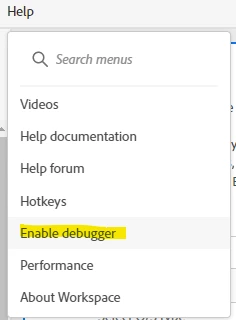
First you need to enable debugger mode in Workspace:
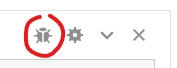
This will add a new icon to your freeform tables:
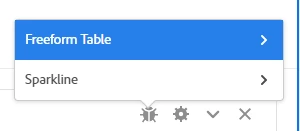
If you click on that icon, it will give you the option of "Freeform Table" or "Sparkline", choose the table:
Now, it will show you timestamps of the calls that were made:
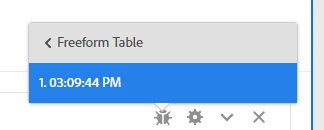
If you refresh multiple times, you may have multiple timestamps, or if you have a complex table with multiple breakdowns, it may require multiple calls.
Choose the appropriate timestamp(s) and this will open a new screen that will show you the API call that was used in multiple formats. You can copy the one you want to use, and if you need to make modifications, you can do so on this pre-build functional API call.