Solved
how to modify the classification of my campaign on my rule builder, but only for a single report suite
How to modify the classification of my campaign on my rule builder, but only for a single report suite ?
How to modify the classification of my campaign on my rule builder, but only for a single report suite ?
Classification Rule Builder requires that you choose which suite to apply the rule to, it won't make classification change against all your suites...
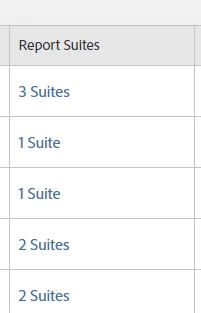
You can see how many suites are selected / affected by each rule set:
Each rule set has a configuration right at the top that allows you to choose which suite, and which dimension the rule set pertains to:

Now, if you currently a Classification Rule set up for ALL your suites in one rule set, I guess you will have to make a copy of that, remove "Suite X" from the original rule set, and make sure that only "Suite X" is added to the new rule set. Let's say you have 10 rules in the rule set, and only one diverges, you will have to make sure to keep both sets up to date for both rule sets....
Note that Adobe won't let you choose a dimension that is already covered by a rule... so if you do have the scenario above, you will likely have to disconnect Suite X from the old rule set first, then create a new rule set (duplicating the rules that need to be same, and creating your variance for the single suite)
Enter your E-mail address. We'll send you an e-mail with instructions to reset your password.