brynna89017638
Level 2
June 29, 2017
Solved

How to interpret actions
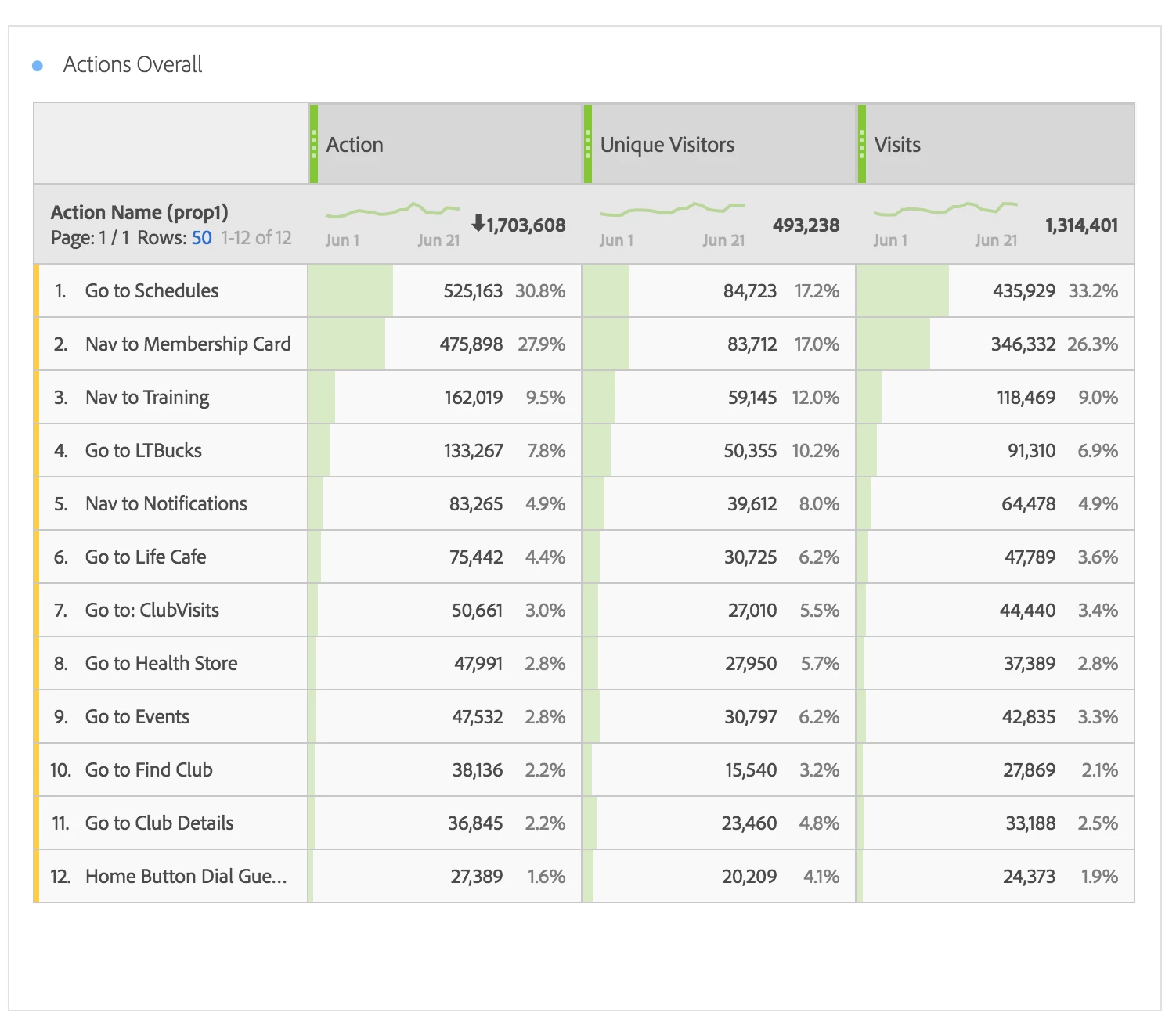
My business user wants to know what an "Action"means in their Adobe dashboard. How is it calculated?

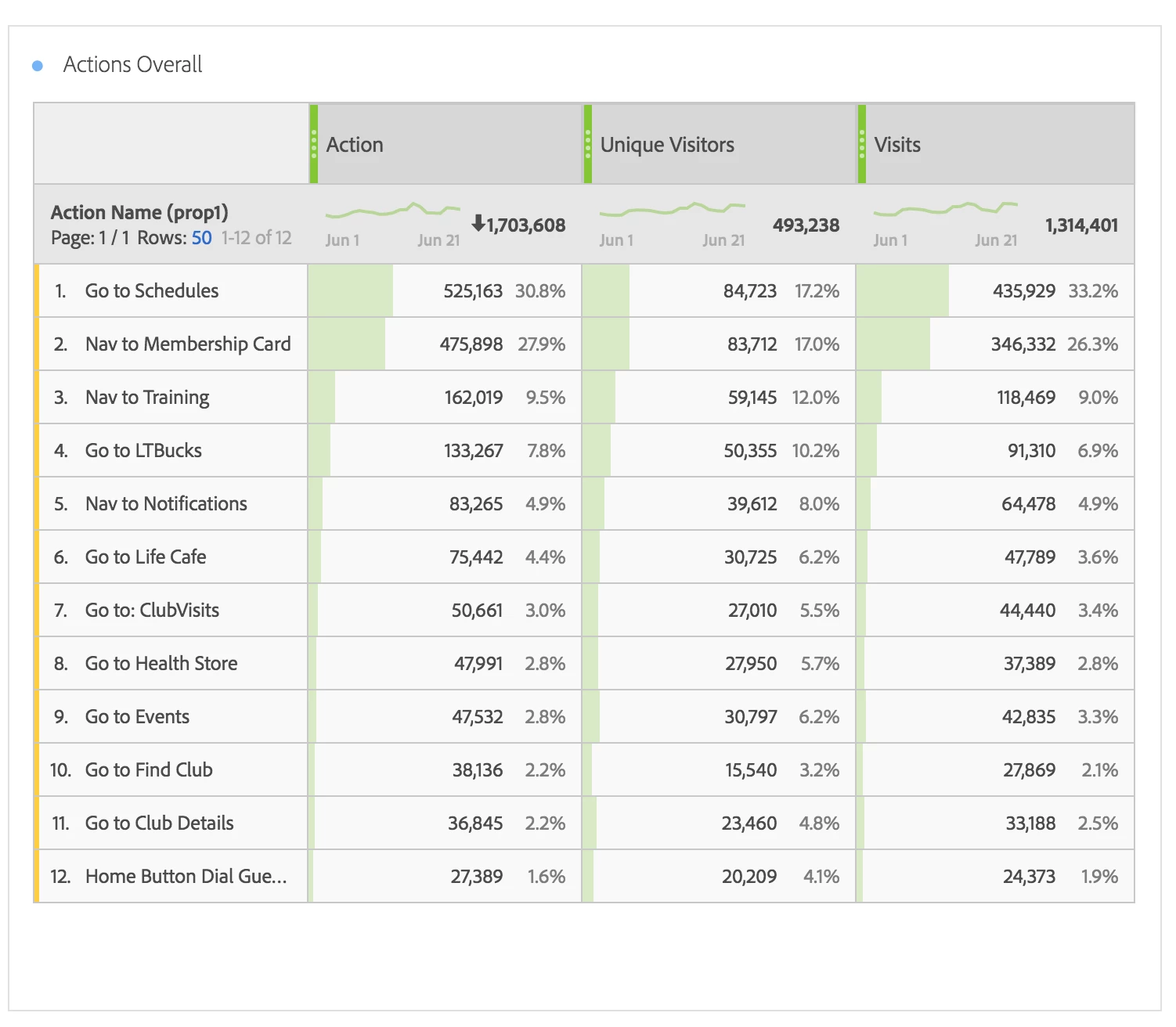
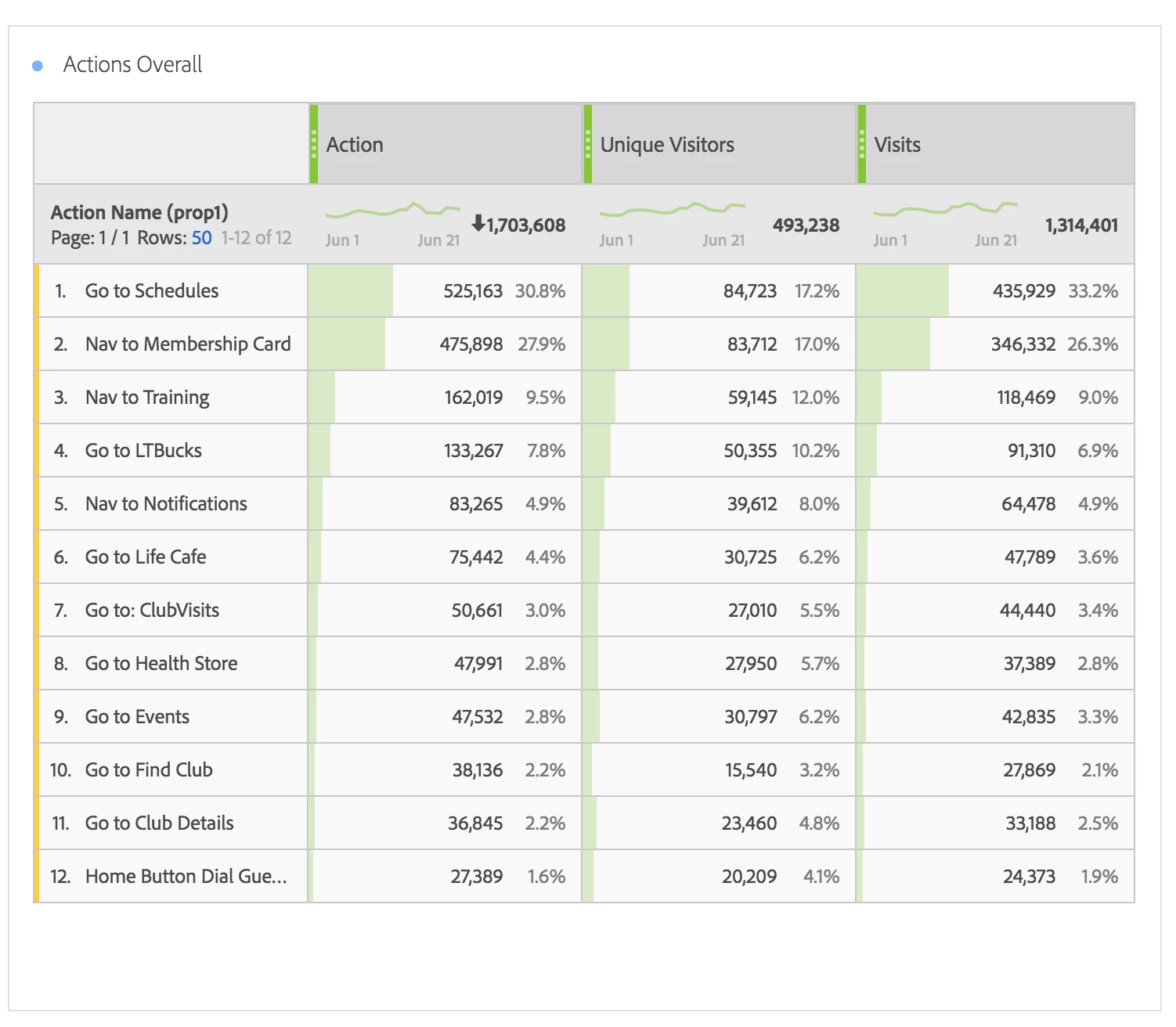
If Unique visits in June are 155,817 - and total actions is 1,703,608 what is actions/visit and actions/unique visitor?

How do I assess the total actions taken and then describe a ratio. For example x% of people went to Schedules, x% of people went to Training. Etc.

This post is no longer active and is closed to new replies. Need help? Start a new post to ask your question.
Hyder_Ziaee
Hyder_ZiaeeAccepted solution
Adobe Employee
June 30, 2017

Hi Brynn,

The Action seems to be the custom event setup to capture a specific event on the website. Since this is a custom setup by the company, more information should be available by the developer or the analyst who had this done.

If you are trying to answer for % of people, you should look at unique visitors metric. So if you want to see the % of people who went to Training, it would be 59145 / 493238, i.e. 11.99%

If you are question is regarding how many times a specific 'Action' took place (assuming it is counting the button clicks on the Action Buttons), then you would be using the Action column values.

-Hyder

1 reply

Hyder_Ziaee
Adobe Employee
Hyder_ZiaeeAdobe EmployeeAccepted solution
Adobe Employee
June 30, 2017

Hi Brynn,

The Action seems to be the custom event setup to capture a specific event on the website. Since this is a custom setup by the company, more information should be available by the developer or the analyst who had this done.

If you are trying to answer for % of people, you should look at unique visitors metric. So if you want to see the % of people who went to Training, it would be 59145 / 493238, i.e. 11.99%

If you are question is regarding how many times a specific 'Action' took place (assuming it is counting the button clicks on the Action Buttons), then you would be using the Action column values.

-Hyder

Translate