Solved
How to hide filters?
Hi, I want to hide top level filters but I don’t know how. When I create report from project > download PDF, these filters are too much so I want to hide them. Could you teach me if you know the way?
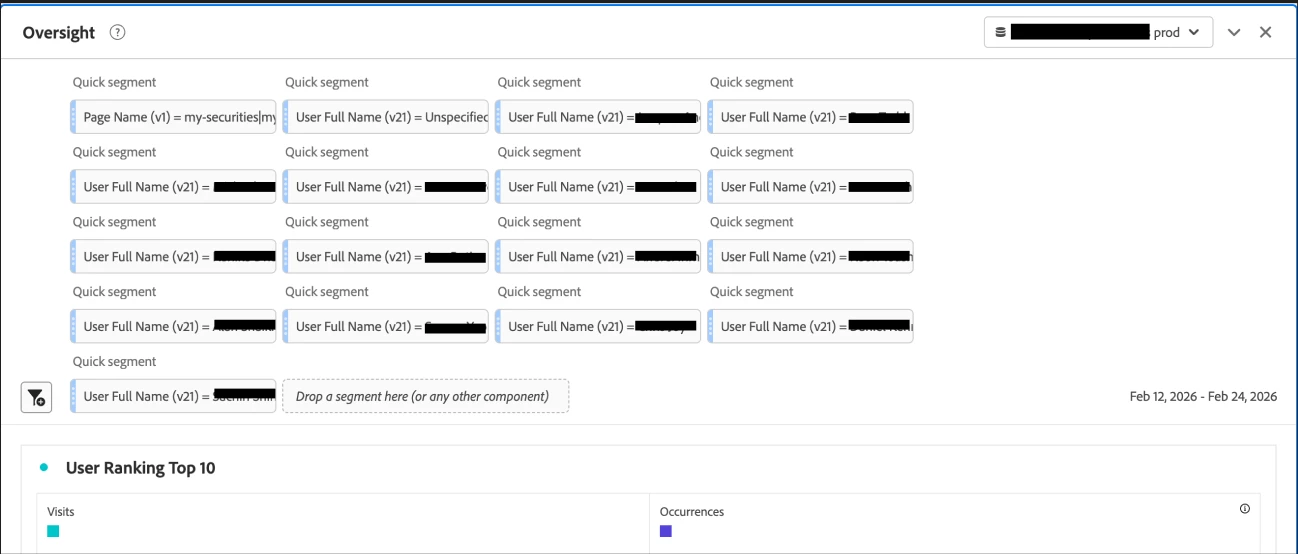
Hi, I want to hide top level filters but I don’t know how. When I create report from project > download PDF, these filters are too much so I want to hide them. Could you teach me if you know the way?
Hi
it is unfortunately not possible to hide these drop-in quick segments.
What you could think of is creating a combined segment that embodies your individual segments.
Looking at what you are filtering for, you seem to be only searching for individual values of the same eVar.
Alternatively, the segment settings contain other operators that let you search for multiple values such as “equals any of” (as a comma-separated list)
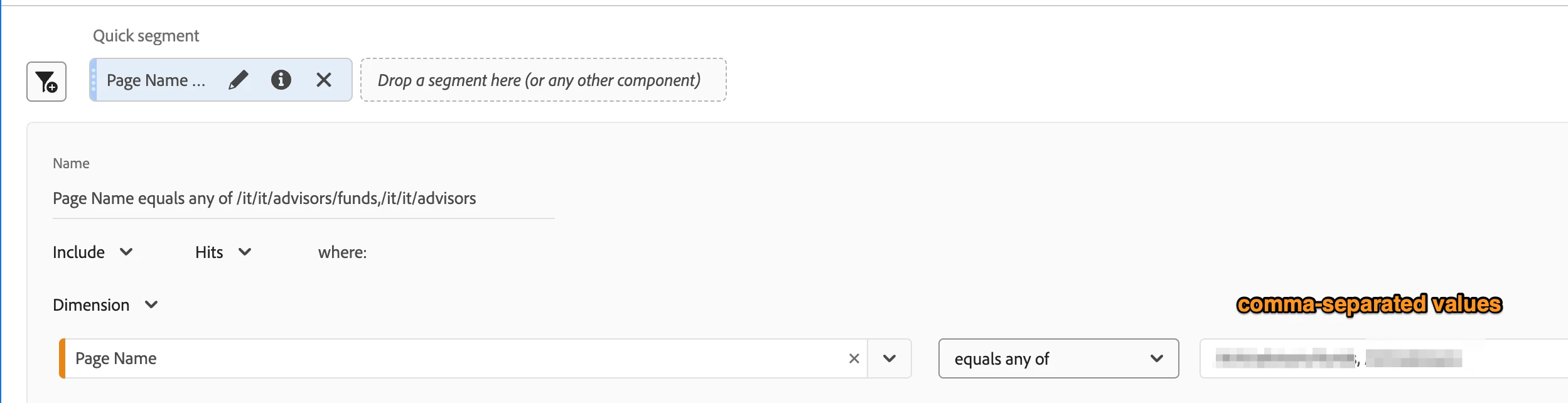
Side note: please double-check the values present in the “User Full Name” dimension. This is highly likely personally identifiable, sensitive information which should never be tracked in an unencrypted fashion in Adobe Analytics.
Enter your E-mail address. We'll send you an e-mail with instructions to reset your password.