How to build the segment Page A > Site exit ? | Community
Skip to main content
Adobe Employee
September 7, 2020
Solved

How to build the segment Page A > Site exit ?

  • September 7, 2020
  • 2 replies
  • 1405 views

Hi there,


I would like to build a table like below on Workspace :
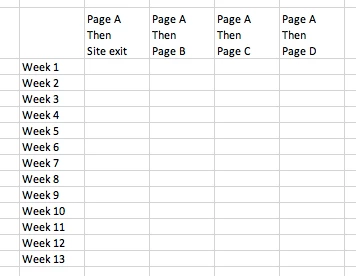


I'm mainly interested by the first scenario (Entry Page A Then Site exit). I know that on the Flow report we can easily create some sequential segments by right-clicking on some pages but if I do the same thing for the site exit element (red framed), it does not work.
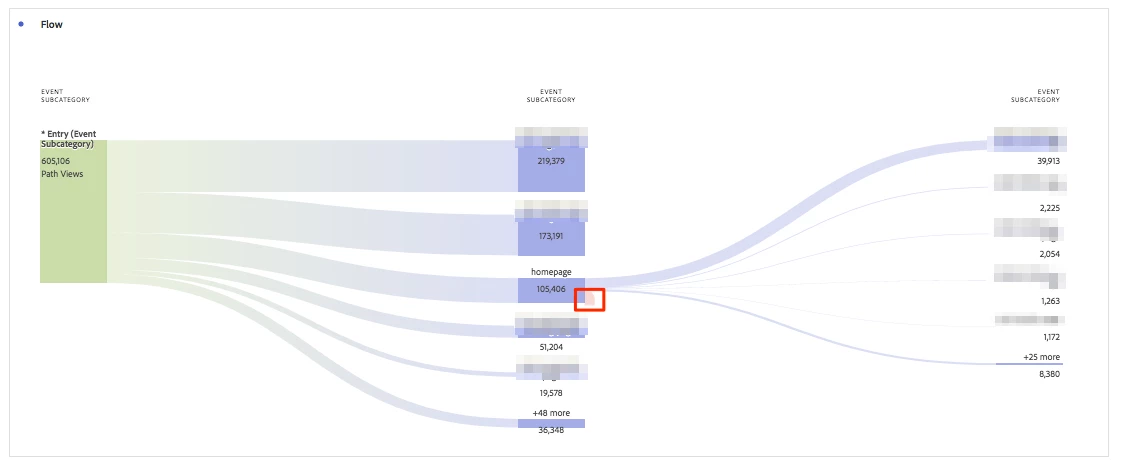


So, I was wondering how we can do it with the Sequential segment methodology ? I tried building the following segment

but did not return the same value that I'm seeing on the Flow report (visit level and repeat instances not included).


Visit container :


Entry page = ABCD

then within 1 hit

Page does not exist


Thank you for your help,

This post is no longer active and is closed to new replies. Need help? Start a new post to ask your question.
Best answer by Andrey_Osadchuk

I'm mainly interested by the first scenario (Entry Page A Then Site exit). I know that on the Flow report we can easily create some sequential segments by right-clicking on some pages but if I do the same thing for the site exit element (red framed), it does not work.


This looks to be a scenario for a single page visit. You can create a segment as "Single Page Visits exists".

2 replies

Andrey_Osadchuk
Andrey_OsadchukAccepted solution
Level 10
September 8, 2020

I'm mainly interested by the first scenario (Entry Page A Then Site exit). I know that on the Flow report we can easily create some sequential segments by right-clicking on some pages but if I do the same thing for the site exit element (red framed), it does not work.


This looks to be a scenario for a single page visit. You can create a segment as "Single Page Visits exists".

Adobe Employee
September 11, 2020
Thanks a lot Andrey ! (Happy that I received an answer from an AA rockstar)
jantzen_b
Adobe Employee
Adobe Employee
September 10, 2020
Do any of the answers below answer your initial question? If so, can you select one of them as the correct answer? If none of the answers already provided answer your question, can you provide additional information to better help the community solve your question?