How can you change the page summary page "last year/52 week" date? | Adobe Higher Education
Skip to main content
June 1, 2022
Respondido

How can you change the page summary page "last year/52 week" date?

  • June 1, 2022
  • 1 resposta
  • 750 Visualizações

Our site hasn't been up for a year and I would like to change the date to reflect when we began our AA implementation instead, which is about 6 months ago. 

Este tópico foi fechado para respostas.
Melhor resposta por EricMatisoff

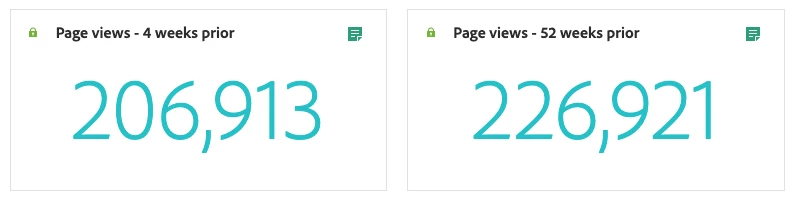
Hi there - although you can't change the default date that the Page Summary panel uses, you *can* change the date in the panel before or after it loads. Based on a quick review, most visualizations will be accurate. The only two that will not be accurate are the 4 weeks prior and 52 weeks prior (since these are not based on the Date Range selector, but instead based on the current date):

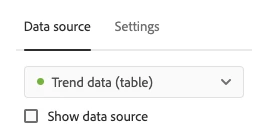
To edit those, you'll want to Show the Data Source, then edit the date range applied to the resulting table:


1 Resposta

EricMatisoff
Adobe Employee
EricMatisoffAdobe EmployeeResposta
Adobe Employee
June 1, 2022

Hi there - although you can't change the default date that the Page Summary panel uses, you *can* change the date in the panel before or after it loads. Based on a quick review, most visualizations will be accurate. The only two that will not be accurate are the 4 weeks prior and 52 weeks prior (since these are not based on the Date Range selector, but instead based on the current date):

To edit those, you'll want to Show the Data Source, then edit the date range applied to the resulting table: