Exclude by IP not seen in Admin menu | Community
Skip to main content
April 14, 2021
Solved

Exclude by IP not seen in Admin menu

  • April 14, 2021
  • 2 replies
  • 1233 views

Hi,


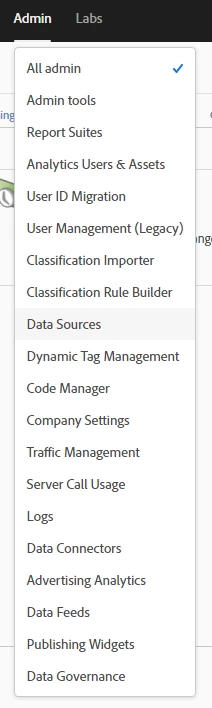
I was pretty sure that the option was inthe Admin menu a few months ago, but dfor some reason it does not show up. Does anyone know where it could have been moved to or if there is something that i need to do?


Thanks!

This post is no longer active and is closed to new replies. Need help? Start a new post to ask your question.
Best answer by Hemangini

Hi @sluke ,

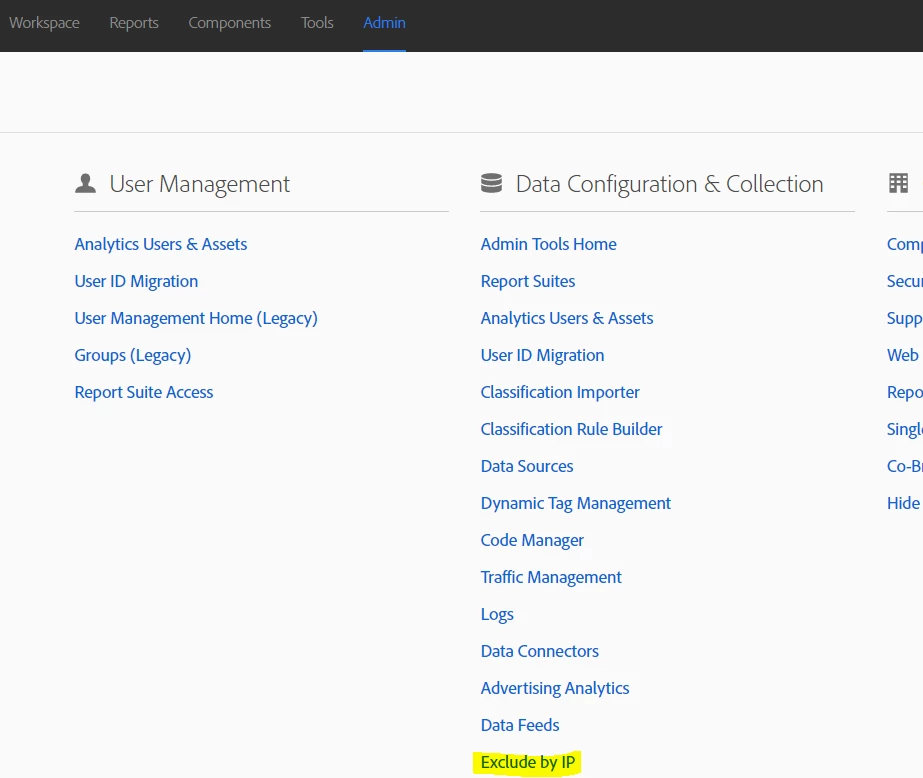
Exclude by IP is still there, you would need to click on Admin to see it. It is just removed from the drop down menu.


Ref: https://experienceleague.adobe.com/docs/release-notes/experience-cloud/current.html?lang=en#appm

Thanks,
Hemangini

2 replies

akt0m3r
Adobe Employee
Adobe Employee
April 14, 2021

Hi @sluke 

I believe this change is happening based on the announcement on March 24th, 2021: https://experienceleague.adobe.com/docs/release-notes/experience-cloud/current.html?lang=en#appm which is about to take place in the upcoming release of Analytics.

Adobe, recommends using Federated IDs and enable Single Sign-on for organizations. This gives administrators more control over who can log in to the Experience Cloud solutions i.e. Analytics instead of restricting login from a particular IP address.

Here is a video for an overview of SSO and how it works: https://www.youtube.com/watch?v=bhZX8p0Ym0U 

Hope this helps!

HemanginiAdobe EmployeeAccepted solution
Adobe Employee
April 14, 2021

Hi @sluke ,

Exclude by IP is still there, you would need to click on Admin to see it. It is just removed from the drop down menu.


Ref: https://experienceleague.adobe.com/docs/release-notes/experience-cloud/current.html?lang=en#appm

Thanks,
Hemangini