Solved
Entry page report
Hi everyone,
I need to create Entry page report by traffic
Is it best way to create a table or flow .
Also, does entry pages count by visit or hit?
Can anyone show me how the report should look like?
Hi everyone,
I need to create Entry page report by traffic
Is it best way to create a table or flow .
Also, does entry pages count by visit or hit?
Can anyone show me how the report should look like?
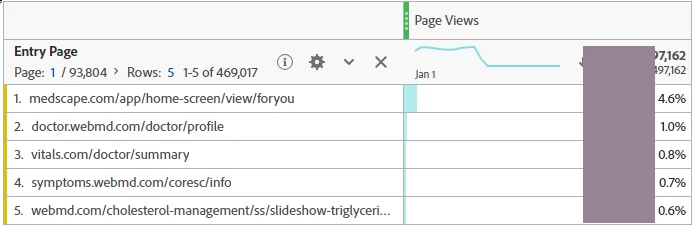
It is easy to get in a Workspace table. Use the metric Entry page.
There is also an Entries metric. For a given dimension, Entries records the first element seen for that dimension as an entry. Only one entry exists per dimension per visit. Entry is a dimension based metric rather than a visit based metric. It is not necessarily the first hit of the visit if a dimension item is not initially set in the visit. Once set for a dimension item, the value is persisted for the rest of the visit.
Enter your E-mail address. We'll send you an e-mail with instructions to reset your password.