New
Discard empty data row when creating an own metric in Workspace
Hello Adobe product team,
I'd like to request a feature about which my colleagues have already discussed with Adobe Client Care. As stated in the title, creating an own metric in Workspace results in an empty data row. This empty data row appears for a time frame previous to the selected time frame, as you can see in the picture below:
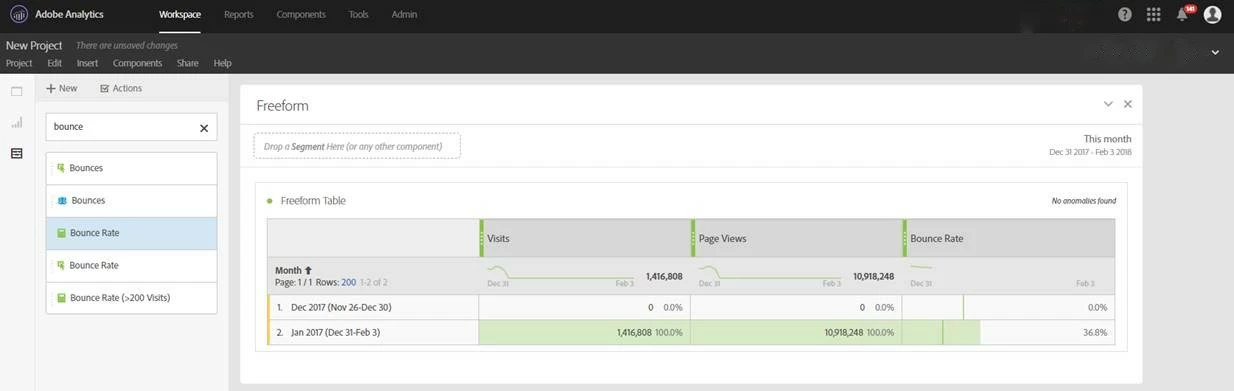
Client Care stated that this "lookback window" is working as designed. The problem for us is that this presentation leads to the assumption that data in regular reports are missing. This is a a huge issue for us, since colleagues who are not familiar with this can be confused. Therefore, an option to hide this "lookback window" would be helpful.
Kind regards,
Patrick