Difference between these 2 dimensions OmnID & User ID? | Community
Skip to main content
Level 2
July 21, 2017
Solved

Difference between these 2 dimensions OmnID & User ID?

  • July 21, 2017
  • 2 replies
  • 1603 views

Can you please elaborate what's the difference between these 2 Dimensions and official definition of them?

This post is no longer active and is closed to new replies. Need help? Start a new post to ask your question.
Best answer by EricMatisoff

My suggestion is to check your admin console and see how those variables are defined. This is accessible via:

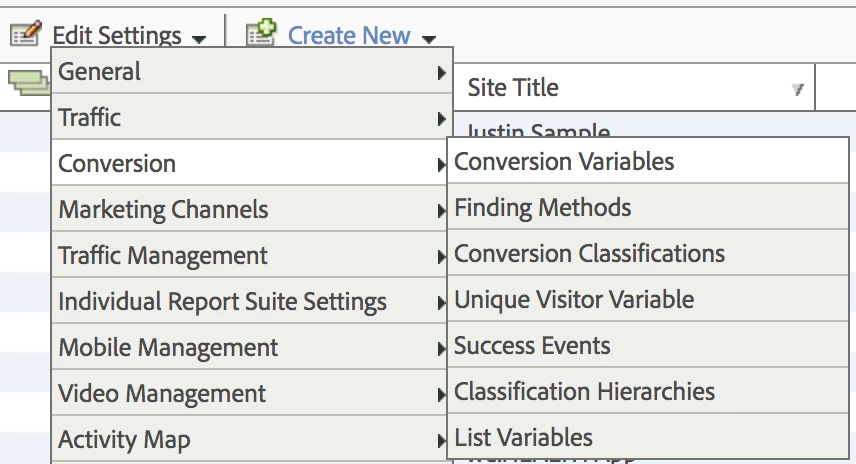
Admin Console > Report Suites >  Select Your Report Suite(s) > Edit Settings > Conversion > Conversion Variables

This will help you find what eVars match to these two dimensions. As hyderziaee​ correctly mentions, you can then go back to your implementation team and ask how they are defined.

There's a chance that they are set up as Traffic Variables (props) instead of Conversion Variables (eVars). You can check that here:

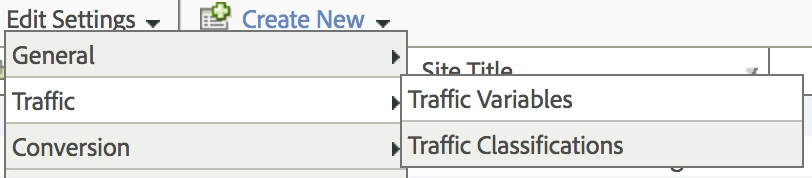
Admin Console > Report Suites >  Select Your Report Suite(s) > Edit Settings > Traffic > Traffic Variables

Beware that you'll need Admin access to your account in order to access these.

2 replies

Hyder_Ziaee
Adobe Employee
Adobe Employee
July 21, 2017

Sounds like custom implementation. There are no out-of-the-box variables with those names.

You can check with your team on who set that up and what the differences are.

-Hyder

EricMatisoff
Adobe Employee
EricMatisoffAdobe EmployeeAccepted solution
Adobe Employee
July 22, 2017

My suggestion is to check your admin console and see how those variables are defined. This is accessible via:

Admin Console > Report Suites >  Select Your Report Suite(s) > Edit Settings > Conversion > Conversion Variables

This will help you find what eVars match to these two dimensions. As hyderziaee​ correctly mentions, you can then go back to your implementation team and ask how they are defined.

There's a chance that they are set up as Traffic Variables (props) instead of Conversion Variables (eVars). You can check that here:

Admin Console > Report Suites >  Select Your Report Suite(s) > Edit Settings > Traffic > Traffic Variables

Beware that you'll need Admin access to your account in order to access these.