Delete Ad-hoc Analysis Projects | Adobe Higher Education
Skip to main content
alim93424919
June 6, 2017
解決済み

Delete Ad-hoc Analysis Projects

  • June 6, 2017
  • 2 の返信
  • 1397 ビュー

How can I delete Ad-hoc Analysis projects?

I know how to delete Workspace projects but I don't see how I can delete Ad-hoc Analysis projects.

Ali

このトピックへの返信は締め切られました。
ベストアンサー Kaushalendra

Hi alim93424919​,

You can follow below mentioned steps to delete projects in Ad Hoc Analysis:
  1. Login to Ad Hoc
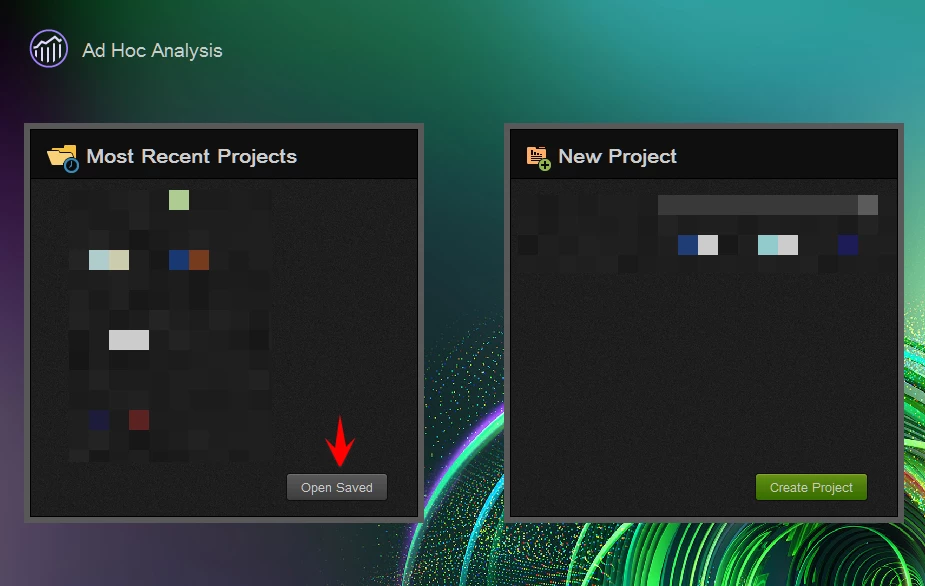
  2. Click on "Open Saved" button under the "Most Recent Projects" section:
  3. It will open a pop-up showing all your projects. Select the ones you want to delete and then click on Delete.

Note that you can only delete the projects saved by you.

2 の返信

Kaushalendra
Adobe Employee
Adobe Employee
June 6, 2017

Hi alim93424919​,

You can follow below mentioned steps to delete projects in Ad Hoc Analysis:

  1. Login to Ad Hoc
  2. Click on "Open Saved" button under the "Most Recent Projects" section:
  3. It will open a pop-up showing all your projects. Select the ones you want to delete and then click on Delete.

Note that you can only delete the projects saved by you.

alim93424919
alim93424919作成者
June 7, 2017

Thanks for the quick reply!