


Date ranges with time periods that adjust to the panel
Description - With the feature "make date range components relative to panel calendar", if you change the panel date range to a different amount of time (ex, 7 days to 30 days), the number of days in the date ranges in your table stay the same. For example, if I set my panel to a week, and bring in "last week", it works. But if I change my panel range to 30 days, the component in the table still stays at 7 days.
Having the option to adjust the amount of days based on the number of days in the panel range would be useful.
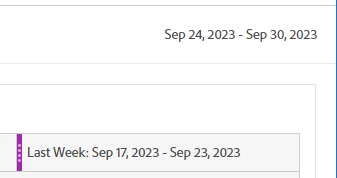
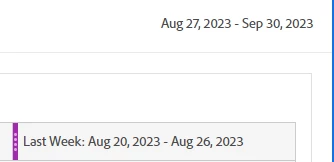
Why is this feature important to you - This is important because sometimes dashboard users want to look at different time periods, and if we want accurate YoY numbers, then we need to make multiple versions of the same panel. Having the number of days update automatically would prevent us having to make the same dashboard multiple times.
How would you like the feature to work - Have an option when creating a preset date range to enable changing the number of days based on the panel calendar.
Current Behaviour - Currently this isn't possible.