aleber
Level 2
January 14, 2022
Solved

date format in Adobe Analytics

Hi All,

I'm experiencing some issue with the format of date on Adobe Analytics.

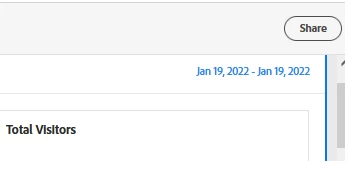
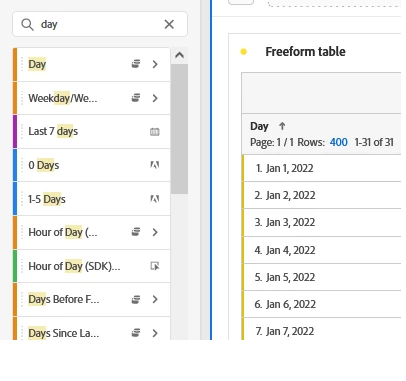
Default format is MM-DD-YYYY and when I select a date range or a DAY dimension (see attachements) I see the US format for date.


Is there any way to set a different date format (e.g. DD-MM-YYYY)?

For example, instead of Jan 1, 2022 I want 1 Jan, 2022


Thanks in advance,

Alessandro
 

This post is no longer active and is closed to new replies. Need help? Start a new post to ask your question.
yuhuisg
yuhuisgAccepted solution
Community Advisor
January 15, 2022

Unfortunately, Adobe has decided to follow the US date format, which the rest of the world doesn't use. 😂 So we'll just have to live with this US-specific quirk.

1 reply

yuhuisg
Community Advisor
yuhuisgCommunity AdvisorAccepted solution
Community Advisor
January 15, 2022

Unfortunately, Adobe has decided to follow the US date format, which the rest of the world doesn't use. 😂 So we'll just have to live with this US-specific quirk.

Translate