Date comparision not working | Community
Skip to main content
David_Jerome
Level 6
January 12, 2021
Solved

Date comparision not working

  • January 12, 2021
  • 1 reply
  • 1246 views

Hi All,


Please can someone let me know what I am doing wrong here or if this is bug?


I am trying to do a year on year percentage change using the following technique:


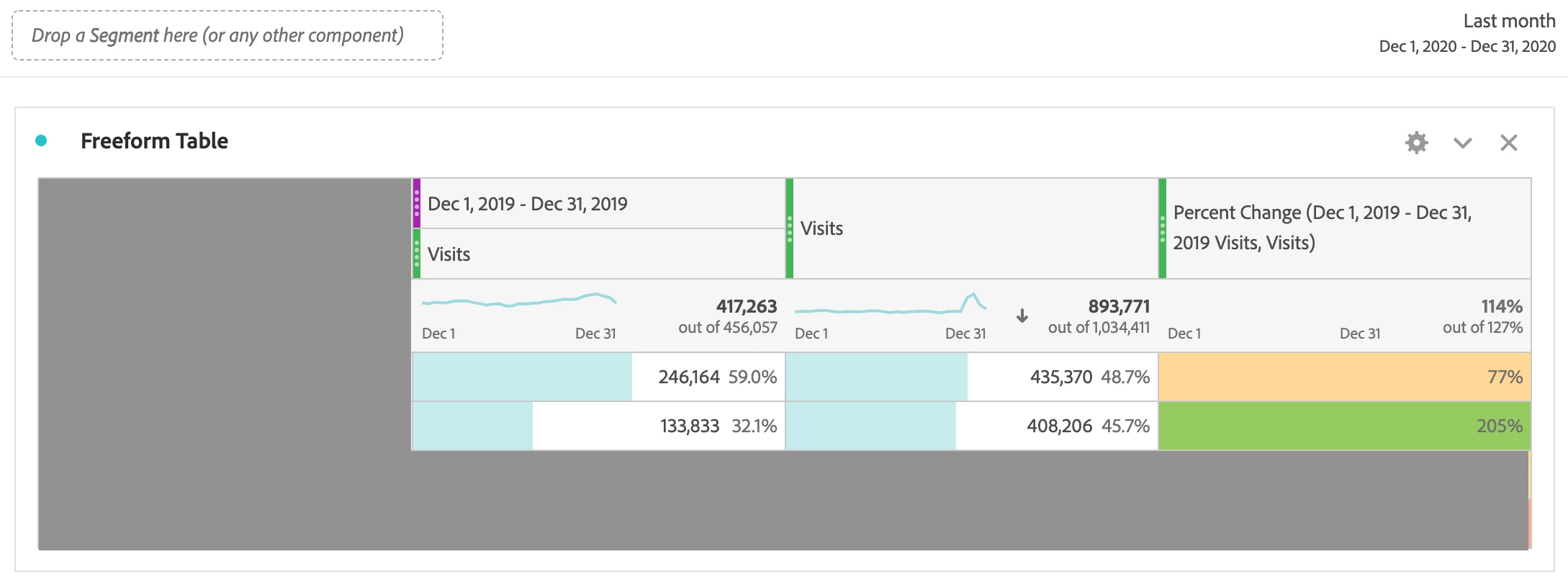
1)Simple freeform table with Day and Visits with a timeframe of "Last month" - works fine

2)Right click on Visits and select "This month last year to this date range" - again works fine
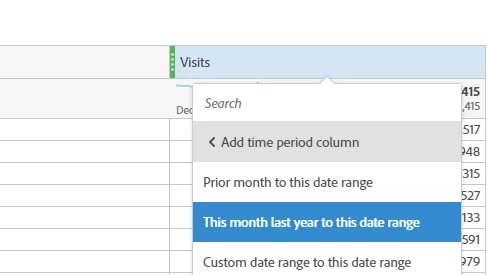
 

3)At this point no comparison column is added - however I can select all the metrics at the top, right click "Create metrics from selection" and select "Percentage Change".
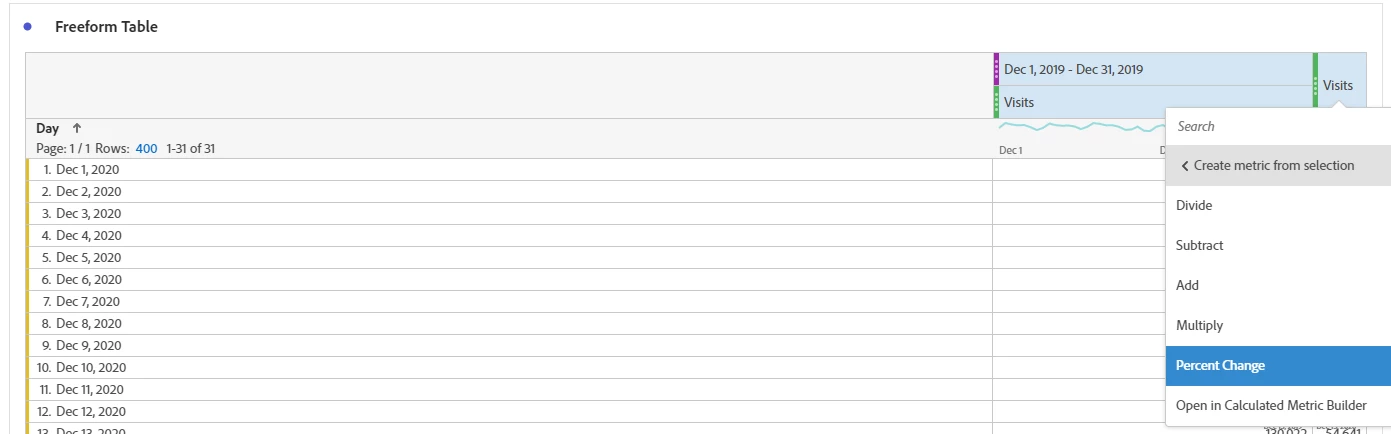
4)This then adds in every day for the last year which has a mixture of the following:

December 2019 = -100%

Jan - November 2020 = 0%

December 2020 = Infinity%
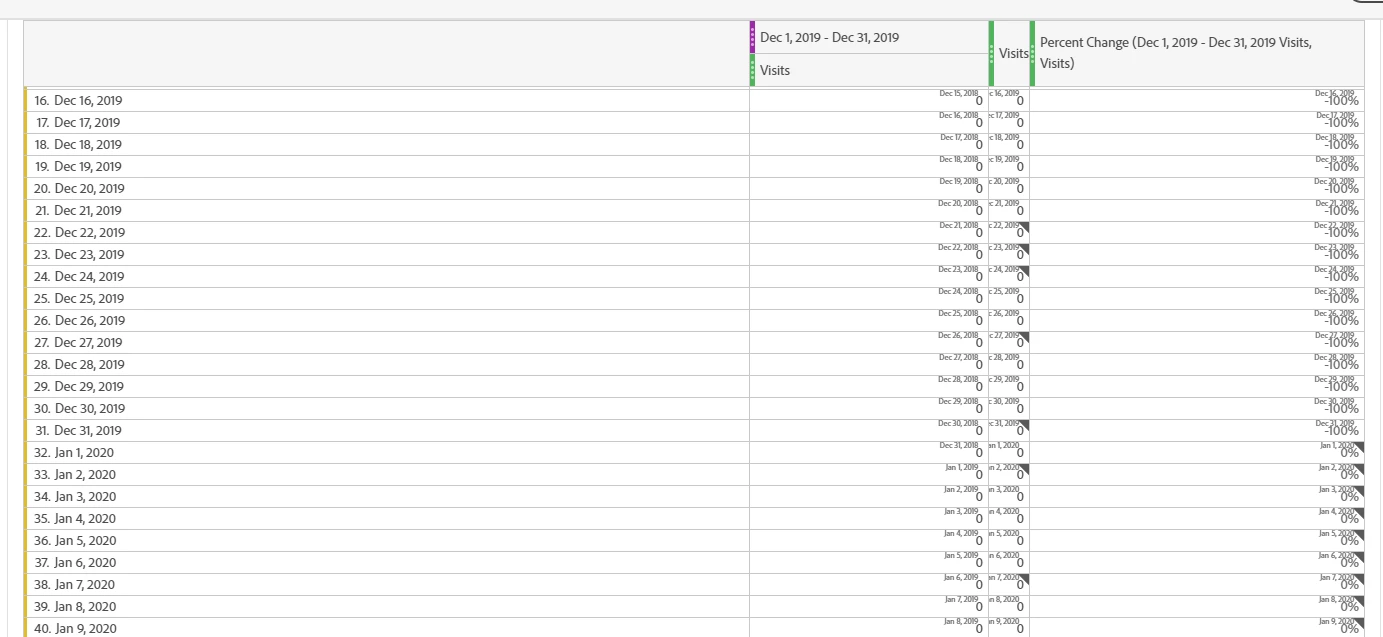
 

Does anybody have any idea what is going on here? This used to work as a one click button.


Thanks


Dave
 

This post is no longer active and is closed to new replies. Need help? Start a new post to ask your question.
Best answer by yuhuisg

I was unable to replicate your step 4's results.


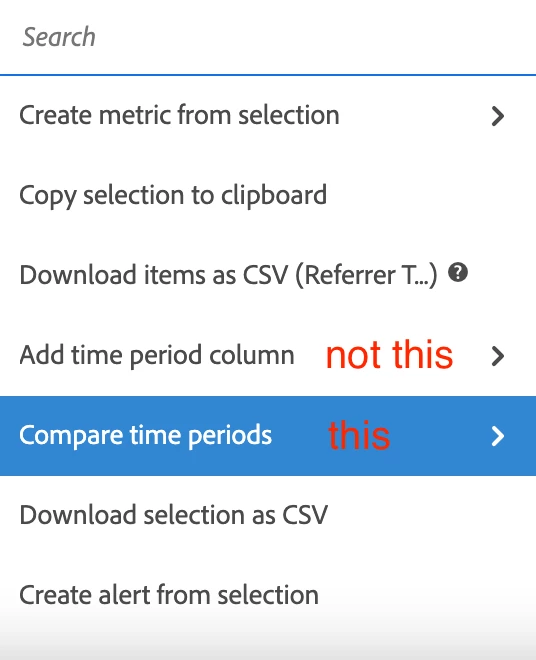
But did you perhaps intend to use the "Compare time periods" right-click-menu item instead?

1 reply

yuhuisg
Community Advisor
yuhuisgCommunity AdvisorAccepted solution
Community Advisor
January 13, 2021

I was unable to replicate your step 4's results.


But did you perhaps intend to use the "Compare time periods" right-click-menu item instead?

David_Jerome
Level 6
January 13, 2021
I heard back from Adobe on this today. The reason I am having an issue is because my dimension was a date. It works fine wt. an eVar.