Creating a standalone number and adding to analytics as a segment to include in a calculated metric | Community
Skip to main content
Level 2
July 12, 2022
Solved

Creating a standalone number and adding to analytics as a segment to include in a calculated metric

  • July 12, 2022
  • 1 reply
  • 777 views

Hi


I would like to try and understand if it's possible to be able to add key business metrics (product lifetime value - £) to Adobe analytics as part of a segment so I can later use it as part of a calculated metric. i.e. 

Product lifetime value (£100 - provided as a metric from business) X No. of individual sales

so i can get an overall view of profit.


I have looked and don't think there is a way but would love to be proved wrong and if there isn't could this be something that could be added so I can pull all the data via adobe analytics rather than having to pull the data together in Microsoft excel. Thanks

This post is no longer active and is closed to new replies. Need help? Start a new post to ask your question.
Best answer by yuhuisg

If this line:

Product lifetime value (£100 - provided as a metric from business) X No. of individual sales

is read as:

"100 pounds multiplied by the number of individual sales"

Then that £100 is a static number, and you can include such static numbers in calculated metrics.

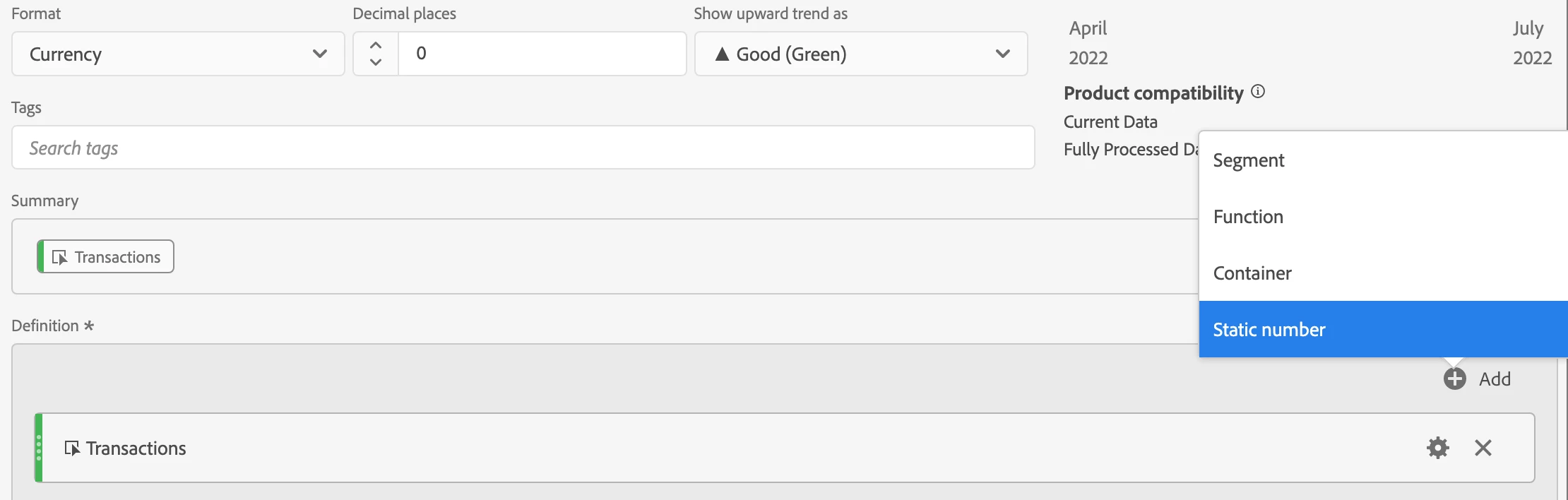
First, click the "+Add" button to the right of the calculated metric builder, and choose "Static Number":

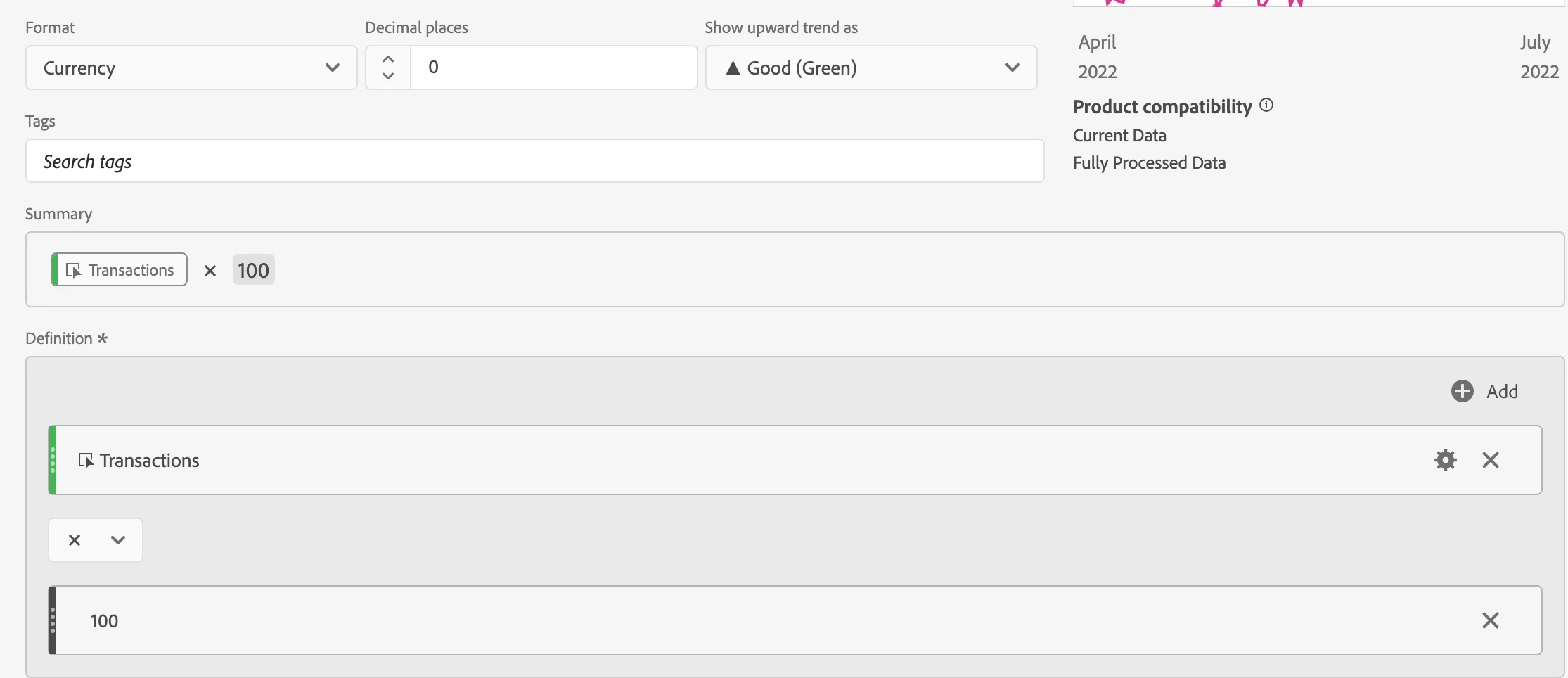
Then, enter your static number. Remember to change the operator from the default division to your required multiplication.

Hope that's what you're after!  😀

1 reply

yuhuisg
Community Advisor
yuhuisgCommunity AdvisorAccepted solution
Community Advisor
July 12, 2022

If this line:

Product lifetime value (£100 - provided as a metric from business) X No. of individual sales

is read as:

"100 pounds multiplied by the number of individual sales"

Then that £100 is a static number, and you can include such static numbers in calculated metrics.

First, click the "+Add" button to the right of the calculated metric builder, and choose "Static Number":

Then, enter your static number. Remember to change the operator from the default division to your required multiplication.

Hope that's what you're after!  😀

PeterO3Author
Level 2
July 12, 2022

Yeah, can't believe i've missed it. That's exactly what i'm after. Thanks