Create a Change Metric | Community
Skip to main content
dsquar3i
September 7, 2017
Solved

Create a Change Metric

  • September 7, 2017
  • 4 replies
  • 2374 views

Hello everyone.

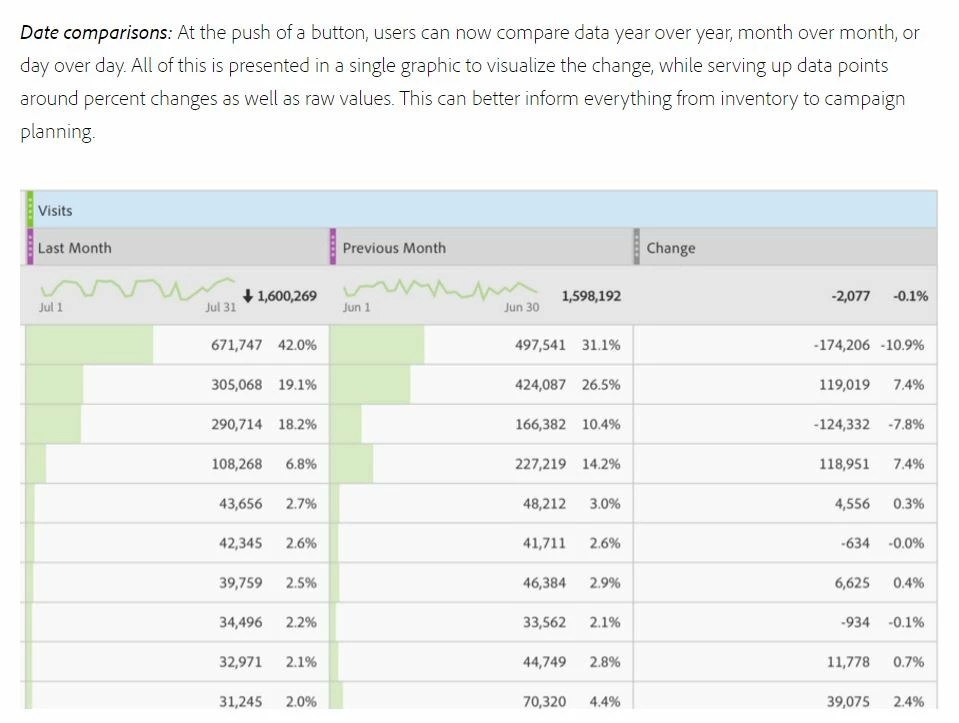
Does anyone know how to build the metric "Change" (see picture)

Best,

Sebastian
This post is no longer active and is closed to new replies. Need help? Start a new post to ask your question.
Best answer by RameshAnalytics

Hi,

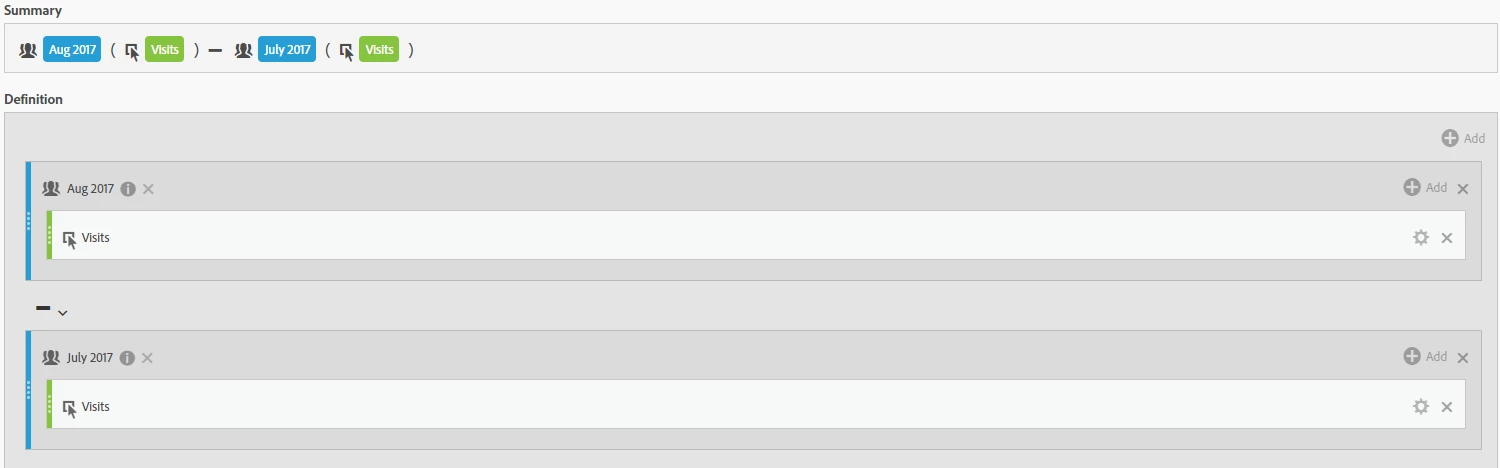
You may want to try the below calculated metric screenshot  to see change numbers

Change Calculated Metric:

Once you have applied the above calculated metric to your report you would see "Change" data as shown in below screenshot.

Hope it helps

4 replies

Urs_Boller
Community Advisor
Community Advisor
September 7, 2017

you can use the option Date Comparison (right click on desired column)

or if you like, you can create a calculated metric with your own date ranges.

dsquar3i
dsquar3iAuthor
September 8, 2017

Hmm, can't get it to work. It will not show the numbers just the precentage.

I don't know how to build it in calculated metric. Do you?

RameshAnalyticsAccepted solution
Level 4
September 11, 2017

Hi,

You may want to try the below calculated metric screenshot  to see change numbers

Change Calculated Metric:

Once you have applied the above calculated metric to your report you would see "Change" data as shown in below screenshot.

Hope it helps

rubenm41873595
January 9, 2019