
Classification Rule Builder | Adobe Higher Education
Skip to main content
marion33678522
Level 5
June 7, 2017
Beantwortet

Classification Rule Builder

  • June 7, 2017
  • 5 Antworten
  • 3898 Ansichten

Hello Adobe Community !

I have a question on classifications Rules.

I was just going to activate a Classification Rule Set on a Conversion variable - I have all set , but I still have one question on my rule set.

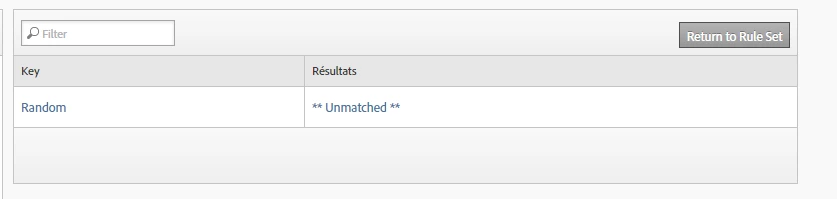
I was planning to classify my research bar results, since lots of them look alike. Neverthless, I'm afraid that the results ( or keys as they are called on the Test Rule set) that are Unmatched will disapear from the reports.

Is it possible to partially classify values from a conversion variable, without classifying as Unmatched the other values ?
What happens to those **Unmatched** Values ?
Thanks again !

Mario
Dieses Thema wurde für Antworten geschlossen.
Beste Antwort von marion33678522

Hello Adobe Community !

I found a reliable solution based on all your answers !
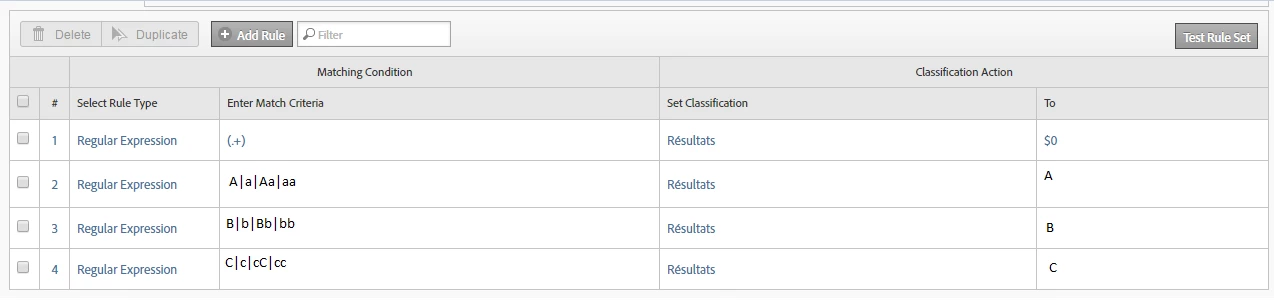
This is what I did :


This way, I can have all my Research results without any "Unclassified"- and also my classified "group" results on the same report !

Cheers !

5 Antworten

EricMatisoff
Adobe Employee
Adobe Employee
June 8, 2017

Hi marion33678522​,

Any variables that are unmatched via Rule Builder (and weren't manually classified via Classification Upload) will show as "None" in the classification report. Note that the values in the "raw" eVar report will still include all values (whether they were classified or not).

If you're unhappy with those values showing as "None" in the classification report, you can set up one additional rule at the bottom of your rule listing, as a catchall. Perhaps classifying it as "Unclassified" or something else. Here's a sample RegEx you could use as that catchall:

(.*)

Hope that helps answer your question! If not, feel free to follow up

- Eric

marion33678522
Level 5
June 8, 2017

Hello Eric, thanks for your contribution,
I though of using the .* regex joker, so all my other values are classified there.

That means than after this i'll only be able to see those values on the "Unclassified" report' or on the Raw report right ?
Or just on the raw report ?

I could just test this but I think that i takes 24 hours to the servers.

Cheers !

Hyder_Ziaee
Adobe Employee
Adobe Employee
June 8, 2017

Just want to add, that the catchAll function should be the first one.

The priority is given to bottom rules. (About Rule Priority)

EricMatisoff
Adobe Employee
Adobe Employee
June 12, 2017

Hi marion33678522​ - You can actually set the 'catchall rule' to do one of two things:

1 - Set it so it sets all items that it 'catches' to a dummy value, like "Unclassified" as we discussed earlier.

2 - Set it to the raw value in the classified report. You can do this by setting the "To" column for your RegEx Classification to $0.

And GREAT point by hyderziaee​ - you'll want to set the RegEx catchall rule to the first rule, not the last.

marion33678522
marion33678522AutorAntwort
Level 5
June 13, 2017

Hello Adobe Community !

I found a reliable solution based on all your answers !
This is what I did :


This way, I can have all my Research results without any "Unclassified"- and also my classified "group" results on the same report !

Cheers !