
Changes in Segment Dropdown in Adobe Workspace | Community
Skip to main content
Vinay_Chauhan
Community Advisor and Adobe Champion
June 24, 2024
Question

Changes in Segment Dropdown in Adobe Workspace

  • June 24, 2024
  • 4 replies
  • 1604 views

Earlier we used to add multiple segments as options in a segment dropdown.

But since the new changes have been made, where we can select multiple segments (as OR condition) in a segment dropdown, I am not able to add more than two segments in a dropdown.
Even by pressing shift, it doesn't work. 
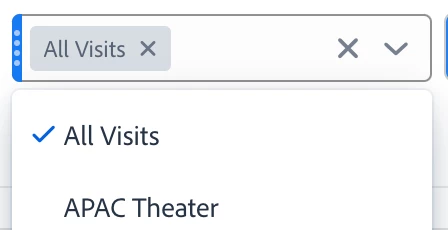


Whats the workaround for this?

This post is no longer active and is closed to new replies. Need help? Start a new post to ask your question.

4 replies

Jennifer_Dungan
Community Advisor and Adobe Champion
June 24, 2024

Hi @vinay_chauhan 


It seems to be working for me... I just created two dropdowns with more than 2 segments:


I tried both dragging them one at a time, and as a group, and I didn't experience any issues.


But we have lost the ability to drag the dropdown to create a copy.... 

Vinay_Chauhan
Community Advisor and Adobe Champion
June 24, 2024


@jennifer_dungan 

To be more specific, it lets me create the multiple segment dropdowns if they are not related.
But if the segment is a subset of the bigger segment, the dropdown greys out.

Can you try this -
make a larger segment for a complete site and then create subset segment with individual page urls, then try adding these to the dropdown which has larger segment.

Earlier we were able to do it, not it just greys out.

Jennifer_Dungan
Community Advisor and Adobe Champion
June 25, 2024

My example is basically segment and sub-set segments.....


Adding "Desktop Web", "Mobile Web" and "Tablet Web" together is the equivalent of "Combined Web", and "Mobile Web" and "Tablet Web" together is the equivalent of "Mobile/Tablet Web"


I just did a test with an existing section for one of our sites, then a new segment for "home, sports, or politics page" and another new segment for just "home" page... again, I had no issues adding them to my dropdown... interesting that you are....

Vinay_Chauhan
Community Advisor and Adobe Champion
June 25, 2024

UPDATE -

Met with support team, there seems to be an engineering bug.
everyone in my org is facing this issues.
Spoke to a friend in another org, they are facing this issue too.

Will keep you updated, once I have any resolution from the engineering team.

Vinay_Chauhan
Community Advisor and Adobe Champion
June 27, 2024

Update -

Following workaround provided by the support team -

1.Save/exit seems to reset the ability to add more segments to the drop down and the operation is successful.

2. While adding a second option in dropdown (before the dropdown freezes) - Select all the segments at one time and drag and place it in the Dropdown at once.

This will help you to continue our work until the Engineering team is able to resolve the original issue.

Vinay_Chauhan
Community Advisor and Adobe Champion
July 10, 2024

UPDATE - I have received the confirmation from the support/engineering team that this issue is now resolved.