Solved
Can't compare time periods of number of visits. Error is persistent
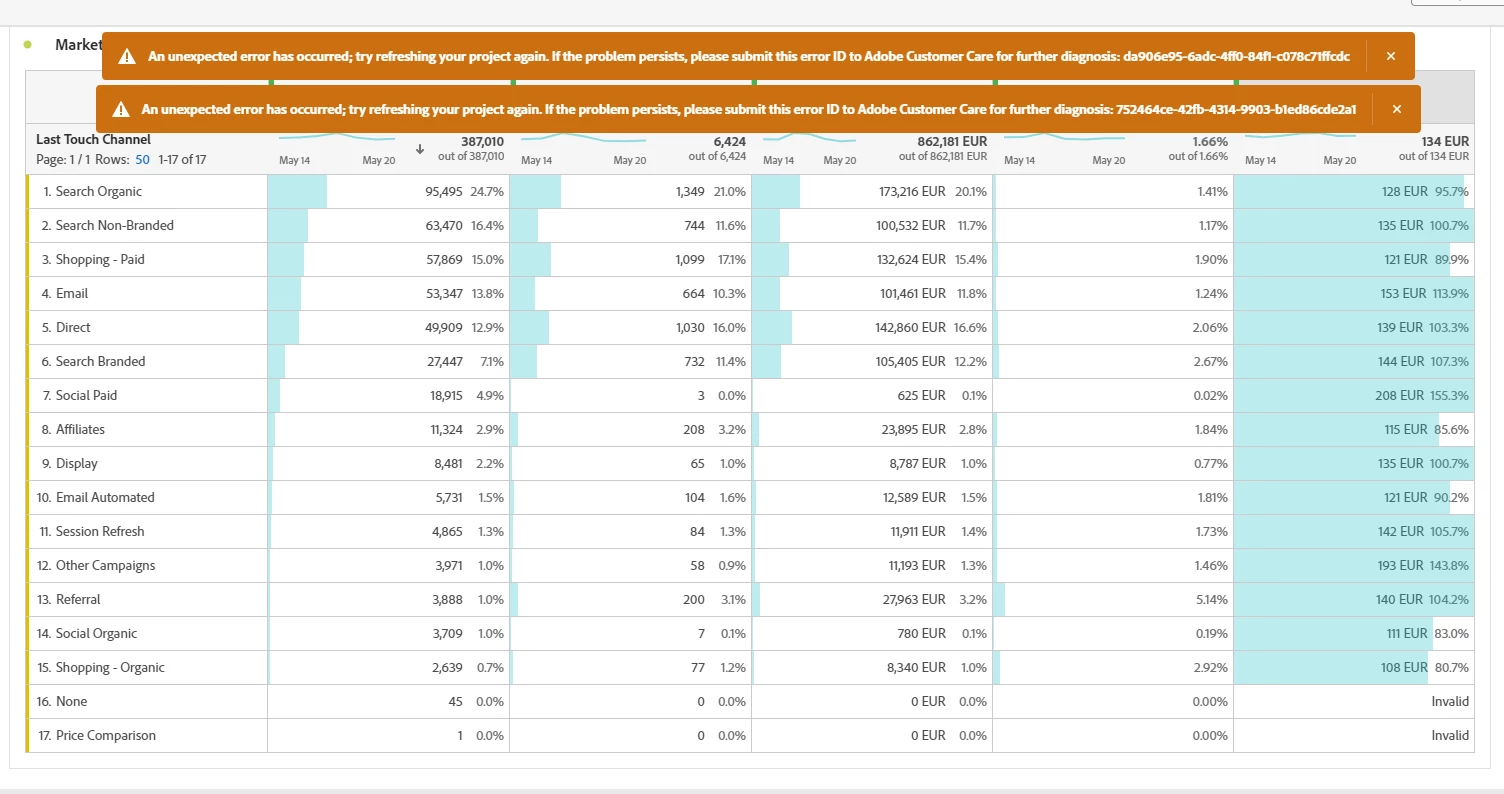
Case:
- Right clicked the 'Visits' column
- Selected 'compare time periods'
- any of the options under compare time periods ends up in this error. Please help
Case:
- Right clicked the 'Visits' column
- Selected 'compare time periods'
- any of the options under compare time periods ends up in this error. Please help
Are you using a rolling date range for the panel? If that's correct, can you please try entering the manual value in the date range again and saving the changes to see if "Compare Time Period" works? For example, in the rolling date below, the "1" in the end formula needs to be re-entered and then "Apply". Once it is done, try running "Compare time period" again.
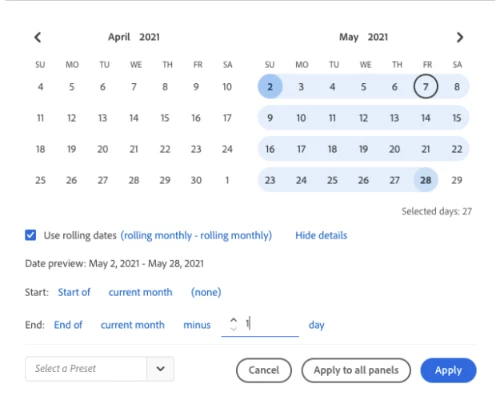
If that doesn't work, it's a bug that needs to be submitted via the Client Care.
Enter your E-mail address. We'll send you an e-mail with instructions to reset your password.