Binding the client side events via Launch and server side hits via Edge network | Community
Skip to main content
Level 3
February 25, 2026
Question

Binding the client side events via Launch and server side hits via Edge network

  • February 25, 2026
  • 1 reply
  • 12 views

Note : This follows legacy Adobe Analytics implementation.

Issue : When order is completed on the website, there is an order element tag and purchase event which is being sent to the Adobe servers.
1. Order element Tag goes from the frontend or code side, going as smetrics call and setting up the eventx with eVars.
2. Purchase event is set in Adobe Launch via Rules , the standard way. 
Order element Tag generates different visit/visitorID when debugged in the data feeds - which should not be the case. This should get in sync with the same session as purchase event is in.

Following this document:
https://experienceleague.adobe.com/en/docs/analytics/implementation/vars/config-vars/visitorid

Solution says, if we can somehow bind these two events via IDs considering the ECID here to stitch the data : 

1) Capture ECID during checkout (this should be on a browser cookie) and send to the server when placing order

2) Send the order purchase event via edge network with both a timestamp and the ECID.

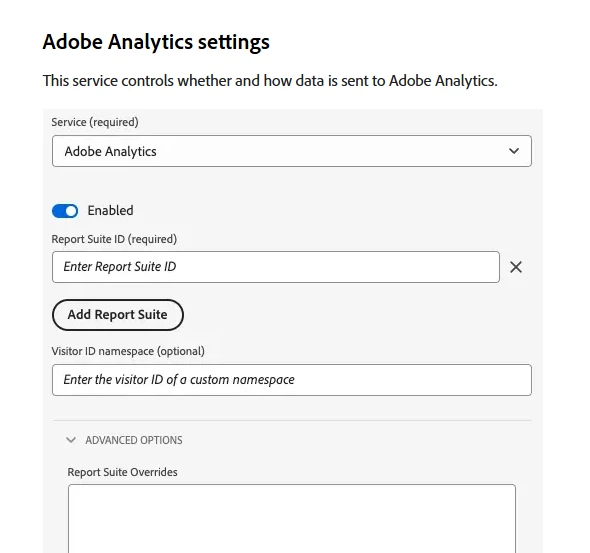
3)In Data streams configuration we should add “ECID” as identity namespace. 

Any thoughts on the above approach, if that is going to give the desired output and binding this with “ECID” namespace will be an efficient approach.

    1 reply

    Jennifer_Dungan
    Community Advisor and Adobe Champion
    Community Advisor and Adobe Champion
    February 25, 2026

    Hi ​@aguseranalytics,


    Maybe I am missing something here… but even when you are using the server side Edge Network, you still see the page view call in your network panel… the “server-side” still makes the request from the client. It’s not a fully installed solution on your webservers. The “server” in this case is the Adobe Server, the data is sent to it, and it will then distribute the information to your various Adobe products (AA, CJA, Target, etc) - this is what is meant by server-side… you don’t have potentially multiple calls being made by the client. If you only have AA, then you will be making a single call from the client regardless of “AppMeasurement,js Client-Side” or “Edge Network Server-Side”.


    So, if you are using the Edge Network for your page tracking, why don’t you just use it for your Action Calls as well? Why are you mixing implementations?


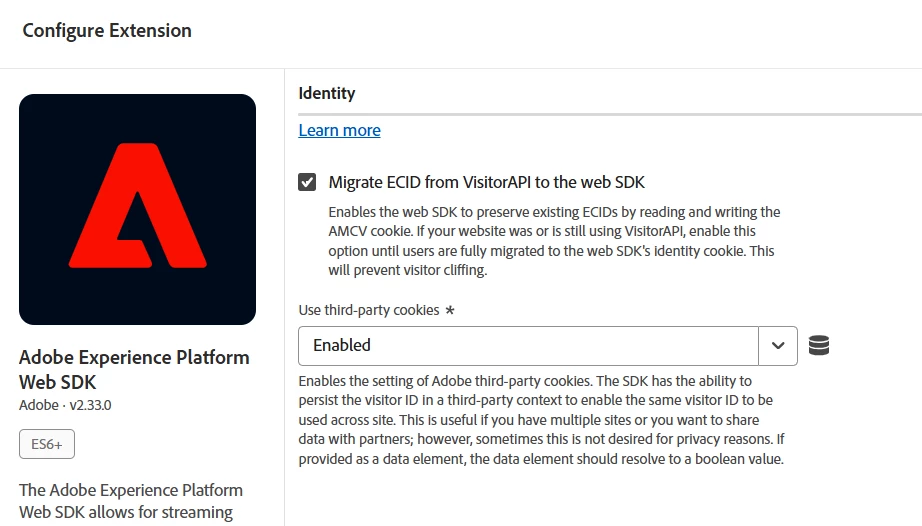
    And, you still can mix implementations, I know that when the Edge Network first came out, there was a lot of talk about the ECID being consistent as sites were moved over 1 by 1… there is supposed to be a setting to store the ECID as a normal cookie, so that as users moved between Edge Network sites and older AppMeasurement sites, the same ECID would be used, keeping your network traffic/user identification clean. But this was meant more for cross domain support, but would work for the same site if you really need it… 

    Level 3
    February 25, 2026

    Okay...yeah the original reason for sending the order element tag via code is still not known( previous code).
    But yes I am working on the above approach.


    Jennifer_Dungan
    Community Advisor and Adobe Champion
    Community Advisor and Adobe Champion
    February 25, 2026

    Lol, it was probably just done to save time… like start with the Page View, later do Action A, then Action B, etc. and probably along the way, the project was forgotten  😅


    But I am surprised that the approach didn’t flag the “oops, the PV and the Action are a different user” test; but it’s also easy to miss something like that, we often take for granted what Adobe does to identify people, and often don’t scrutinize it the way we should when we start doing non-standard things.


    For now, a quick fix would be to find the setting to set traditional user cookies (for cross domain) and test that… but, ideally, in the end, I would get the tracking all onto the Edge Network.


    I have an old Test Property (using an older version of the WebSDK extension, so it might look a bit different), but I believe this is the setting you need: