
Aw, Snap! Error Message | Community
Skip to main content
BrendanLo1
Level 2
February 16, 2024
Question

Aw, Snap! Error Message

  • February 16, 2024
  • 6 replies
  • 4100 views

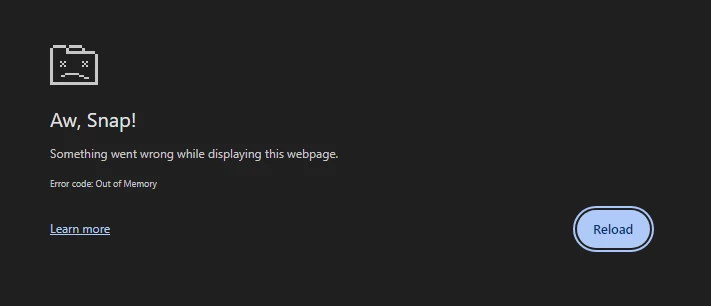
Does anyone else encounter this Aw, Snap! error message multiple times a day? So frustrating, especially since more times than not, even though I save my Workspace projects often, I lose most of my work. Is this just a Chrome issue, as I also experience challenges in accessing Experience League and/or other Adobe doc links.
 

This post is no longer active and is closed to new replies. Need help? Start a new post to ask your question.

6 replies

seanrobinson
Adobe Employee
Adobe Employee
February 16, 2024

I personally never get this issue (but I'll also let others chime in on their experiences). I assume you've checked, but could it be a connection issue? Are you running a VPN?

BrendanLo1
Level 2
February 16, 2024

Interesting. I typically work remotely and am consistently authenticated on a VPN (to access network drives/folders); however, I have also experienced this while in the office (not on VPN). 

Jennifer_Dungan
Community Advisor and Adobe Champion
February 16, 2024

I don't encounter this either... but remember that Workspace is client side JS so it uses a lot of memory. Also, the more extensions you have in your Chrome and the number of tabs you have open (and all the programs in general you have open), the more memory you are going to use...


How much memory do you have on your machine? 

RobertBlakeley
Community Advisor
Community Advisor
February 18, 2024

I get this sometimes making a high data change in large workspaces. Not often, however.

FarazHusain
Adobe Employee
Adobe Employee
February 20, 2024

It likely due to memory issue. Every Workspace tab in a Google Chrome browser shares 4GB of memory in total. This represents the percent of that memory allowance that is being consumed by the current project. The guideline is 3500 MB, which is the point at which Workspace will begin surfacing memory errors.

So, I guess you should check if it's going beyond threshold under Project - Analysis Workspace > Help > Performance

BrendanLo1
Level 2
February 22, 2024

Thanks for informing me of the Performance view. I was unaware of that feature.


I seem to fall within the guidelines for everything, so am unclear on how browser memory factors in, unless it's related to the memory on my laptop.


To be honest, this seems to occur more regularly when building out on-the-fly, ad-hoc projects that only contain 2-4 tables. It's very frustrating as I don't normally save these and am forced to start from scratch, as the "restore" project feature seldom helps.

Jennifer_Dungan
Community Advisor and Adobe Champion
February 22, 2024

Yeah, I hear that! I do a lot of adhoc myself, and you're right, if I lose it, I have to start from scratch.


I'm pretty sure this relates to memory on your laptop... Do you know how much memory you have?

July 19, 2024

was your issue ever resolve, I also experience the same


pwolly-cr
Level 2
August 26, 2024

@brendanlo1 are you still experiencing these issues?  If so do you know what helped resolve them?  Most power users within my company are experiencing the same thing several times a day.  Extremely frustrating.

August 26, 2024

I am still experiencing the issue, i get some relief by clearing cache daily and saving often.  I try to monitor memory in each chrome tab as mentioned but have not come to any conclusions. I do notice having more issues when using the fallout funnels.

pwolly-cr
Level 2
September 4, 2024

Several people on my team run into this issue multiple times a day.  I guess we'll submit a ticket to client care?  We don't know where else to go.