adobe analytics in power bi | Community
Skip to main content
ancaa31083661
Level 2
August 18, 2017
Solved

adobe analytics in power bi

  • August 18, 2017
  • 4 replies
  • 4300 views

Hi, I am trying to add data sources from adobe analytics to power bi, but I can't sign in to my adobe account. I get this error:
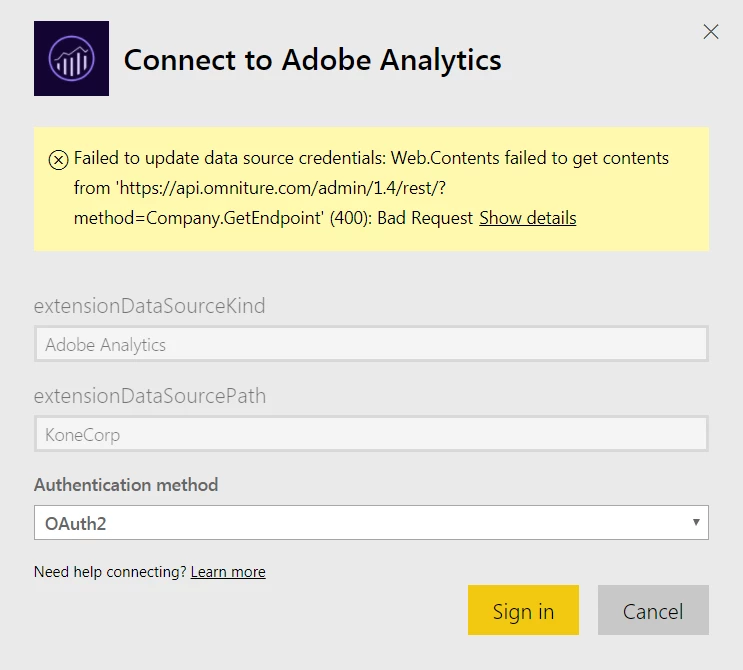
Does anyone know what might cause this?

Anca

This post is no longer active and is closed to new replies. Need help? Start a new post to ask your question.
Best answer by isinha

Hi ancaa31083661​,

Web services permission group is one of the default user group available in Reports & Analytics. It is mandatory for a user to be added to this group in order to access PowerBI.

You may want to check this in Admin -> User management -> user -> search for your user -> check if you are added to that group in Reports & Analytics. In case you don't have an access, an Admin can ensure this for you.

Thanks!

4 replies

Gigazelle
Adobe Employee
Adobe Employee
August 18, 2017

Hi Anca, have you made sure you're in the web services permission group? I believe in order to authenticate with any outside sources, you need to belong to this group.

ancaa31083661
Level 2
August 21, 2017

Hi, I'm not sure. What is the difference with web services permission group?

isinhaAdobe EmployeeAccepted solution
Adobe Employee
August 21, 2017

Hi ancaa31083661​,

Web services permission group is one of the default user group available in Reports & Analytics. It is mandatory for a user to be added to this group in order to access PowerBI.

You may want to check this in Admin -> User management -> user -> search for your user -> check if you are added to that group in Reports & Analytics. In case you don't have an access, an Admin can ensure this for you.

Thanks!

ancaa31083661
Level 2
August 21, 2017

Hi, thank you for the info. I will have to check that as I might not be in that group. Hope that will solve the problem