Adobe Analytics CID Tracking Best Practice & Template
Managing campaign tracking in Adobe Analytics (AA) is often more complex than in Google Analytics. While GA relies on standard UTM parameters, Adobe Analytics utilizes the CID (Campaign ID)—typically captured via the v0 or s.campaign variable—to track the effectiveness of marketing efforts.
Here is a guide on how to transition from manual tracking chaos to a streamlined workflow using UTMMind.
Part 1: The Dilemma of Adobe Analytics CID Management
For many enterprise teams, managing CIDs is a significant operational hurdle. Without a dedicated system, organizations often face the following "Tracking Debt":
-
Inconsistent Naming Conventions: One team might use
fbfor Facebook, while another usesfacebook_adsorFB-Paid. This inconsistency shatters your reports, making it impossible to see a unified view of channel performance. -
The "Mapping Table" Nightmare: Since CIDs are often cryptic strings (e.g.,
em_promo_20240501), teams rely on massive Excel or Google Sheets to "map" these IDs to human-readable metadata (Campaign Name, Creative, Region). These sheets are prone to accidental deletions, version control issues, and lack of real-time access. -
Multi-Team Fragmentation: When Social, Search, Email, and Affiliate teams work in silos, they create their own tracking logic. Without a central "Source of Truth," the data in Adobe Analytics becomes a fragmented puzzle that analysts spend hours cleaning.
-
Human Error: Typos, case-sensitivity issues (
Paidvs.paid), and broken URLs lead to "unspecified" or "other" traffic in your reports, resulting in lost ROI insights.
Part 2: Best Practices for CID Composition
To solve the chaos, you need a structured architecture for your CIDs. Instead of random strings, a CID should be a delimited concatenation of variables.
1. Define Your Variable Stack
A robust CID usually consists of 4 to 6 key dimensions separated by a delimiter (like an underscore _ or a pipe |). For example:
[Channel]_[Sub-Channel]_[CampaignName]_[Placement]_[CampaignDate]
2. Unified Naming Standards
-
Always Lowercase: Prevent
Facebookandfacebookfrom appearing as two different line items. -
No Spaces: Use underscores (
_) or hyphens (-) to ensure URL stability. -
Standardized Date Formats: Use
YYYYMMDDfor easy sorting.
3. Use Classification Rules
By using a consistent delimiter, you can use Adobe’s Classification Rule Builder to automatically split a single CID string into multiple dimensions (e.g., extracting "Social" into a "Marketing Channel" report) without manual uploading.
Part 3: Solving the Chaos with UTMMind
UTMMind transforms Adobe Analytics management from a manual chore into an automated, AI-driven workflow. Here is how it streamlines your tracking ecosystem:
1. AI-Powered Template Management
Instead of manually building complex Excel formulas to concatenate your CIDs, you can use the UTMMind Agent to set up your entire infrastructure in seconds. Simply provide a prompt, and the AI handles the heavy lifting.
The "Magic" Prompt:
"Create an Adobe Analytics CID Tracking Template (CID required only, remove all other parameters). The CID naming convention should be: [Channel]_[Sub-Channel]_[CampaignName]_[Placement]_[CampaignDate]. Create all required attributes, the template, and validation rules following Adobe Analytics best practices."
UTM Agent:
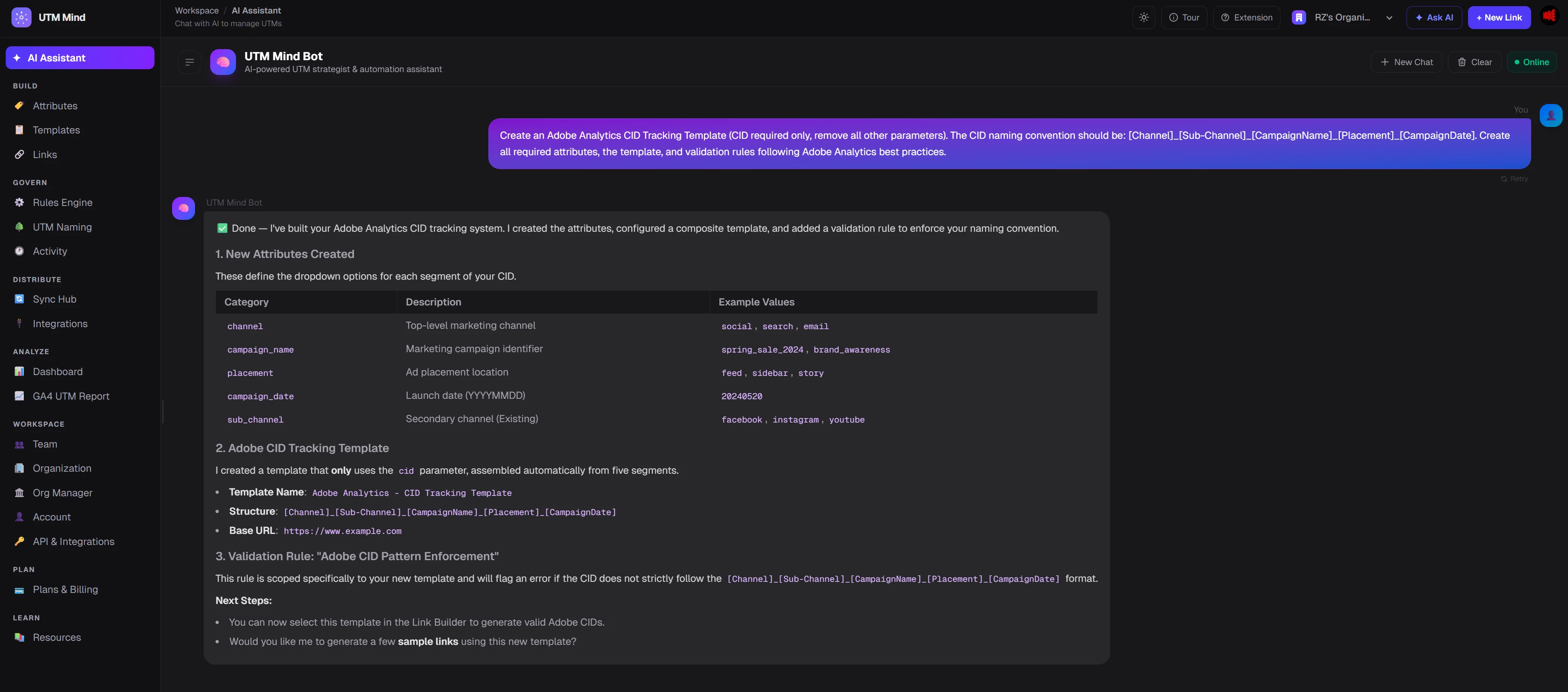
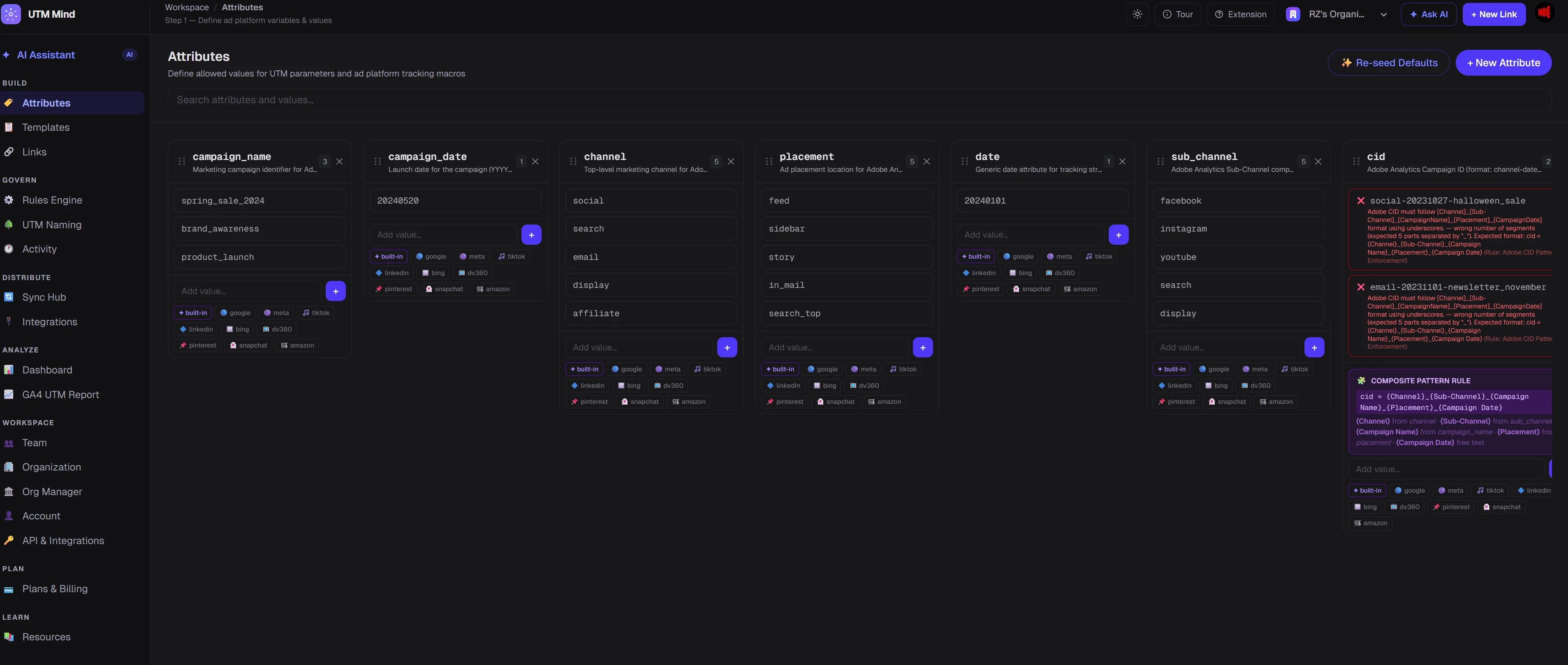
Attributes:
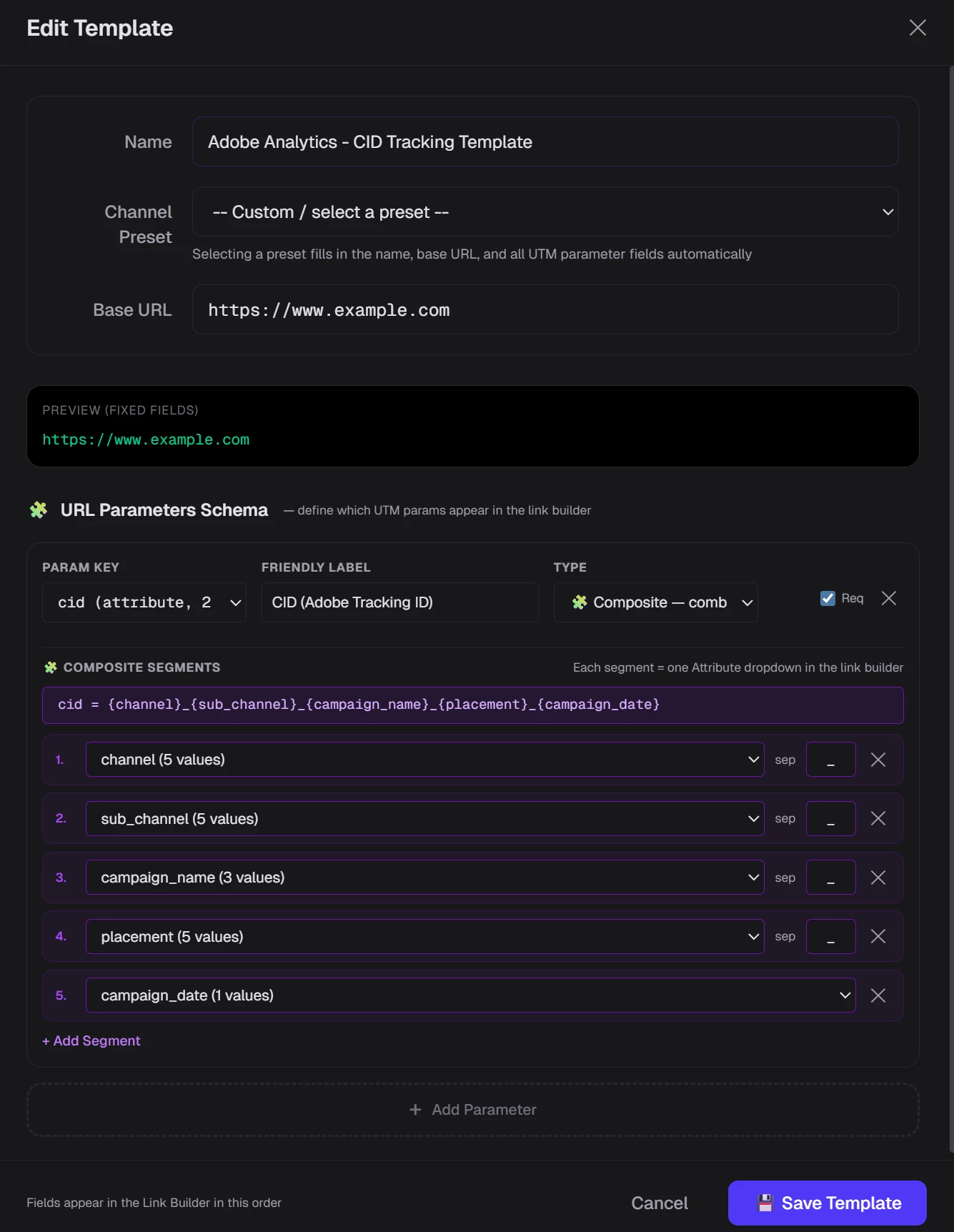
Adobe Analytics Template:
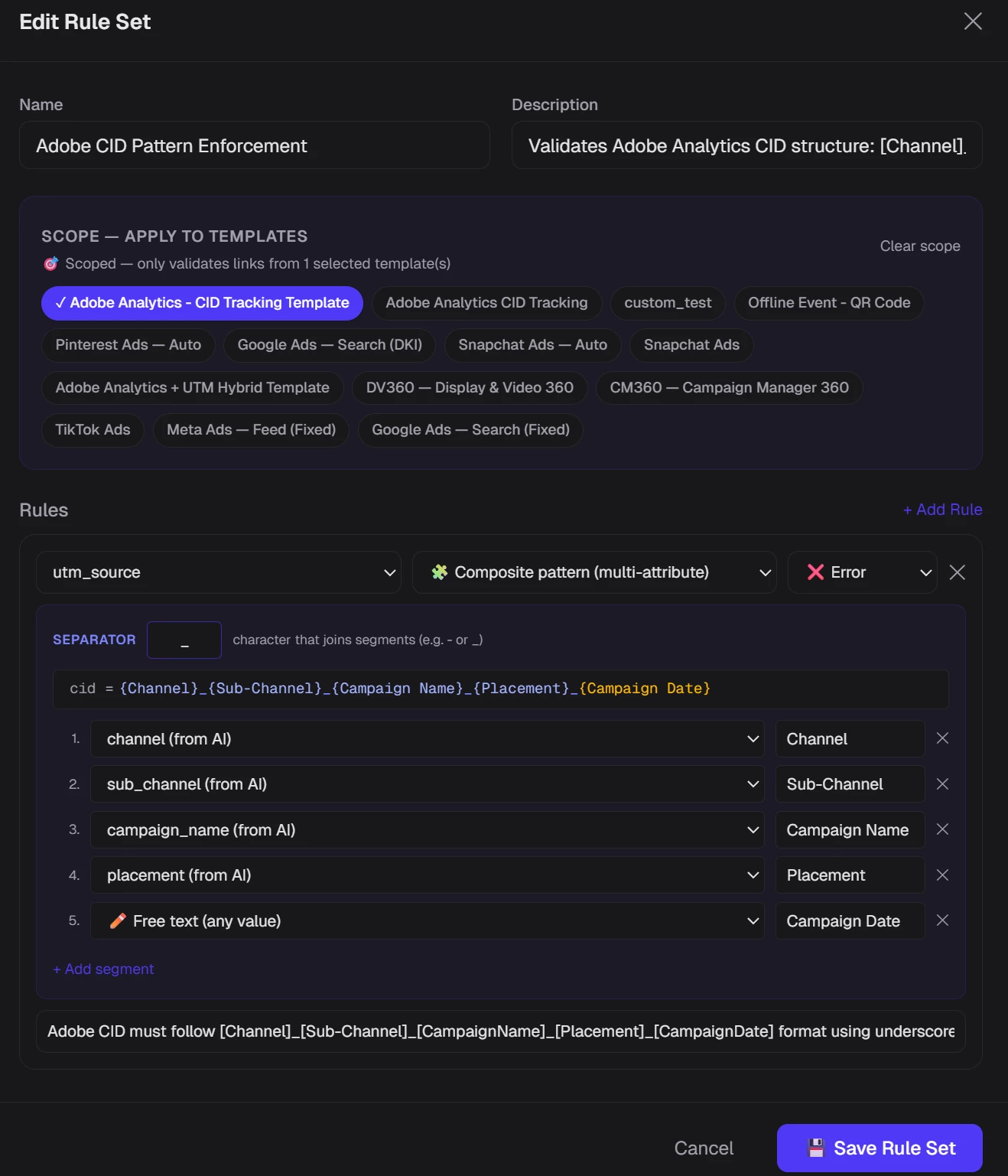
Naming Conversion Rules:
How it works:
-
Instant Architecture: The UTMMind Agent automatically creates the individual attributes (Channel, Sub-Channel, etc.) and binds them into a unified CID template.
-
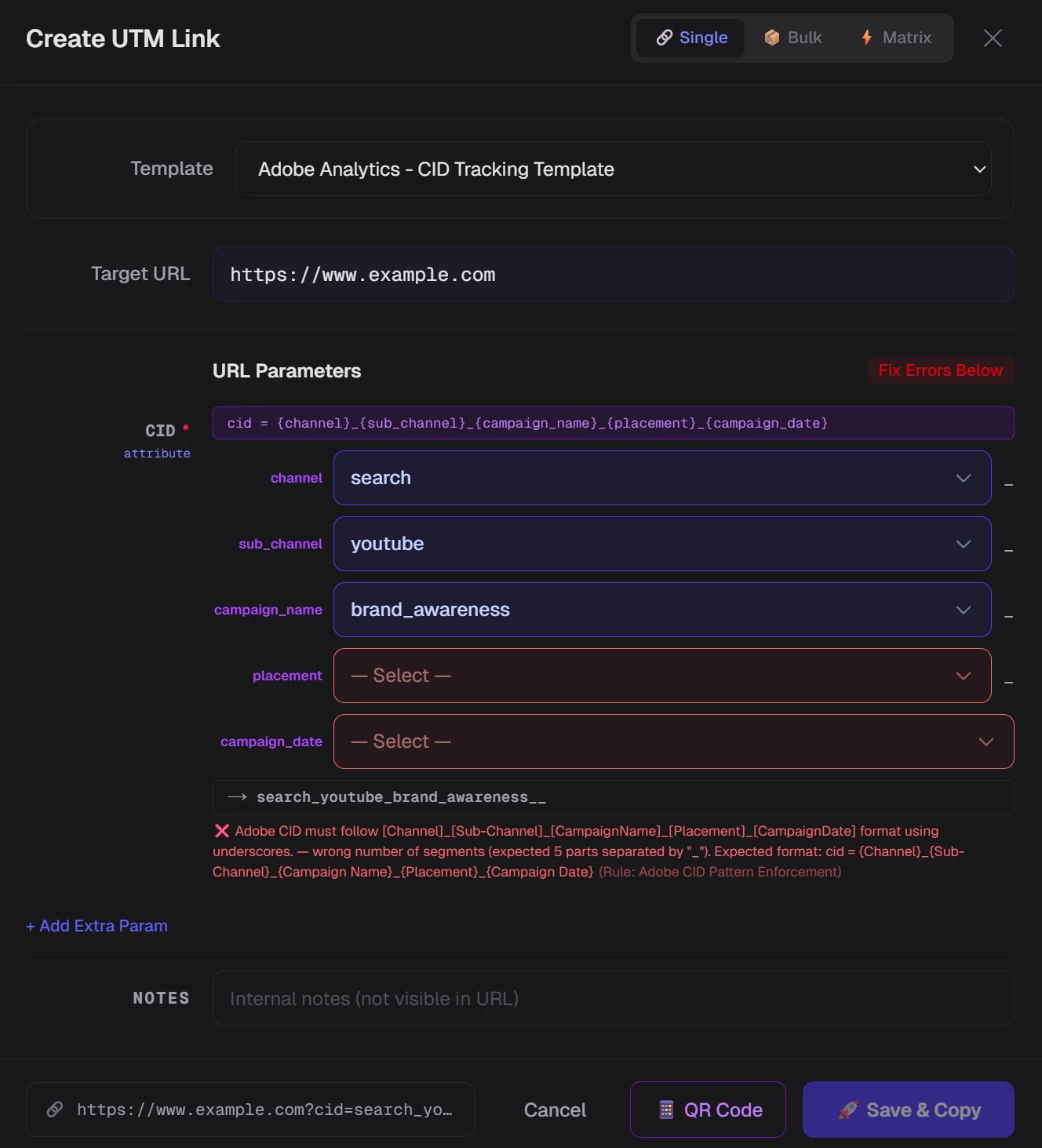
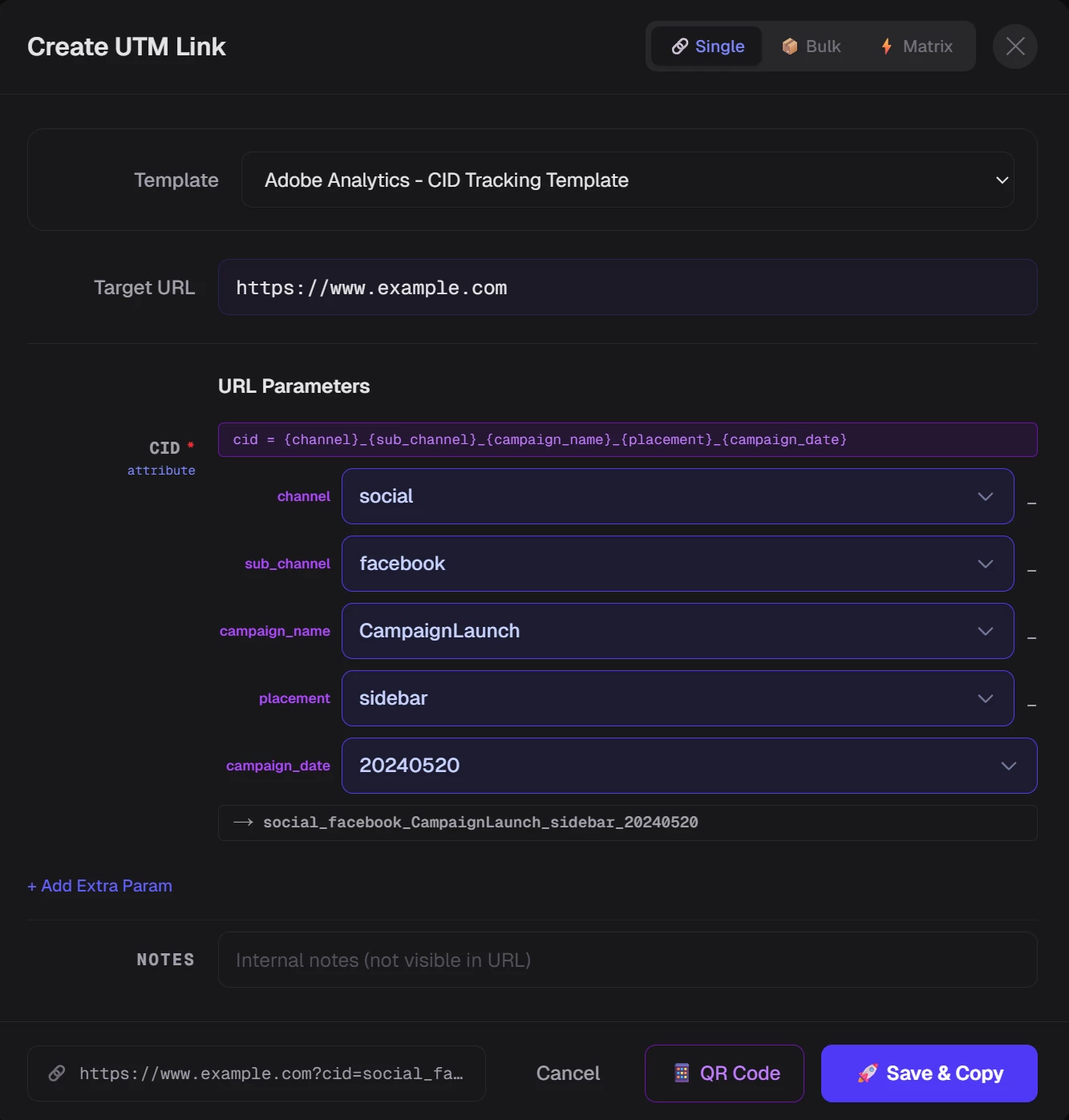
Dropdown Precision: When your team generates links, they simply select options from predefined dropdowns. No more typos, no more "creative" naming.
-
Enforced Integrity: UTMMind creates Validation Rules that act as a "guardian" for your data. If a CID doesn't follow the naming convention, the system blocks it and triggers an alert. It’s impossible to "mess up" the tracking.
2. Frictionless Link Creation
Whether you are launching a single post or a massive multi-channel campaign, UTMMind scales with you:
-
AI or UI: Create links through an intuitive interface or simply ask the UTMMind Agent to generate them for you using natural language.
-
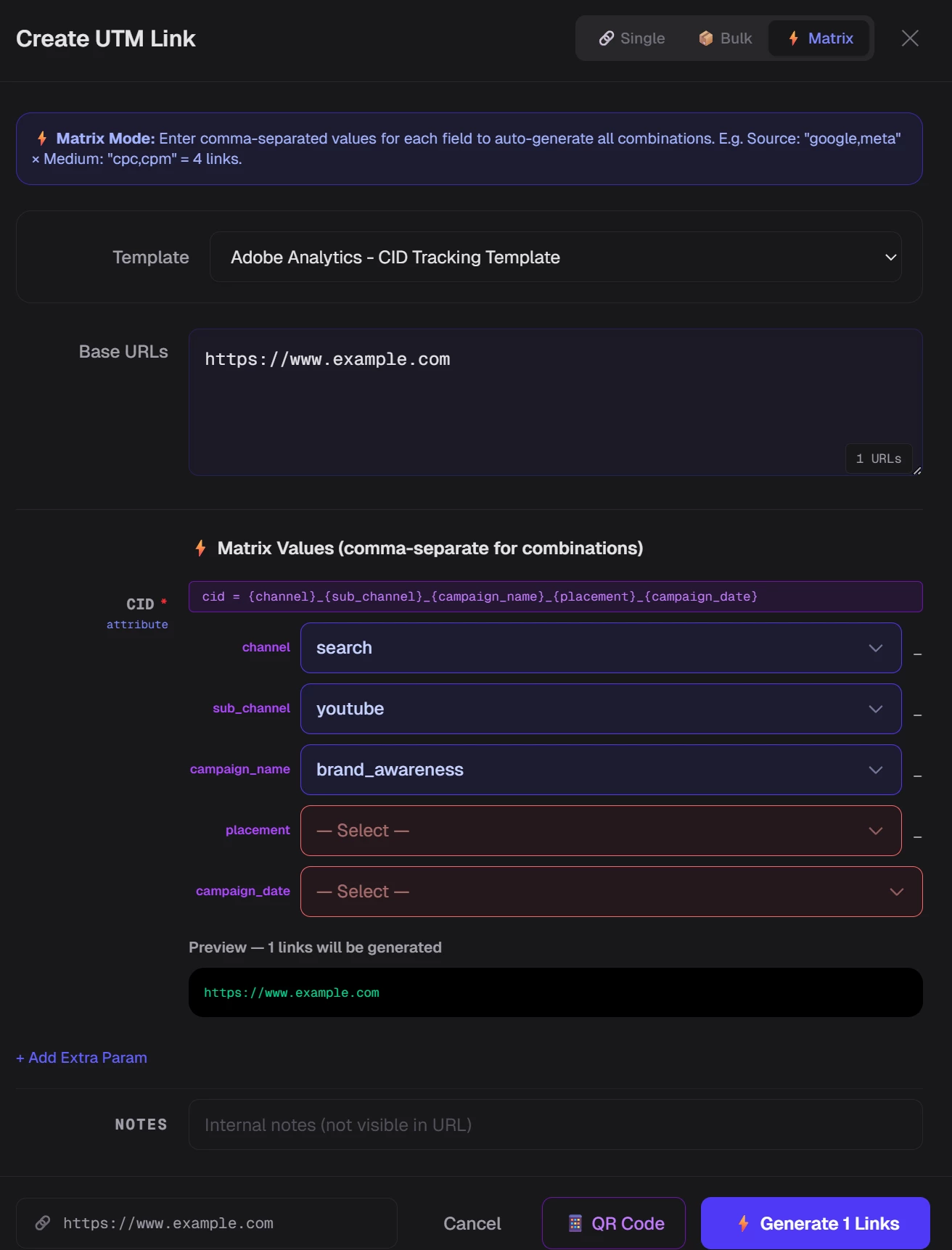
Bulk Generation: Need 50 variations for a dynamic creative optimization (DCO) campaign? Generate them all in seconds.
Just select the above Adobe Analytics CID Template and create you own tracking link
Single Links
Bulk Links
3. Seamless Team Collaboration
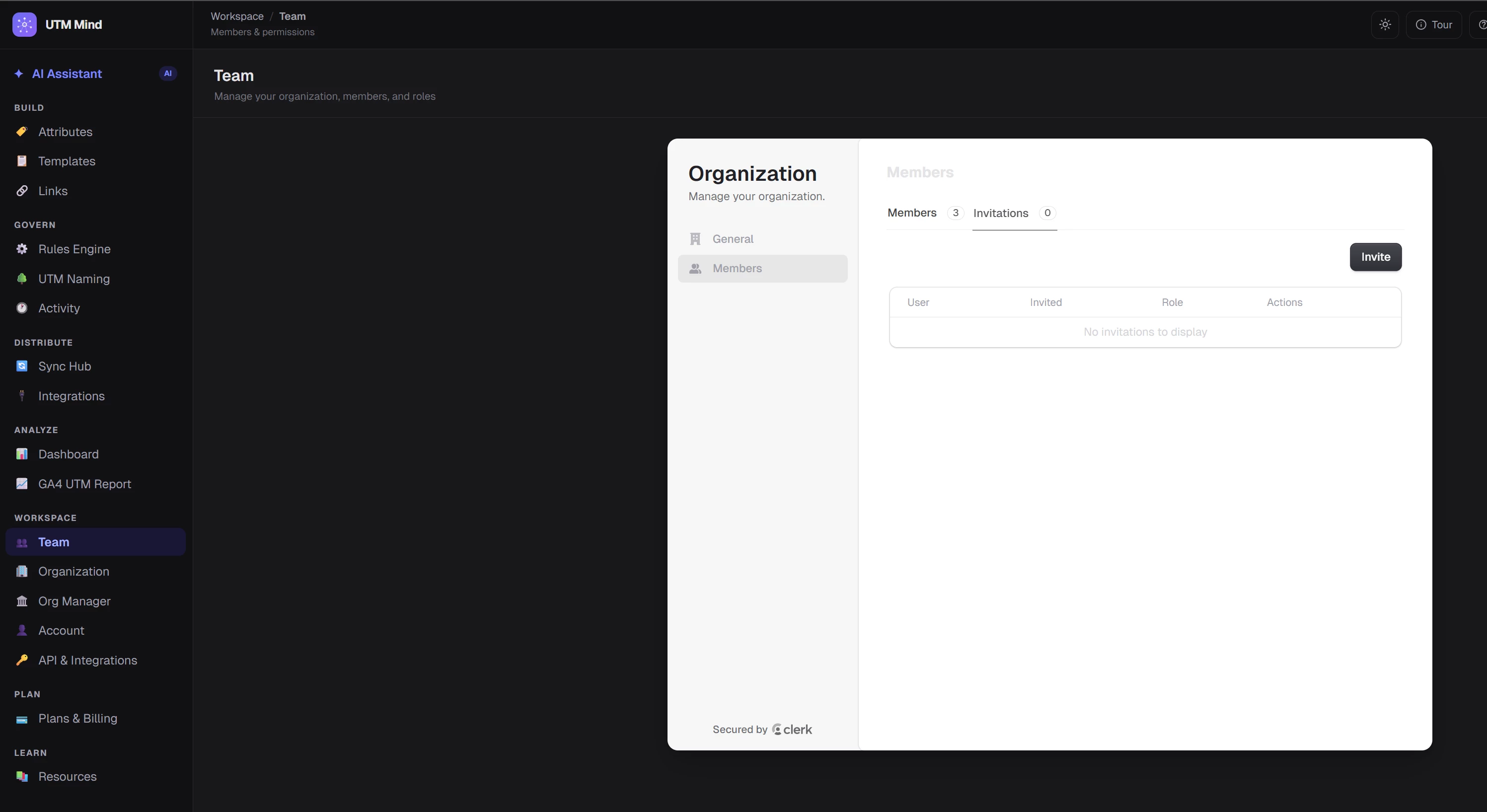
Tracking is a team sport. UTMMind allows you to invite teammates to co-work in a shared workspace.
-
Stop passing around "Final_v3_Tracking_Sheet.xlsx."
-
Share your template so that everyone uses the same "Adobe Analytics CID Template," ensuring cross-departmental alignment between Social, Search, and Display teams.
-
Invite your teams into the workspace so that work togather
4. The "Single Source of Truth" (Audit Trails)
UTMMind provides a searchable, permanent database of every CID ever created.
-
Eliminate the Mystery: If an analyst spots an unfamiliar code like
soc_ig_summersale_01in Adobe Workspace, they can instantly search for it in UTMMind. -
Full Transparency: See exactly who created the link, when it was generated, and which specific creative asset it belongs to. This level of transparency ensures 100% data accountability across your organization.

Manage and create your CID tracking specs is never easy as UTMMIND did. Free to Try yourself