Adobe Analytics Accessibility Issue - Homepage Loading Error 'Failed to Load Page' | Community
Skip to main content
July 2, 2024
Solved

Adobe Analytics Accessibility Issue - Homepage Loading Error 'Failed to Load Page'

  • July 2, 2024
  • 2 replies
  • 663 views

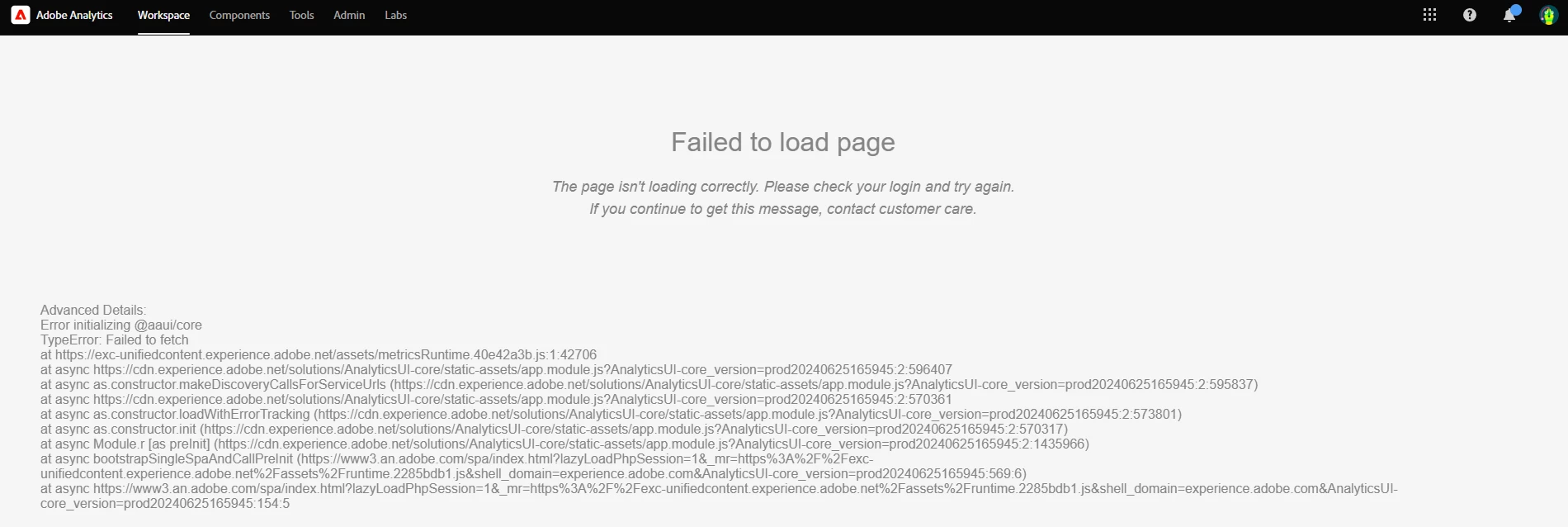
Has anyone dealt with this issue before regarding failure to load page for Adobe Analytics suite? I've run gone through the basic troubleshooting of cache / history / metadata clearing and have confirmed no one else in my organization is having this issue. Any thoughts for troubleshooting? Screenshot and language

below: 


This post is no longer active and is closed to new replies. Need help? Start a new post to ask your question.
Best answer by pradnya_balvir

Hi @danha7, It might be caused by network speed issue or extensions in the browsers.

If extensions are blocking then please try to open the page in another browser (Mozilla, Safari) or you can also check in incognito mode.


Also, as @jennifer_dungan  suggested turn off the extension and try.

2 replies

Jennifer_Dungan
Community Advisor and Adobe Champion
July 3, 2024

This might be caused by extensions / add-ons on your browser? The most common culprits are various Ad Blockers.... 


Since there are no ads on this site, you should be able to turn it off for this site to allow it to load all the proper resources.

pradnya_balvir
Community Advisor
pradnya_balvirCommunity AdvisorAccepted solution
Community Advisor
July 3, 2024

Hi @danha7, It might be caused by network speed issue or extensions in the browsers.

If extensions are blocking then please try to open the page in another browser (Mozilla, Safari) or you can also check in incognito mode.


Also, as @jennifer_dungan  suggested turn off the extension and try.