
Andrew_Wathen_
Community Advisor
Community Advisor
Aug 3, 2020 9:45 AM UTC
New

Add/remove component tags from virtual report suite curation screen

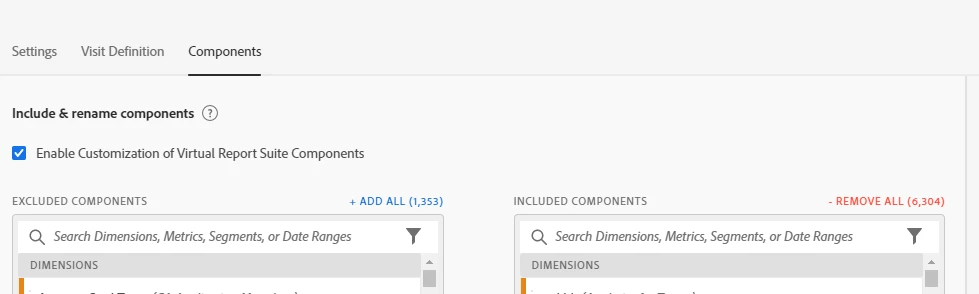
We make extensive use of tags to keep track of what components should appear in which virtual report suite (VRS).


When curating a VRS it would be a great time saver to be able to add/remove component tags from this screen in the same way you can else where in the tool (i.e. right click on the component):


2 replies

Level 4
Aug 4, 2020 12:12 PM UTC

Currently this option is available within VRS. However, you can restrict the use of Metrics/Dimensions/Calculated metrics by giving limited permission to a user account based on your business requirement. For that matter, you would need to create a Product profile within admin console as mentioned below:


https://helpx.adobe.com/in/enterprise/using/manage-products-and-profiles.html

Translate
Andrew_Wathen_
Community Advisor
Community Advisor
Aug 4, 2020 12:16 PM UTC

Thanks @megha2390,  I realise it is possible to tag components from with in the analysis workspace interface.  But I specifically want to be able to add/remove tags from within the VRS curation workflow so I don't have to keep going back and forth - Unfortunately this isn't currently available 😞

Translate