Add new object into existing data layer | Community
Skip to main content
Level 2
September 27, 2024
Solved

Add new object into existing data layer

  • September 27, 2024
  • 1 reply
  • 1379 views

Hi Community ,
I am practicing Web Sdk and Adobe Analytics ,and want to add some object into existing Data layer can i add new object data into data layer ?
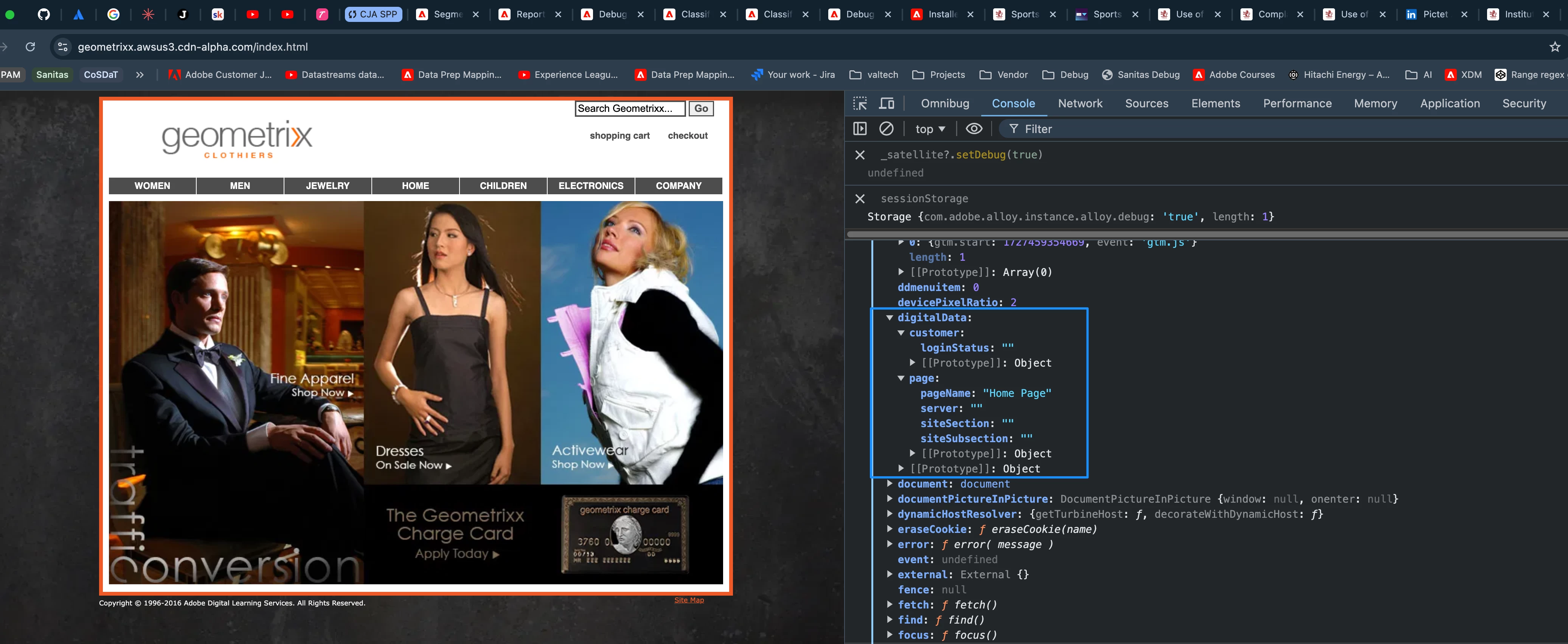
Demo websites I used for Web Sdk and analytics implementation : https://geometrixx.awsus3.cdn-alpha.com/index.html


Thanks,
Rishank
This post is no longer active and is closed to new replies. Need help? Start a new post to ask your question.
Best answer by bjoern__koth

Hi @aep_guy 

the demo page uses a "digitalData" data layer. Obviously, if you want to add anything to it, you will have to do that via custom code you run in your console or inject with your tag manager.

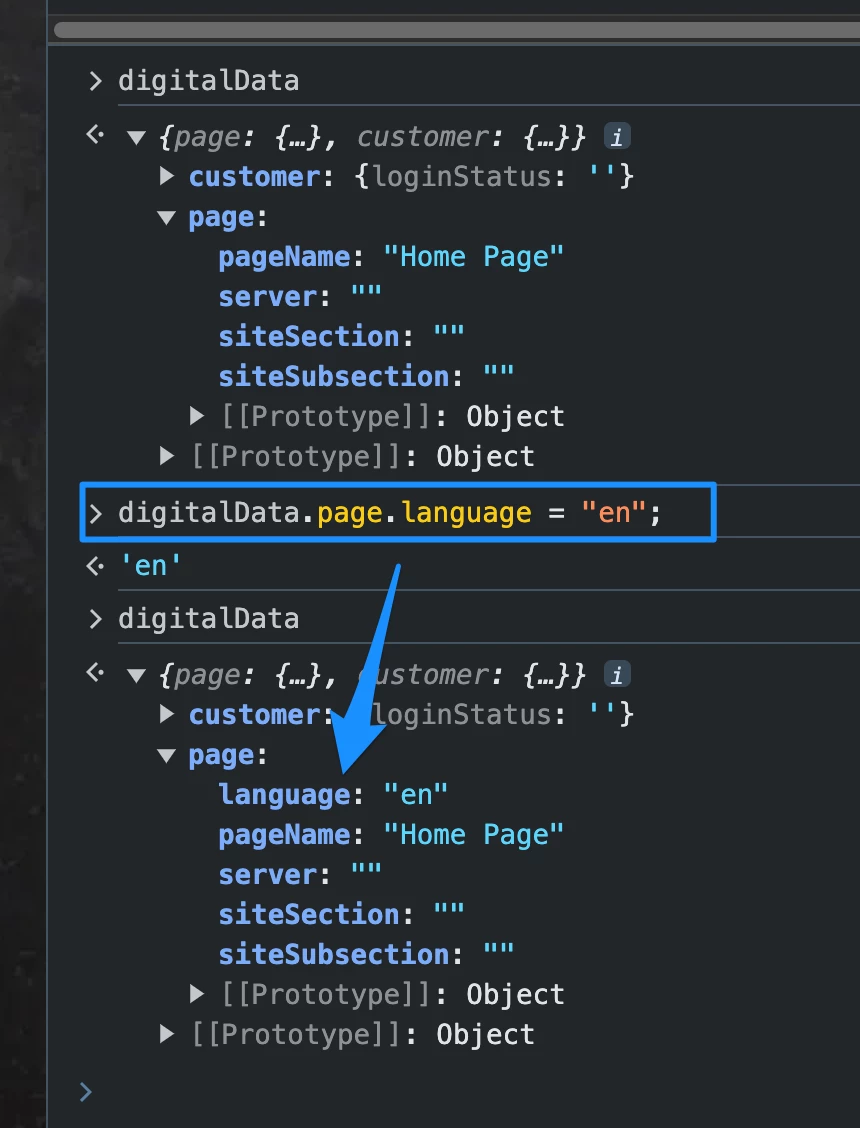
For instance, to add a "language" field, you could do

digitalData.page.language = "en";


1 reply

bjoern__koth
Community Advisor and Adobe Champion
bjoern__kothCommunity Advisor and Adobe ChampionAccepted solution
Community Advisor and Adobe Champion
September 27, 2024

Hi @aep_guy 

the demo page uses a "digitalData" data layer. Obviously, if you want to add anything to it, you will have to do that via custom code you run in your console or inject with your tag manager.

For instance, to add a "language" field, you could do

digitalData.page.language = "en";


Cheers from Switzerland!
AEP_guyAuthor
Level 2
September 29, 2024

Hi @bjoern__koth ,
Thanks for quick reply , the way you add "language" field in data Layer , 
Is this field's scope is till the session or it stay forever in data Layer until we remove that field?

bjoern__koth
Community Advisor and Adobe Champion
September 29, 2024

Hi @aep_guy 

since this is not "my" data layer, I can obviously only influence this value on the current page.

But your own data layer would behave in the same way. Data layers describe the current page and every page may have a completely different context than the previous one.

Obviously, you can persist data between page views e.g., if you wanted to store the previous page name in session storage to track it on the next page.
This very much depends on your tracking needs.


The digitalData object represents the minimum set of information that has been agreed upon between you and the developers of the website.
But you are free to use additional information that freely accessible on the website through the Data Elements of your tag manager.

For instance, the page's title does not necessarily have to be present in the digitalData if it identical to the document.title HTML attribute.

Cheers from Switzerland!