
Auth error: 401 with or without extension | Community
Skip to main content
Anil_Umachigi
Adobe Employee
Adobe Employee
August 6, 2021
Question

Auth error: 401 with or without extension

  • August 6, 2021
  • 1 reply
  • 1743 views

Hey Guys! 

@dbenge @duynguyen_adobe 

I have been trying to wrap my head around extension and looking forward to the recording of the Aug 12 event, Meanwhile i have issues when i bootstrap an app with or without extension added. 


I get an error


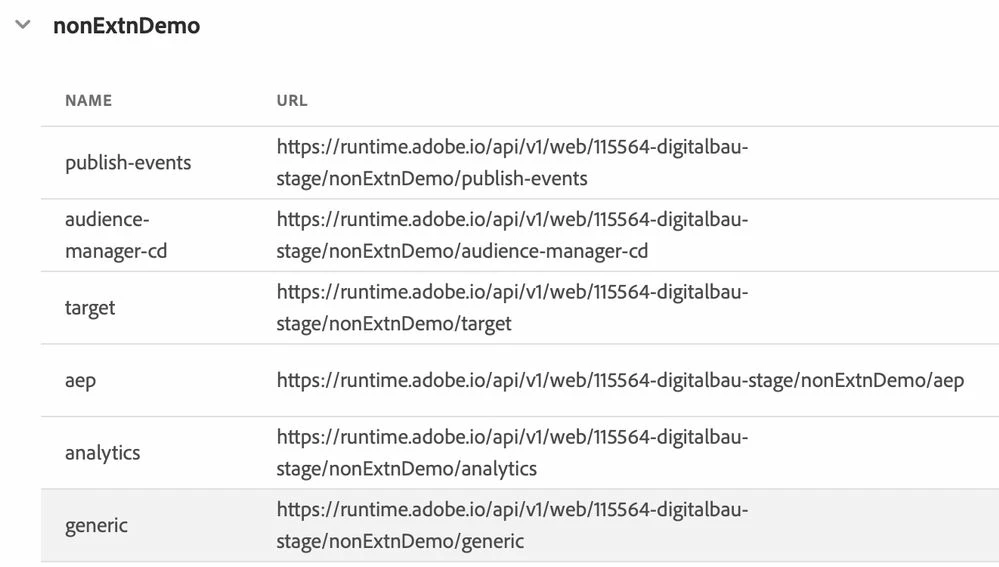
failed request to 'https://115564-digitalbau-stage.adobeioruntime.net/api/v1/web/nonExtnDemo/analytics' with status: 401 and message: {
  "error": "request is invalid, reason: failed authorization. Please verify your token and organization id."
}

The app includes .env file with required details and i can see the frontend sending headers with required information. 

Also i observed that the action url in config.json and in adobe io console stage workspace are different. Not sure if that makes any difference 


This post is no longer active and is closed to new replies. Need help? Start a new post to ask your question.

1 reply

Adobe Employee
August 6, 2021

Hi @anil_umachigi -

For the action URLs, what is called by the UI is the config.json. The list on Console is just for reference purpose and the hostname could be different (it was a legacy hostname not used anymore).

For the 401 error: Did it work before and only failed since the extension point feature was released?

Along with the new feature release, the auth validator for SPA was updated as well. It should still work as before, because all the conditions remain the same (that your account should have developer role in the org for all the services / APIs that the project includes).

Anil_Umachigi
Adobe Employee
Adobe Employee
August 9, 2021

Thank you! Please let us know when you hear back. A regular user in a defined profile should have this working. We cannot really grant product admin to make this work.


Editing to add 

Being a product admin (analytics) did not make this work either

Even for a generic action not tied to any adobe experience cloud products i got the same error.