
Creating a Namespace and retrieving the credentials | Community
Skip to main content
Gokul_Agiwal
Community Advisor
Community Advisor
January 4, 2021

Creating a Namespace and retrieving the credentials

  • January 4, 2021
  • 1 reply
  • 4047 views

Hello Team, 


I'm working on POC where I need to access Adobe I/O runtime. I'm following below link to setup my environment 

https://www.adobe.io/apis/experienceplatform/runtime/docs.html#!adobedocs/adobeio-runtime/master/getting-started/setup.md 


Under Creating a Namespace and retrieving the credentials section  -  
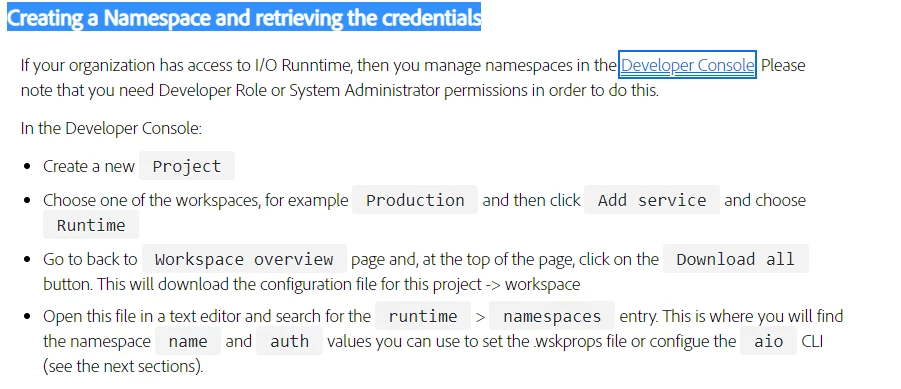
 

As per documentation the steps mentioned  - when I open the developer console and click on create a new project, the project created successfully but I can't able to find  Workspace, chose workspace like Production, Workspace overview section, and download all button 


instead above steps can only see if I Create a project from template section and chose Project Firefly as a template where all above option able to see. 


So the question is which option I supposed to chose? which is correct?  

This post is no longer active and is closed to new replies. Need help? Start a new post to ask your question.

1 reply

sarahxxu
Adobe Employee
Adobe Employee
January 4, 2021

Hi @gokul_agiwal looks like you don't have access to Runtime yet. You should follow the instructions on Getting access (https://www.adobe.io/apis/experienceplatform/runtime/docs.html#!adobedocs/adobeio-runtime/master/overview/getting_access.md) first to request Runtime access for your org!


Sarah

Gokul_Agiwal
Community Advisor
Community Advisor
January 5, 2021

Hi @sarahxxu 

Thanks for the response. 


My org has access to Adobe I/O runtime and I can see this product in my org Admin console. Do  we need any other access including Project Firefly ? 


Gokul_Agiwal
Community Advisor
Community Advisor
April 14, 2021

Hi @gokul_agiwal 


I'd recommend you to go through the second tutorial (set up a Firefly project in Console). Firefly Projects in Console allows you to do all the operations you could use in regular projects (like adding event registration and apis), and allows you to develop in multiple environments with the help of the Adobe I/O CLI. 🙂 


When you initialize the project, just skip the "web assets" option and you will be able to initialize your application as a microservice. Then you can choose which action you'd like to use as the webhook! Hope this helps. 


Sarah


Hi @sarahxxu 


Apologies for not replying back to this message. 


As I'm working on this https://medium.com/adobetech/adobe-experience-platform-launch-notification-service-with-adobe-i-o-runtime-343acc8ac1d poc and using project firefly 


Just a quick query - when I'm initialize the project skipping the web asset option is ok as I don't have any UI to show but then under the 

Actions - is Adobe launch api comes under Generic actions?  and other Events / CI CD needs to be there.