
Gmail Prefers Their Email Encrypted | Community
Skip to main content
Kiersti_Esparz1
Level 4
April 20, 2016

Gmail Prefers Their Email Encrypted

  • April 20, 2016
  • 3 replies
  • 3917 views

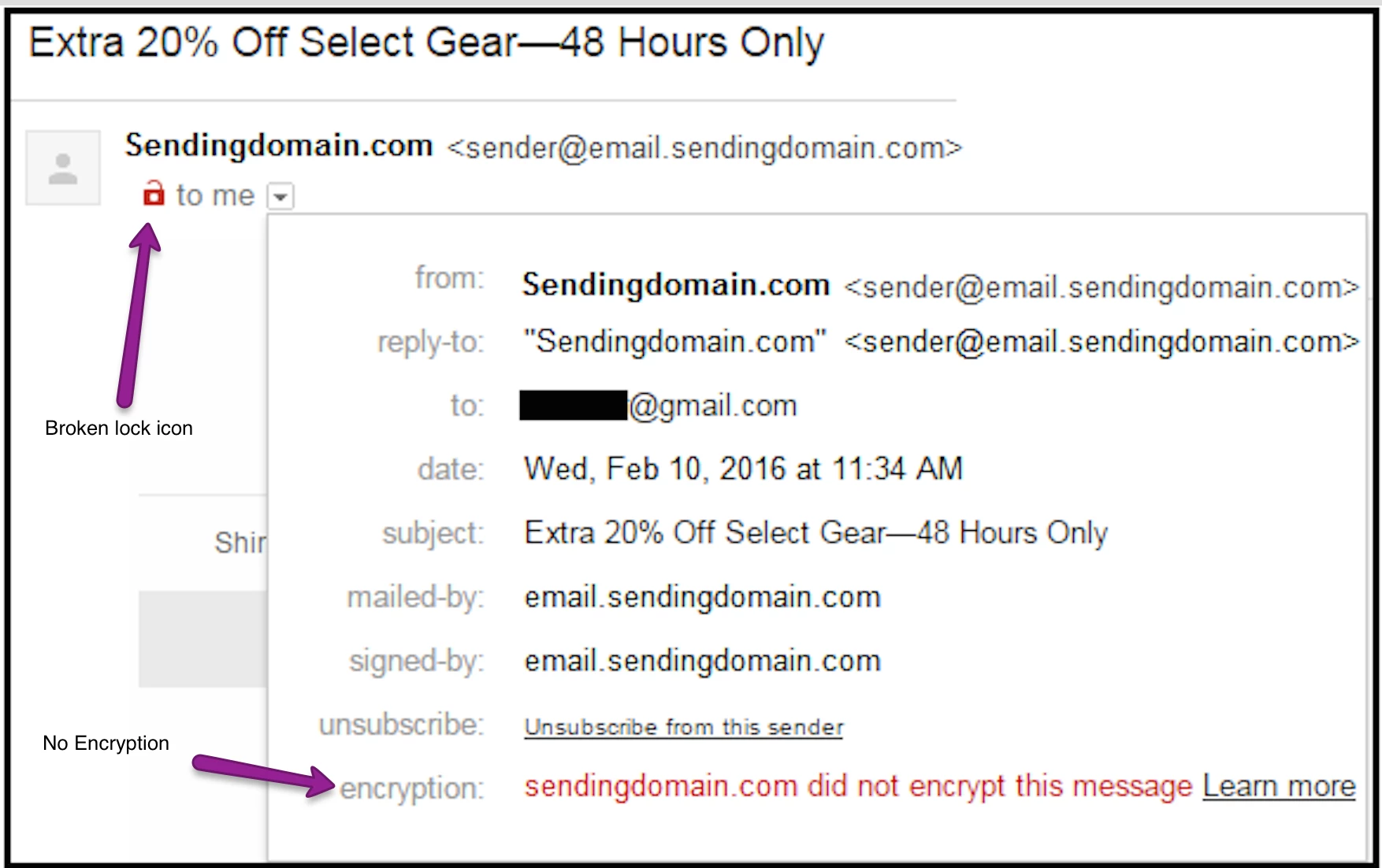
Gmail has started labeling mail that is sent without encryption with a broken lock icon .


Email encryption in transit (TLS)

Gmail supports encryption in transit using Transport Layer Security (TLS), and will automatically encrypt your incoming and outgoing emails if it can. Some other email services don't support TLS, and therefore messages exchanged with these services will not be TLS encrypted.

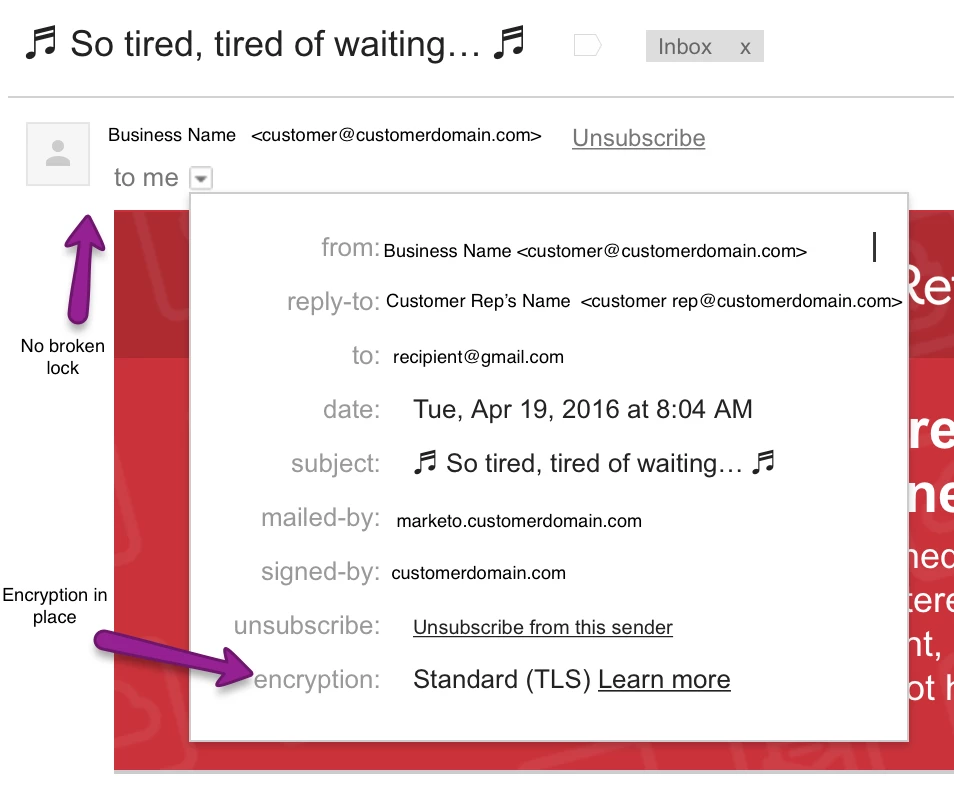
In Gmail on your computer, you can check that a message you’ve received was sent over TLS by clicking the small down arrow at the top-left of the email and reading the message details.

If you see a red open padlock iconon a message you’ve received, or on one you're about to send, it means that the message may not be encrypted.

support.google.com/mail/answer/6330403?p=tls&hl=en&rd=1


It is understood that Google is likely giving some preferential deliverability scoring to emails sent through encryption.


Good News.  Marketo implemented Opportunistic TLS in the middle of 2015 so we are ahead of the ball!


Example of mail sent without encryption


Example of mail sent with encryption

Is this article helpful ?

YesNo


3 replies

Josh_Hill9
Level 2
May 13, 2016

This article doesn't tell us how to do this in Marketo. Please advise.

SanfordWhiteman
Level 10
May 13, 2016

It works automatically. Marketo's servers attempt to use TLS if it's supported by the remote mailserver, and otherwise fall back to regular unencrypted connections.

"Opportunistic" is a pretty grandiose buzzword. "TLS when available" is a clearer way to put it, as opposed to "TLS only." You can find the same option for other optionally-encrypted protocols.  For example, some old VPN clients could be set to either "Try encryption first, fall back if not supported" vs. the harder-core "Disconnect if no encryption."

P.S. The HTTP equivalent of Opportunistic TLS does technically exist, but it has almost zero support in-the-wild.  As a result, you can't "try HTTPS first, then fall back to HTTP." Instead you have to either force TLS (breaking the connection if doesn't work) or go to the insecure site first and see if you get redirected to the secure site (which breaks the presumed security of HTTPS far more than people realize).

Kiersti_Esparz1
Level 4
May 18, 2016

As @Sanford Whiteman indicated - Marketo has implemented Opportunistic TLS for all customers by default.  No action necessary by you or your teams.

Kiersti Esparza