New
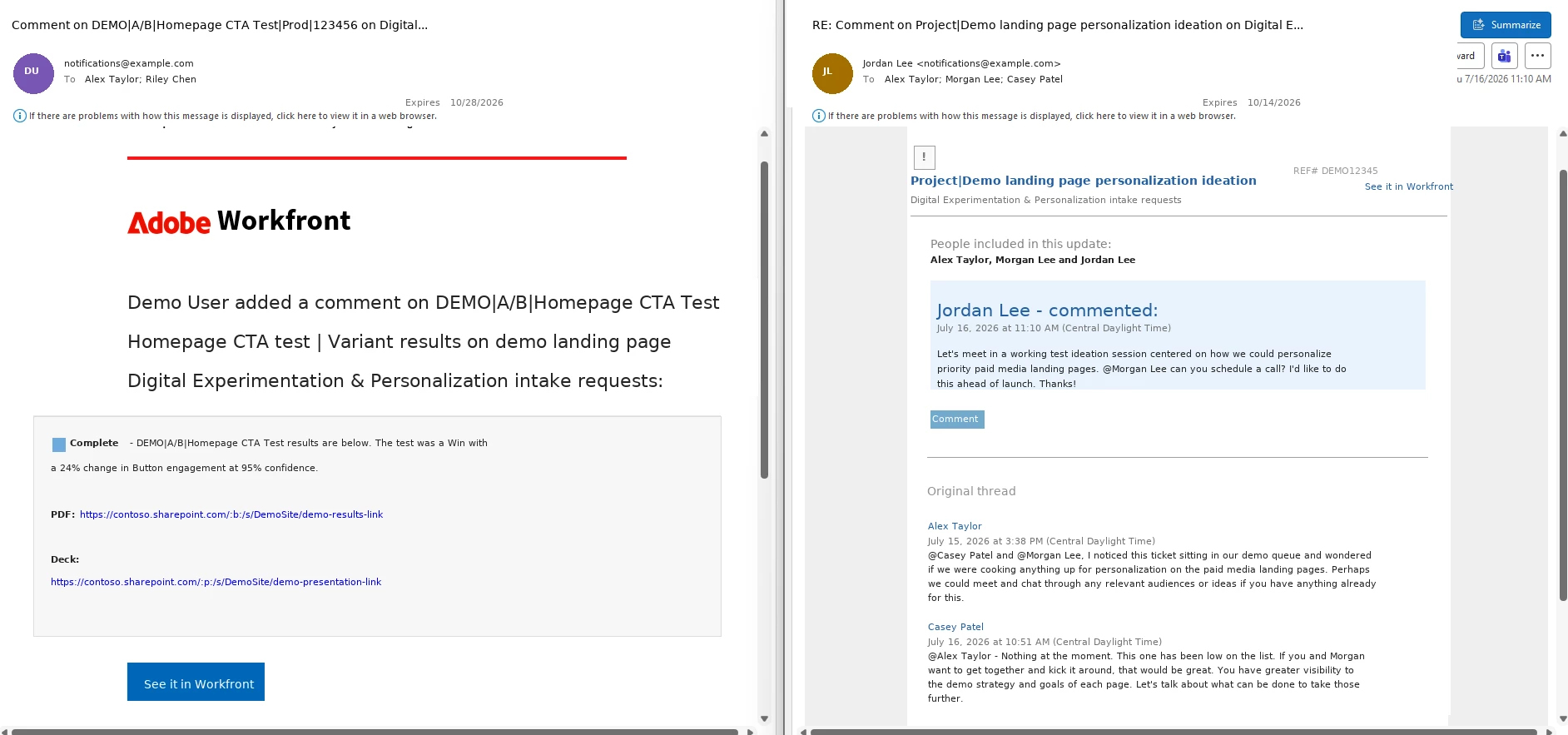
Improve the new email Workfront notifications
Anyone else notice that the new Workfront email notifications are much less functional than they were previously?
There may be more issues than what’s listed below, but here is what I would like to see re-added to the new notifications -
Current issues:
- Can no longer just click into an issue from the issue name in the email
- When I click 'see it in Workfront' it automatically opens the comment to reply when I don't want to reply
- The name of the comment in the email isn't listed as who it is from (e.g., John Doe <notifications@my.workfront...) and instead every email says 'norelpy@...' and I don't know who commented at first glance
- Doesn't show who was tagged in the comment
- Doesn't show the entire comment thread with context to comment.