


How to submit a great AI recipe
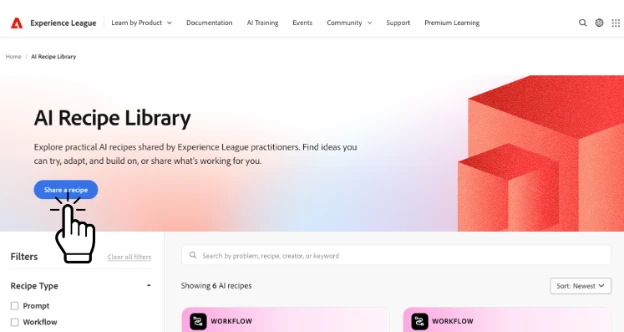
Ready to share your recipe but not sure how to package it? You’ve already done the hard part by building something that works. Click “Share a recipe on the AI Recipe Library homepage to open the submission form, then use these tips to make sure your recipe is easy to find, understand, and reuse. The best recipes use clear, descriptive language and keep jargon to a minimum.
Choose your build type:
This tells people at a broad level what they can expect to do with your recipe. If yours potentially fits into more than one category, pick the one that’s most descriptive of its functionality. No need to overthink it – there will be plenty of opportunity to clarify it in the “About” section.
Give it a clear title:
Titles don’t need to be flashy or clever. The best ones say what the recipe is or does in plain language.
Examples:
- AEM Dispatcher Filter Audit: Catch Leaks Before Go-Live (submitted by
@AmitVishwakarma ) - Framework for Building (AEM) Code Base Skills (submitted by
@BrettBirschbach ) - AI-Assisted Integration Architecture Review (submitted by
@ccg1706 )
About
Overview:
This is where the preview text on the library homepage comes from, so the first sentence or two should tell readers why they should try your recipe. Cover why you built it, what it does at a high level, and anything users should know up front, so that other practitioners can quickly tell if and how it will help their work.
Examples:
- AI-Powered Strategy Recommendation Stress Tester (submitted by
@Raja_Reddy ) - AI-Assisted Adobe Solution Design (submitted by
@ccg1706 ) - Product DNA – AI Moodboard Builder (submitted by
@Asheesh_Pandey )
Goals + Results:
Share what you set out to do or the results you’ve seen. Quantitative metrics are fantastic, but they aren’t always possible, so qualitative or even general results are welcome. For example: Cuts the manual work of compiling a weekly status update from five tabs into one query-based build. (Project Dashboard submitted by
More examples:
- AEM Dispatcher Filter Audit: Catch Leaks Before Go-Live (submitted by
@AmitVishwakarma ) - CJA derived field validator (submitted by
@Josh Stephens ) - Chief-of-Staff Priority Audit with Output: Excel Workbook (submitted by
@Isha Gupta )
Lessons learned:
Gotchas and tweaks are often the most useful part of a recipe. Share any hiccups you ran into (or expect others might), how you works around them, and what you’ll do differently next time.
Examples:
- AEM Developer AI Context Kit: AGENTS.md, Skills & Prompt Library (submitted by
@Jineet_Vora ) - AEM Junit Skill (submitted by
@narendragandhi ) - From AI Prototype to Production: An AEM Edge Delivery Workflow (submitted by
@ravitejas )
Try it
Instructions / Workflow:
Make your recipe easy to adapt. Paste prompts exactly as you run them, use placeholders like [YOUR METRIC] so others can easily swap in their own details, and include a sample or example output when you can.
There is also a checkbox just under this field that toggles on/off the Copy button on the published recipe page. This box is checked by default, leave it checked if you want to allow single-click copy and paste of your prompt.