Query service to extract metadata of the audience | Community
Skip to main content
Level 2
November 11, 2024
Solved

Query service to extract metadata of the audience

  • November 11, 2024
  • 2 replies
  • 1195 views

Hi, is there any query in query service to extract the metadata of the audience (e.g. ID, name , attributes and condition)?
I checked but to no avail.

Best answer by Rudi-Shumpert

@kelvidpa 


From the AI Assistant within AEP:


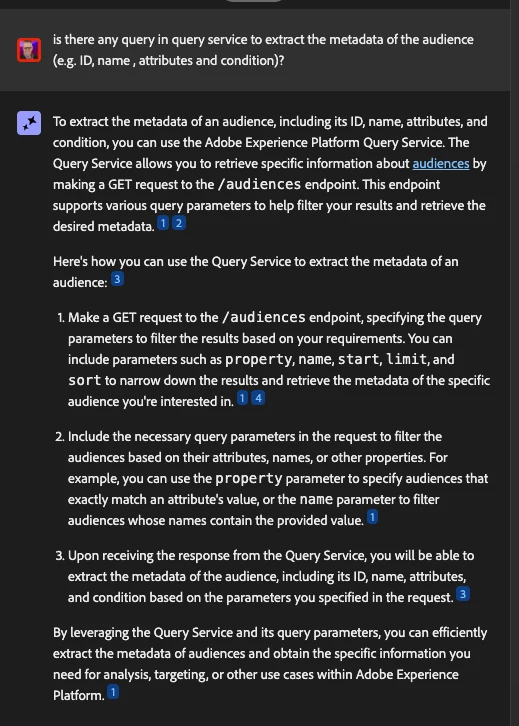
To extract the metadata of an audience, including its ID, name, attributes, and condition, you can use the Adobe Experience Platform Query Service. The Query Service allows you to retrieve specific information about audiences by making a GET request to the /audiences endpoint. This endpoint supports various query parameters to help filter your results and retrieve the desired metadata.12

Here's how you can use the Query Service to extract the metadata of an audience:3

  1. Make a GET request to the /audiences endpoint, specifying the query parameters to filter the results based on your requirements. You can include parameters such as property, name, start, limit, and sort to narrow down the results and retrieve the metadata of the specific audience you're interested in.14

  2. Include the necessary query parameters in the request to filter the audiences based on their attributes, names, or other properties. For example, you can use the property parameter to specify audiences that exactly match an attribute's value, or the name parameter to filter audiences whose names contain the provided value.1

  3. Upon receiving the response from the Query Service, you will be able to extract the metadata of the audience, including its ID, name, attributes, and condition based on the parameters you specified in the request.3

By leveraging the Query Service and its query parameters, you can efficiently extract the metadata of audiences and obtain the specific information you need for analysis, targeting, or other use cases within Adobe Experience Platform.1


2 replies

Rudi-Shumpert
Adobe Employee
Adobe Employee
November 11, 2024

Can you provide more context?  


Are you trying to use the query service to get a list of your audiences inside of AEP with all the meta data?  Or are you trying to get this to then send along with a data collection activity ?


Rudi-Shumpert
Adobe Employee
Rudi-ShumpertAdobe EmployeeAccepted solution
Adobe Employee
November 11, 2024

@kelvidpa 


From the AI Assistant within AEP:


To extract the metadata of an audience, including its ID, name, attributes, and condition, you can use the Adobe Experience Platform Query Service. The Query Service allows you to retrieve specific information about audiences by making a GET request to the /audiences endpoint. This endpoint supports various query parameters to help filter your results and retrieve the desired metadata.12

Here's how you can use the Query Service to extract the metadata of an audience:3

  1. Make a GET request to the /audiences endpoint, specifying the query parameters to filter the results based on your requirements. You can include parameters such as property, name, start, limit, and sort to narrow down the results and retrieve the metadata of the specific audience you're interested in.14

  2. Include the necessary query parameters in the request to filter the audiences based on their attributes, names, or other properties. For example, you can use the property parameter to specify audiences that exactly match an attribute's value, or the name parameter to filter audiences whose names contain the provided value.1

  3. Upon receiving the response from the Query Service, you will be able to extract the metadata of the audience, including its ID, name, attributes, and condition based on the parameters you specified in the request.3

By leveraging the Query Service and its query parameters, you can efficiently extract the metadata of audiences and obtain the specific information you need for analysis, targeting, or other use cases within Adobe Experience Platform.1


kautuk_sahni
Community Manager
Community Manager
February 3, 2025

@_manoj_kumar_@nickmannion@arpan-garg@pradnya_balvir@nnakirikanti@riteshy18

Kindly take a moment to review this question and share your valuable insights. Your expertise would be greatly appreciated!

Kautuk Sahni