Brand Specific Choice Value in idSpecific | Community
Skip to main content
Level 2
July 17, 2024
Solved

Brand Specific Choice Value in idSpecific

  • July 17, 2024
  • 2 replies
  • 1129 views

Hi Experience Community,


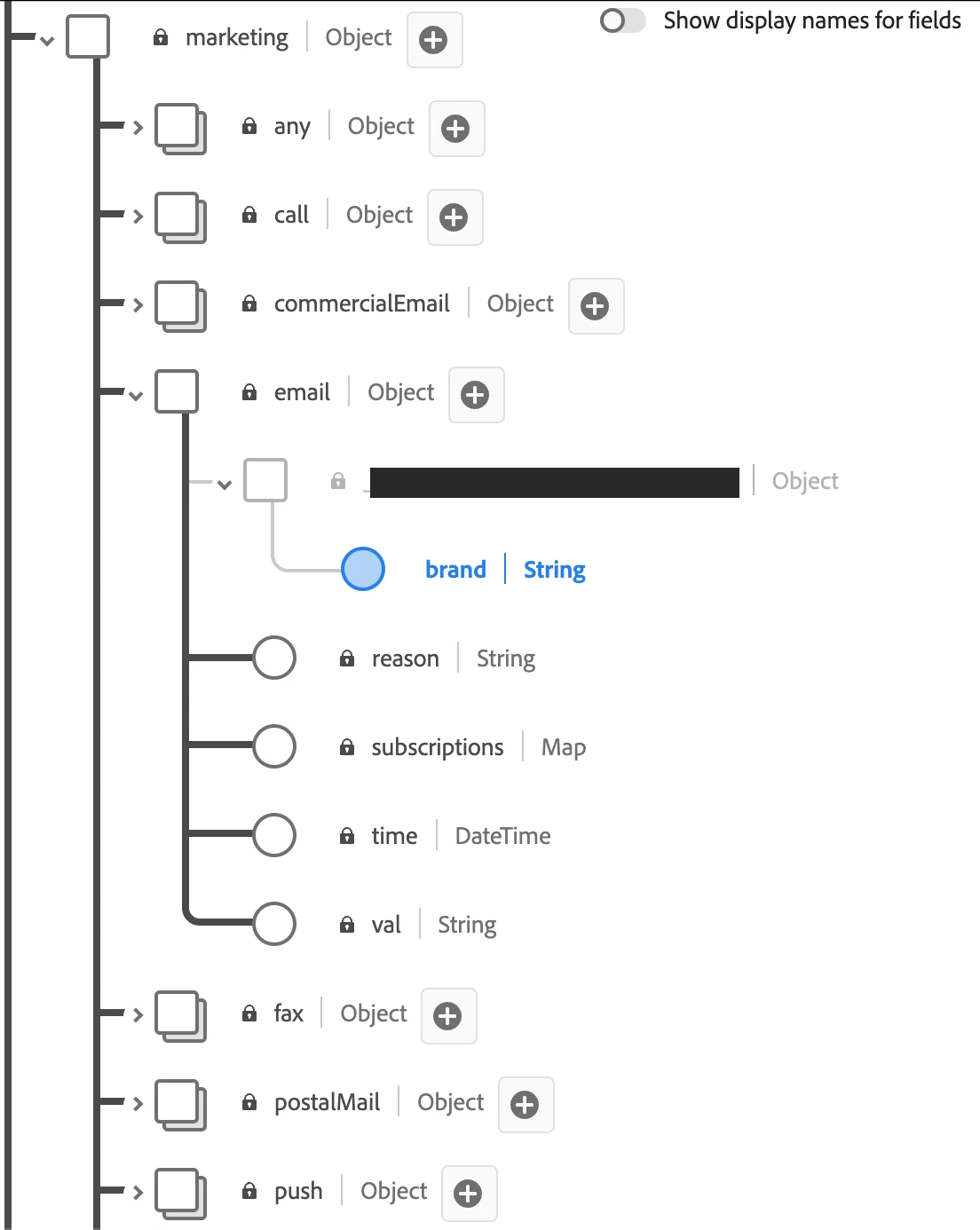
We are tackling the consent values for a corporate group with many sub-brands through idSpecific. While we know that the idSpecific map can tie the consent value to individual email address, however, the ultimate goal we want to achieve is to link each email address to specific brands within the corporate group, resulting in each email having a unique brand and consent value.


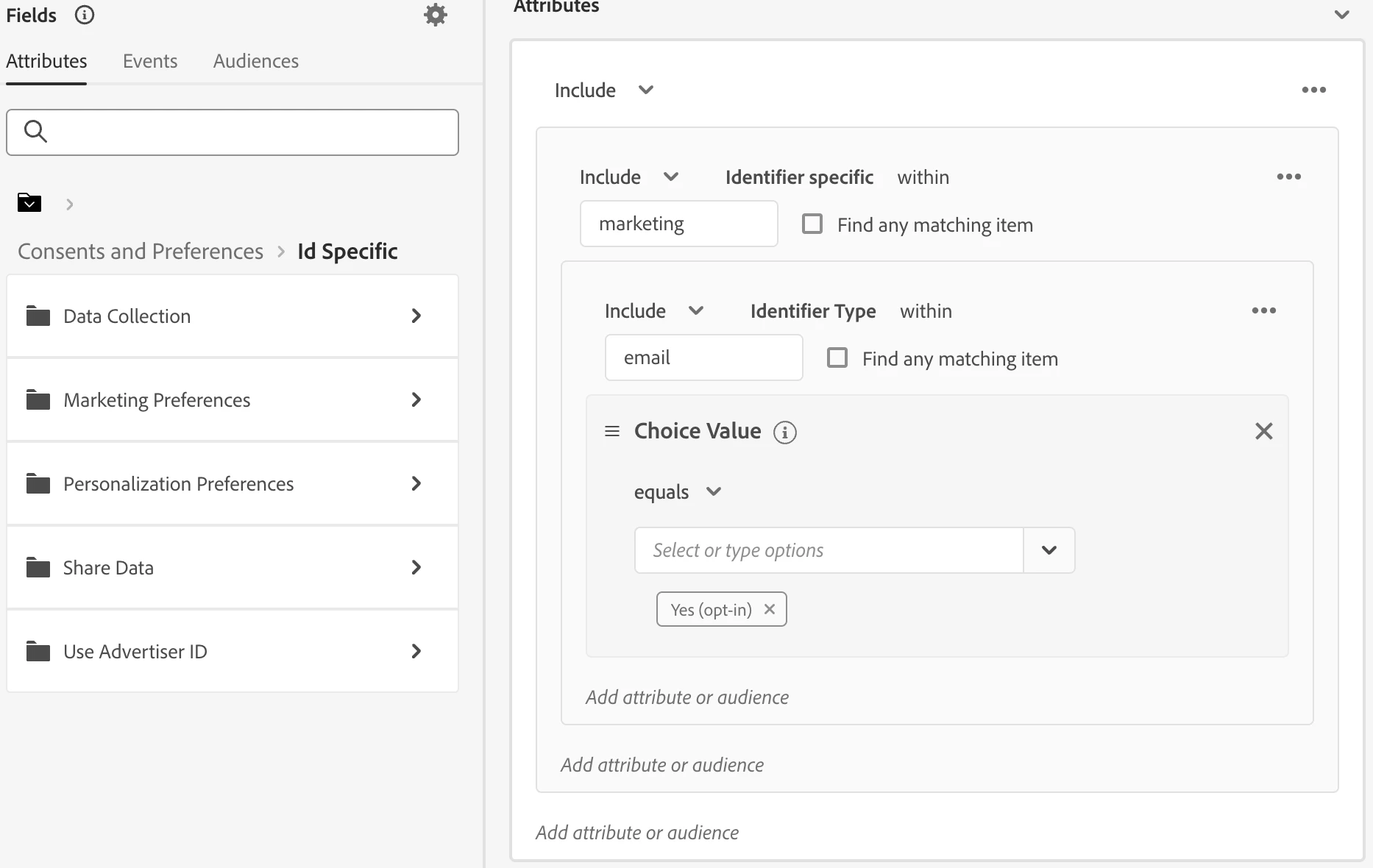
We have created a custom consent field group with the data field "brand." While we can inject the values of "brand" through the HTTP API into the profile, we struggle to use this data field for segmentation. Could you please let me know where to find this field in audience segmentation? Are there other methods to categorise consent values by channel and by brand? We have also considered using custom namespaces for each brand but we afraid it may confuse the end users.


Thank you!


Best Regards,

Zac

This post is no longer active and is closed to new replies. Need help? Start a new post to ask your question.
Best answer by Manoj_Kumar

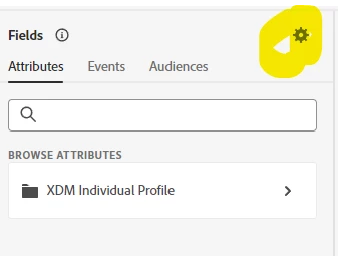
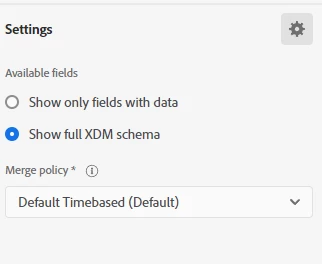
Hello @zacharyta1  Try selecting the show full XDM schema in the audience settings.


2 replies

Indra-2
Community Advisor
Community Advisor
July 18, 2024
Level 2
July 18, 2024

Hi Indra,


Thank you for providing the documentation.


Unfortunately, the post does not match my scenario as I have successfully imported the brand data into my custom consent field group in RTCDP. The issue I'm facing now is not ingesting data but using the custom "brand" data field for segmentation. Could you kindly share more information about that?


Thank you so much!


Zac

Ankit_Chaudhary
Community Advisor
Community Advisor
July 18, 2024

Hey @zacharyta1

Have you tried looking for the field in the union schema is it available over there?

You can check union schema under profile from left hand rail menu in the experience platform.

Manoj_Kumar
Community Advisor
Manoj_KumarCommunity AdvisorAccepted solution
Community Advisor
July 19, 2024

Hello @zacharyta1  Try selecting the show full XDM schema in the audience settings.


Manoj     Find me on LinkedIn
Level 2
July 19, 2024

Hi Manoj,


I can find the data field now, thank you so much! 🙂


Best Regards,

Zac