How to display the list of values iterated in sightly as radio button? | Community
Skip to main content
Level 2
October 29, 2023
Solved

How to display the list of values iterated in sightly as radio button?

  • October 29, 2023
  • 1 reply
  • 783 views

Hi Everyone,


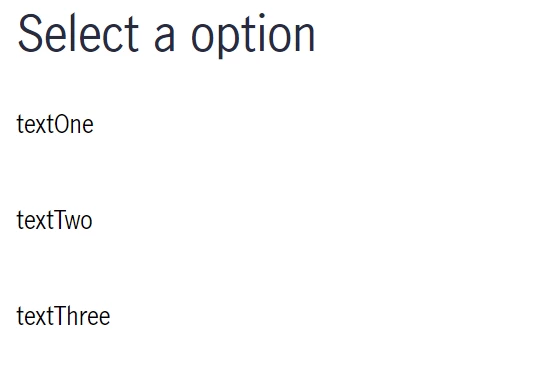
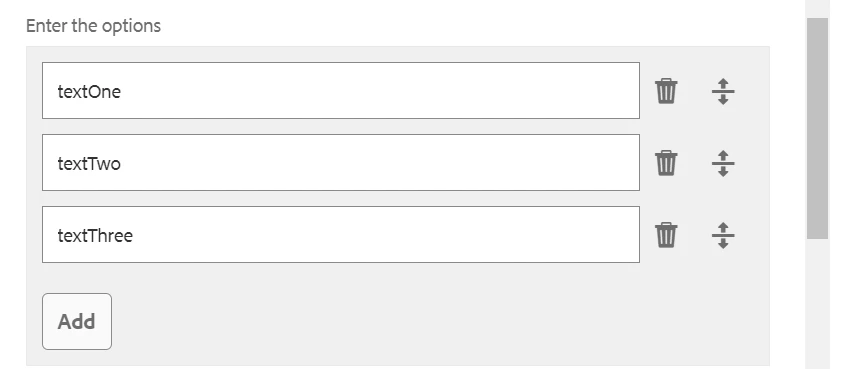
I have a list of text iterated in Sightly (I am using multifield and iterating using data-sly-list ). PFA screenshots.

Can anyone let me know how to make them radio button and when a user selects the options, each option should save a value for that node.
Example:

If a user selects "textOne" it should save value "1"
If a user selects "textTwo" it should save  value"2"

If a user selects "textThree" it should save value "3"

Sightly (htl logic) :

<sly data-sly-list.options="${model.radiobuttons}">
<div>${options.text}</div><br>
</sly>


@community @developer-7 

This post is no longer active and is closed to new replies. Need help? Start a new post to ask your question.
Best answer by Mahedi_Sabuj

You can use <variable>List identifier to achieve 1-based index in the loop.
https://github.com/adobe/htl-spec/blob/master/SPECIFICATION.md#226-list 

<sly data-sly-list.option="${model.radiobuttons}"> <label> <input name="radio-button" value="${optionList.count}" type="radio"/> <span>${option.text}</span> </label> </sly>


1 reply

Mahedi_Sabuj
Community Advisor
Mahedi_SabujCommunity AdvisorAccepted solution
Community Advisor
November 6, 2023

You can use <variable>List identifier to achieve 1-based index in the loop.
https://github.com/adobe/htl-spec/blob/master/SPECIFICATION.md#226-list 

<sly data-sly-list.option="${model.radiobuttons}"> <label> <input name="radio-button" value="${optionList.count}" type="radio"/> <span>${option.text}</span> </label> </sly>


Mahedi Sabuj